Confirm every milk pickup before the hauler shows up
Before each scheduled pickup, WebRun opens DairyComp 305 to total the herd's expected milk volume since the last pickup, drafts a confirmation email to your hauler stating the volume and pickup window, leaves it for your manager to review and send, and pings Telegram once the draft is ready.
- No credit card
- Under $0.01 per run
- Cancel anytime
What does WebRun do on every run?
The exact actions WebRun takes, in order - in plain language, so you can adjust anything.
-
WebRun signs in and gets to work
Opens
www.vas.com/dairycomp-305in a real browser with your saved login - no setup, no API keys. -
1
DairyComp 305 - total the expected milk volume
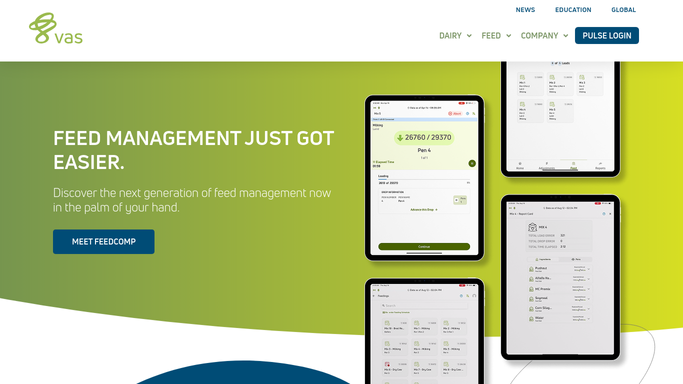
vas.com How to Automate DairyComp 305

WebRun opens DairyComp 305 to total the expected milk volume. - Open DairyComp 305 and total the milking herd's production since the last recorded pickup
- Check for any recent herd size change that would shift the expected volume
- Note the tank level and any hold, such as a treated cow's milk being withheld
Done when Today's expected pickup volume is totaled, with any withheld milk noted.
-
2
Gmail - draft the hauler pickup confirmation
gmail.com How to Automate Gmail
WebRun opens Gmail to draft the hauler pickup confirmation. - Draft an email to the hauler with today's expected volume and the scheduled pickup window
- Note any withheld milk so the hauler doesn't test it as part of the load
- Leave the email as a draft. Do not send it. Your manager reviews and sends the confirmation
Done when A Gmail draft is ready for the hauler, unsent, awaiting manager review.
-
3
Telegram - notify the manager the draft is ready
telegram.org How to Automate Telegram
WebRun opens Telegram to notify the manager the draft is ready. - Send your manager a Telegram message that today's hauler confirmation draft is ready
- Include the expected volume and pickup window so they can review it at a glance
- Remind them the draft is not sent until they approve it
Done when Your manager has a Telegram nudge to review and send today's confirmation.


How do I confirm milk volume with my hauler before every pickup?
Before each scheduled pickup, WebRun totals the herd's expected milk volume in DairyComp 305, checks for any withheld milk, and drafts a confirmation email to your hauler with the volume and pickup window. It pings your manager on Telegram once the draft is ready, so nothing goes to the hauler until a person reviews and sends it.
- A pickup confirmation is drafted and ready before the hauler arrives, not scrambled at the gate
- Withheld or treated cow milk is flagged before it's offered to the hauler
- No confirmation reaches the hauler until your manager reviews and sends it
Built for dairy farm owners · farm managers · dairy operations managers · farm office staff
How is each run configured?
Secure by default
Connect once, stays signed in
WebRun signs in once and keeps each session in a persistent environment, so every run picks up right where it left off.
Every action is checked against this policy before it runs.
Questions, answered
Will WebRun send the confirmation to the hauler automatically?
No. WebRun drafts the confirmation email in Gmail and leaves it unsent. Your manager reviews the volume and pickup window and sends it themselves, so nothing goes to the hauler unapproved.
How does it know how much milk is in the tank?
It totals production logged in DairyComp 305 since the last pickup, and factors in any milk currently on hold, such as from a treated cow, so the hauler isn't told to expect milk that shouldn't ship.
What if the pickup schedule changes that week?
Update the pickup window in DairyComp 305 or your schedule, and the next draft reflects the new time. WebRun always uses the most current schedule when it drafts.
Related templates
Put this on autopilot.
Turn it on in minutes - or have our team set it up for you.