Follow up on catering platter orders for you
Every morning, WebRun opens ShelfPerks, finds catering platter orders picked up in the last day, confirms the pickup against your Google Calendar, and drafts each customer a warm thank-you and feedback email in Gmail, left unsent for you to review.
- No credit card
- Under $0.01 per run
- Cancel anytime
What does WebRun do on every run?
The exact actions WebRun takes, in order - in plain language, so you can adjust anything.
-
WebRun signs in and gets to work
Opens
app.shelfperks.comin a real browser with your saved login - no setup, no API keys. -
1
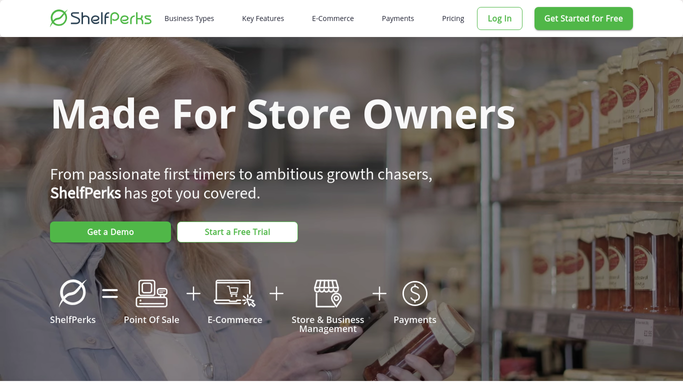
ShelfPerks - find completed platter orders
shelfperks.com How to Automate ShelfPerks

WebRun opens ShelfPerks to find completed platter orders. - Open ShelfPerks and go to the Catering and Custom Orders view
- Find platter orders marked completed or picked up in the last 24 hours
- Capture the customer name, contact email, platter contents, and order total for each
- Note whether the order was a first-time or repeat catering customer
Done when Every platter order completed yesterday is listed with its customer and contents.
-
2
Google Calendar - confirm the pickup happened
calendar.google.com How to Automate Google Calendar
WebRun opens Google Calendar to confirm the pickup happened. - Open Google Calendar and find the matching catering pickup event for each order
- Confirm the pickup time has passed so the follow-up is not premature
- Skip any order whose pickup is still scheduled for a future date
- Note the event details so the email can reference the right occasion
Done when Each order is confirmed as picked up before a follow-up is drafted.
-
3
Gmail - draft the follow-up email
gmail.com How to Automate Gmail
WebRun opens Gmail to draft the follow-up email. - Draft a warm, on-brand thank-you email for each customer that names the platter they ordered
- Invite a quick line of feedback and mention re-ordering for their next occasion
- Save every message as a Gmail draft and leave it unsent for your review
- Never send a customer email automatically. You approve and send each one
Done when A personalized follow-up draft sits in Gmail for every completed order, all unsent.


How do I automatically follow up with catering platter customers?
WebRun follows up on your catering platters every morning. It reads completed platter orders in ShelfPerks, confirms the pickup against Google Calendar, and drafts each customer a warm thank-you and feedback note in Gmail. Every email is left unsent for you to review and send, so the outreach stays personal and in your control.
- Every catering customer gets a personal thank-you within a day of pickup
- Drafts are personalized to the exact platter, ready in minutes
- No email leaves without your review, so the tone stays yours
Built for cheese shop owners · specialty food caterers · deli catering teams · gourmet food retailers
How is each run configured?
Secure by default
Connect once, stays signed in
WebRun signs in once and keeps each session in a persistent environment, so every run picks up right where it left off.
Every action is checked against this policy before it runs.
Questions, answered
Will it email catering customers without me?
No. WebRun writes each follow-up as a Gmail draft and leaves it unsent. You read every message and send it yourself, so nothing reaches a customer without your approval.
How does it know the platter was actually collected?
It cross-checks the ShelfPerks order status against the pickup event in your Google Calendar. If the pickup is still in the future, it holds the order and drafts nothing until collection has passed.
Can it match my shop's tone?
Yes. Give WebRun a sample email or a few words on your voice and it mirrors that tone in every draft, referencing the exact platter each customer ordered so the note never feels generic.
Related templates
Put this on autopilot.
Turn it on in minutes - or have our team set it up for you.