How to Automate Google Calendar

Google Calendar automates the parts that live inside it. Recurring events repeat, booking pages let people take a slot, notifications fire before a meeting, and Apps Script can run on a schedule. Keeping it accurate when the work is scheduled in another system is the part still done by hand.

The calendar is the only place anyone checks

Google Calendar is the free scheduling tool in Google Workspace, and in most small companies it has become the single source of truth about time, whether or not anyone intended that.

People will look at a calendar. They will not reliably look at a job management system, a rota tool or a booking platform, even when those are the systems the business actually runs on. If it is not on the calendar, for practical purposes it is not happening.

This produces a specific and very common failure. The real schedule lives in one system, everyone's behaviour is driven by another, and the gap between them is maintained by a person copying things across.

Two systems disagree about Thursday

The copying is invisible until it goes wrong, and it goes wrong in a way that costs real money.

A job gets booked in the field service system and somebody adds it to the shared calendar. A shift changes in the rota tool and the calendar keeps the old one. A client reschedules by email and the calendar gets updated but the job system does not.

Then an engineer drives to an address that was cancelled on Tuesday, or two people turn up for the same slot, or a visit that was moved never made it onto anyone's day at all.

The cause is never carelessness. It is that keeping two systems in step by hand is a task with no natural end, and it is always the first thing dropped on a busy day.

The calendar.google.com homepage, the app these three jobs run in. Google Calendar
The week filled in for you Jobs, shifts and appointments created where the work is booked, appearing on the right calendar without retyping.
Changes that follow through A visit moved in the job system moves on the calendar too, instead of drifting apart until someone notices.
Reminders with real detail The address, the reference and the contact pulled in, so nobody opens another system to find out where they are going.

Recurring events and booking pages cover a narrow slice

Google Calendar is more capable on its own than it is given credit for.

Events repeat on flexible rules. Appointment schedules let people book a slot from a public page, with buffers and limits. Working hours stop meetings landing at seven in the morning. Notifications fire by popup or email before an event. Calendars can be shared with fine-grained permissions, and Apps Script will run against them on a timer, so a nightly tidy-up is possible for anyone willing to write a little code.

What all of that shares is that the calendar is the origin. Something is created in the calendar, or created by someone booking through the calendar, and the calendar manages it from there.

When the appointment is created somewhere else, none of it applies. The calendar has no way to know that a job was booked in a different system twenty minutes ago, and no way to find out.

The week can fill itself from wherever the work is booked

The calendar can be written straight out of whatever system took the booking. Nobody needs to read one screen and type into another.

Tomorrow's jobs, read out of the field service system and written onto the right engineer's calendar with the address and the reference in the description. The week's shifts from a rota tool that has no calendar export. Appointments from a clinic system that only ever shows them in its own day view.

The corrections matter as much as the creations. A visit moved in the source system moves on the calendar. A cancellation removes the event instead of leaving it there to send somebody on a wasted trip.

It is worth being deliberate about direction. Pick one system as the truth, usually the one where the work is genuinely booked, and let the calendar follow it. Two systems that both write to each other will eventually fight, and the argument will surface as a double booking on a Friday afternoon.

Keeping two systems in step is nobody's job

Tomorrow's jobs are already written down somewhere; they are just not written down on the calendar. Moving them across is not skilled work, but it is the work that stops an engineer driving to the wrong town.

WebRun is an AI agent that works a real Chrome browser, signed in as you. It opens the system where the work is booked, including the ones with no API and no calendar export, reads the day, and writes the events onto the calendar with the details filled in.

It runs on your schedule in your own private environment, and you can watch a run and stop it. Anything that would notify a customer drafts and waits for a person.

The workflows below are already built, and each one shows the steps it takes.

Questions people ask

Will it create duplicate events if it runs twice?

Each workflow matches on a reference from the source system, so a second run updates the event it already created rather than adding another one.

Can it write to several people's calendars?

Yes, as long as the account it signs in with has permission to those calendars. It uses the same access a person would, so shared team calendars work the way they already do for you.

What about a booking system with no export at all?

That is the usual case. It reads the day off the screen the way a person would, then writes the events, so a system that never offered a calendar feed is no longer a dead end.

1,265 ready-made Google Calendar workflows

Each one names the apps it touches and the exact steps it takes. Open one to read what it will do, then turn it on.
Automated Power Apps Sharing Audit
Every Monday, WebRun audits Power Apps ownership and sharing across your environments, texts you about apps owned by people who have left, and books a review slot for the ones shared company-wide.
Microsoft Power AppsTwilioGoogle Calendar
Automatic Microsoft Forms Response Chasing
Every morning, WebRun reads your Microsoft Forms responses, works out who is still missing, and drafts a reminder for each of them in Google Sheets.
Microsoft FormsGoogle SheetsGoogle Calendar
Automated Dynamics 365 Lead Assignment Checks
Every morning, WebRun checks new Dynamics 365 leads for a missing owner or no logged activity, opens a Trello card for each gap, and books a first-touch slot in Google Calendar.
Microsoft Dynamics 365TrelloGoogle Calendar
Automated Azure Service Health Monitoring
Every morning, WebRun reads Azure Service Health for your subscriptions, logs active issues and planned maintenance windows in Google Sheets, and blocks the windows in Google Calendar.
Microsoft AzureGoogle SheetsGoogle Calendar
Automated Meltwater Journalist Pitch Lists
Every Monday, WebRun turns your Meltwater coverage into a ranked list of writers and outlets to pitch, blocks the outreach time in Google Calendar, and posts the list to Slack.
MeltwaterGoogle CalendarSlack
Automated Make Connection Health Checks
Every morning, WebRun reviews your Make connections, books a reauthorization slot in Google Calendar for the ones going stale, and tells the team in Microsoft Teams.
Make.comGoogle CalendarMicrosoft Teams
Automated MailerLite Inactive Subscriber Review
Every Monday, WebRun finds the MailerLite subscribers who have not opened or clicked in months, drafts the review list in Gmail, and books a calendar slot to decide before anyone is removed.
MailerLiteGmailGoogle Calendar
Automated LeadSquared Rep Activity Scorecard
Every Monday, WebRun counts each LeadSquared rep's calls, tasks and opportunities, checks the meetings they held in Google Calendar, and drafts the scorecard in Gmail.
LeadSquaredGoogle CalendarGmail
Automated Kraken Ledger Export
Every Monday, WebRun reads the new Kraken ledger entries, adds trades, deposits, withdrawals and fees to a running Notion table, and books the month-end handover in Google Calendar.
KrakenNotionGoogle Calendar
Automated Keap Unpaid Invoice Chasing
Every Monday, WebRun lists your overdue Keap invoices and unaccepted quotes, drafts a reminder per contact for your approval, and books the calls worth making.
KeapGoogle CalendarMicrosoft Teams
Automated Kajabi Course Launch Checks
Before you open the doors, WebRun walks your new Kajabi product, offer, checkout page and welcome sequence, puts the fix window on Google Calendar, and posts a pass or fail list to Microsoft Teams.
KajabiGoogle CalendarMicrosoft Teams
Automated JW Player Failed Upload Alerts
Every hour, WebRun checks your JW Player library for media stuck or failed in processing, logs it in a Google Sheet, and blocks the slot on your publishing calendar.
JW PlayerGoogle CalendarGoogle Sheets
Automated JobKorea Resume Database Sweep
Every morning, WebRun runs your JobKorea resume searches, collects the profiles that are new since yesterday, and puts them in a sheet with outreach slots booked.
JobKoreaGoogle SheetsGoogle Calendar
Automated Idealist Volunteer Enquiry Intake
Every morning, WebRun collects new volunteer applications on Idealist, drafts a reply in Gmail for each one, and books an intake call slot on Google Calendar.
IdealistGoogle CalendarGmail
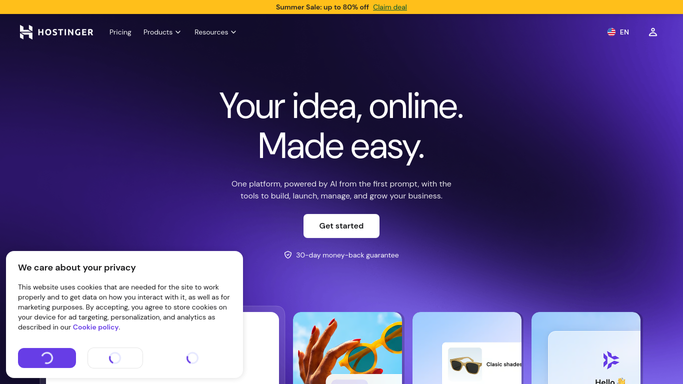
Automated Hostinger WordPress Update Checks
Every Monday, WebRun checks each WordPress install in your Hostinger panel for outdated core, plugins, and themes, and builds one patch list for you.
HostingerGmailGoogle Calendar
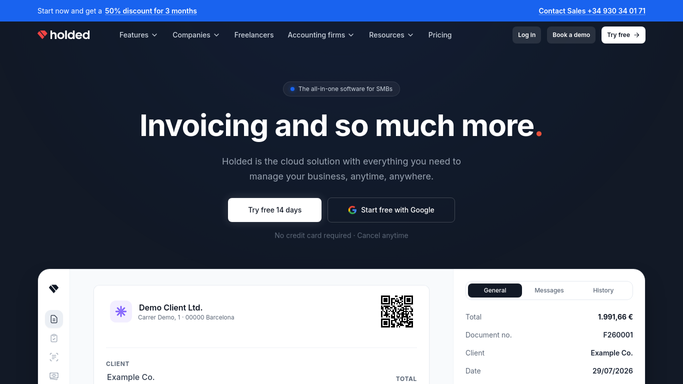
Automated Holded Low Stock Reorder Alerts
Every morning, WebRun compares Holded stock against each product's minimum, drafts a purchase order per supplier, posts the reorder list to Telegram, and diaries the delivery date.
HoldedTelegramGoogle Calendar
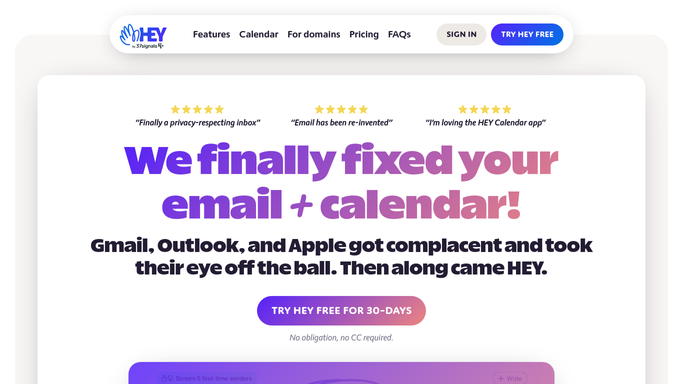
Automated Hey Paper Trail Expense Export
Every Monday, WebRun reads the receipts filed in your Hey Paper Trail, lists each one with vendor, date, and amount, and books the slot to file them.
HeyGoogle CalendarTwilio
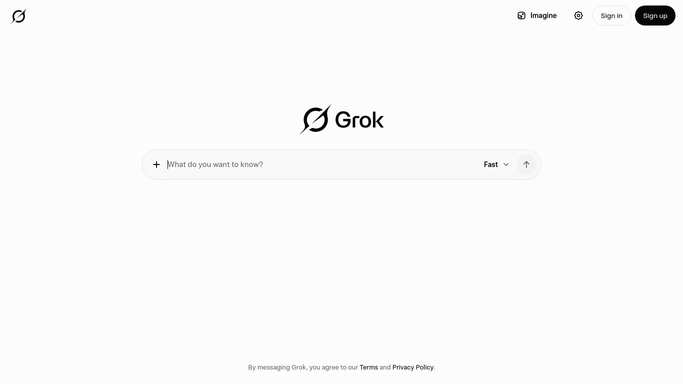
Automated Grok Weekly Research Logging
Every Monday, WebRun puts your standing research questions to Grok, appends each answer as a dated row in Google Sheets, and books the review slot in Google Calendar.
GrokGoogle SheetsGoogle Calendar
Automated Goodreads Reading Challenge Tracking
Every Monday, WebRun checks your Goodreads reading challenge against the calendar, sends the pace to Telegram, and blocks reading time on Google Calendar if you are behind.
GoodreadsGoogle CalendarTelegram
Automated Garmin Workout Calendar Sync
Every Monday, WebRun reads the workouts scheduled in Garmin Connect for the week ahead, blocks each session in Google Calendar, and logs the plan to Google Sheets.
Garmin ConnectGoogle CalendarGoogle Sheets
Automated Folk Meeting Prep Briefs
Every morning, WebRun reads today's Google Calendar, pulls each attendee's Folk record, and writes you a short prep brief per meeting in a Google Sheet.
FolkGoogle SheetsGoogle Calendar
Automated Fidelity Dividend Income Tracking
When a payment lands, WebRun reads your Fidelity activity history, logs each dividend and interest credit line by line, books the tax deadline in Google Calendar, and sends the running total to Telegram.
FidelityGoogle CalendarTelegram
Automatic Tock Availability Gap Reporting
Every Monday, WebRun reads next week's Tock availability, finds the seatings and experiences still empty, logs the gaps in Google Sheets, and blocks promo time on your calendar.
TockGoogle SheetsGoogle Calendar
Automated Disroot Mailbox Quota Monitoring
Every Monday, WebRun checks how much of your Disroot storage quota is used, names the heaviest folders and attachments on Telegram, and books a cleanup slot in Google Calendar.
DisrootTelegramGoogle Calendar

Want one of these running on your own Google Calendar?

Show WebRun the process once and it will run it on schedule, in your own private browser environment.