Give every volunteer enquiry a same day reply
Every morning, WebRun signs in to your Idealist organisation account, reads the volunteer applications and messages that came in overnight, holds an intake call slot on Google Calendar for each promising applicant, and drafts a warm Gmail reply naming the opportunity they applied to, ready for your coordinator to approve and send.
- No credit card
- Under $0.01 per run
- Cancel anytime
How do I reply to every volunteer enquiry on the same day?
WebRun handles your volunteer intake every morning. It reads new Idealist applications and messages, holds an intake call slot on Google Calendar for each applicant, and drafts a warm Gmail reply naming the opportunity, held for your coordinator to approve, so willing volunteers hear back the same day.
- Willing volunteers hear back the same day instead of drifting off
- Every enquiry has a held call slot before the reply goes out
- The coordinator approves rather than writes each reply
Built for volunteer coordinators · nonprofits · charities · community organisations
What does WebRun do on every run?
The exact actions WebRun takes, in order - in plain language, so you can adjust anything.
-
WebRun signs in and gets to work
Opens
www.idealist.orgin a real browser with your saved login - no setup, no API keys. -
1
Idealist - read new volunteer applications
idealist.org
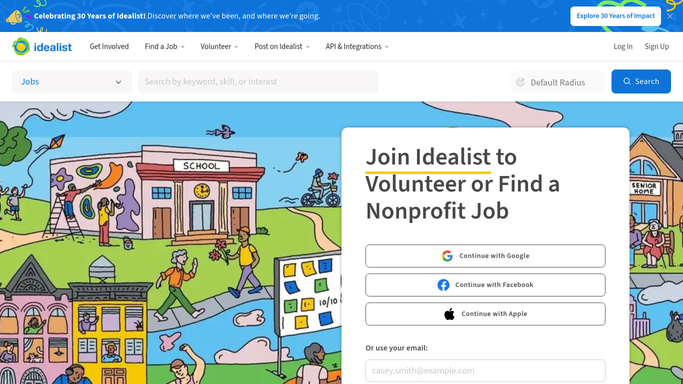
WebRun opens Idealist to read new volunteer applications. - Sign in to your Idealist organisation account and open the applications and messages for your volunteer opportunities
- Capture each new applicant with their name, the opportunity they applied to, the date, and anything they wrote in their message
- Note their stated availability and location where they gave it, so the intake call can be offered at a time that works
Done when Every overnight volunteer enquiry has been captured with its opportunity and message.
-
2
Google Calendar - hold an intake call slot
calendar.google.com How to Automate Google Calendar

WebRun opens Google Calendar to hold an intake call slot. - Find your coordinator's free intake slots over the next few days on Google Calendar
- Hold a tentative slot for each new applicant, titled with their name and the opportunity
- Leave the slot unconfirmed until the applicant replies, so nobody's diary fills with calls that were never agreed
Done when Each new applicant has a tentative intake slot held with a time to offer.
-
3
Gmail - draft the same day reply
gmail.com How to Automate Gmail

WebRun opens Gmail to draft the same day reply. - Draft a warm reply for each applicant that thanks them, names the opportunity, and offers the held slot with an alternative
- Match your organisation's voice and answer the obvious questions about time commitment and next steps
- Leave every reply as a draft for your volunteer coordinator to approve. WebRun never emails an applicant on its own
Done when A reply is drafted and waiting for approval for every new applicant.
How is each run configured?
Secure by default
Connect once, stays signed in
WebRun signs in once and keeps each session in a persistent environment, so every run picks up right where it left off.
Every action is checked against this policy before it runs.
Questions, answered
Will it email volunteers without approval?
No. Every reply is left as a Gmail draft for your coordinator to read and send, so a real person greets each volunteer before anything reaches their inbox.
Does it book calls the applicant never agreed to?
No. The calendar slot is held tentatively and only becomes a confirmed call once the applicant replies. Unclaimed holds are released rather than left blocking the diary.
Can it match the tone we use with volunteers?
Yes. Give WebRun an example of a reply you are happy with and it drafts in that voice, naming the specific opportunity each person applied to.
Related templates
Put this on autopilot.
Turn it on in minutes - or have our team set it up for you.