Check a new course is really ready to sell
On the run before a launch, WebRun opens Kajabi, checks the product has every module and lesson published, confirms the offer is live and priced, loads the checkout page and the landing page as a buyer would see them, reads the welcome email sequence, then blocks fix time on Google Calendar and posts a pass or fail list to Microsoft Teams.
- No credit card
- Under $0.01 per run
- Cancel anytime
How do I check a Kajabi course is ready to launch?
WebRun runs your Kajabi launch check before you open the doors. It confirms every module is published, the offer is live and priced, the checkout and landing pages load, and the welcome sequence is on. It blocks fix time on Google Calendar and posts a pass or fail list to Microsoft Teams.
- Broken checkouts are caught before the launch email goes out
- Unpublished lessons and inactive offers surface in one list
- Fix time is on the calendar with a launch morning recheck
Built for course creators · online educators · membership site owners · digital product teams
What does WebRun do on every run?
The exact actions WebRun takes, in order - in plain language, so you can adjust anything.
-
WebRun signs in and gets to work
Opens
app.kajabi.comin a real browser with your saved login - no setup, no API keys. -
1
Kajabi - check product, offer and checkout
kajabi.com
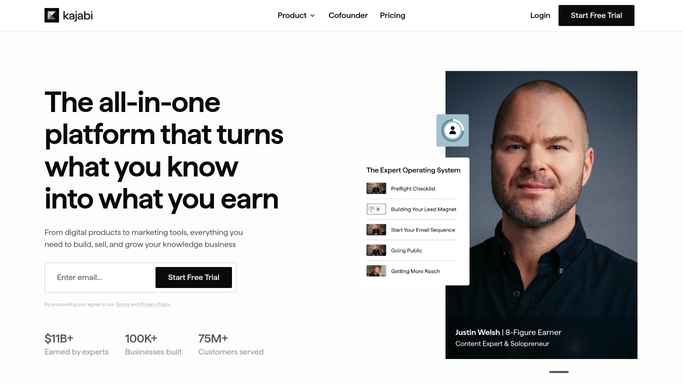
WebRun opens Kajabi to check the product, offer and checkout. - Open Kajabi and go to the product you are about to launch
- Confirm every module and lesson is published rather than left in draft
- Check the offer is live, priced, and attached to the right product
- Load the checkout page and the landing page the way a buyer would see them, and follow every link and button
- Read the welcome email sequence and confirm it is switched on and pointed at this offer
- Look only. WebRun never publishes the product or takes an offer live
Done when Every part of the launch has been loaded and marked pass or fail.
-
2
Google Calendar - block the fix window
calendar.google.com How to Automate Google Calendar

WebRun opens Google Calendar to block the fix window. - Add a block before launch day sized to the number of failures found
- Name each block after the item it is there to fix
- Set a reminder for a second check the morning of the launch
Done when Fix time and a relaunch check both sit on the calendar before launch day.
-
3
Microsoft Teams - post the pass or fail list
microsoft.com How to Automate Microsoft Teams

WebRun opens Microsoft Teams to post the pass or fail list. - Post the readiness list with failures first and passes below
- Say plainly what is broken: an unpublished lesson, a missing price, a dead link
- Name the owner for each failure so the fixes are picked up
Done when The team has one list showing exactly what still blocks the launch.
How is each run configured?
Secure by default
Connect once, stays signed in
WebRun signs in once and keeps each session in a persistent environment, so every run picks up right where it left off.
Every action is checked against this policy before it runs.
Questions, answered
Will it publish the course or take the offer live?
No. WebRun checks and reports only. Publishing a product, activating an offer, or sending the launch email stays a human action, so nothing goes live before you have read the failures.
Does it buy the course to test checkout?
No. It loads the checkout page as a buyer would see it and confirms it renders with the right offer and price. It never completes a purchase or enters payment details.
When should I run it?
Run it a few days before launch, then again on launch morning. The first run gives you time to fix what failed, and the second confirms the fixes actually took.
Related templates
Put this on autopilot.
Turn it on in minutes - or have our team set it up for you.