Keep your team's Babbel streaks alive
Every Monday, WebRun opens Babbel, checks each team member's lesson streak and weekly completion, books a short catch-up practice slot in Google Calendar for anyone who lapsed, and posts the team's standings to Microsoft Teams.
- No credit card
- Under $0.01 per run
- Cancel anytime
How do I keep my team's Babbel language streaks from lapsing?
WebRun checks Babbel every Monday for each team member's lesson streak and weekly completion, books a short catch-up practice slot in Google Calendar for anyone who has fallen behind, and posts the full team's standings to Microsoft Teams, so a language habit keeps going instead of quietly lapsing after one missed week.
- Lapsed learners get a catch-up slot before the streak resets
- Managers see the whole team's progress in one weekly Teams post
- No teammate has to be individually chased down
Built for L&D coordinators · corporate language programs · team leads · HR training managers
What does WebRun do on every run?
The exact actions WebRun takes, in order - in plain language, so you can adjust anything.
-
WebRun signs in and gets to work
Opens
www.babbel.comin a real browser with your saved login - no setup, no API keys. -
1
Babbel - check lesson streaks
babbel.com
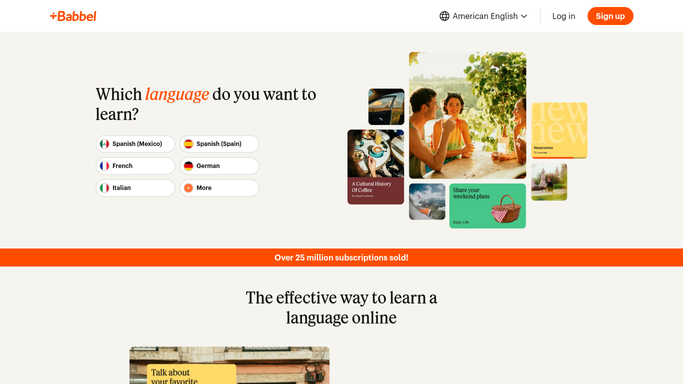
WebRun opens Babbel to check lesson streaks. - Open Babbel and check each team member's current lesson streak
- Note this week's completed lessons and days since last practice
- Flag anyone with a streak gap of 2 or more days
Done when Every team member's streak and weekly completion is captured.
-
2
Google Calendar - book catch-up practice
calendar.google.com How to Automate Google Calendar

WebRun opens Google Calendar to book catch-up practice. - Book a 15 minute catch-up practice slot for anyone flagged
- Place it earlier in the week while the gap is still recoverable
- Leave existing bookings and personal events untouched
Done when Everyone who lapsed has a catch-up slot on their calendar.
-
3
Microsoft Teams - post team standings
microsoft.com How to Automate Microsoft Teams

WebRun opens Microsoft Teams to post team standings. - Post the week's standings to the team channel
- Rank by streak length with catch-up slots noted
- Call out the longest active streak first
Done when The team has this week's standings in Teams.
How is each run configured?
Secure by default
Connect once, stays signed in
WebRun signs in once and keeps each session in a persistent environment, so every run picks up right where it left off.
Every action is checked against this policy before it runs.
Questions, answered
Will it message teammates directly?
No. It only books a calendar slot and posts the shared standings to Microsoft Teams. It never emails or messages a teammate on its own, so nobody gets a surprise notification.
What if someone already practiced this week?
It reads each learner's live streak and lesson count in Babbel before flagging anyone, so teammates who are already caught up are skipped automatically.
Does this need a business Babbel account?
No. It reads whatever team roster you connect it to and works the same on an individual or a team Babbel plan.
Related templates
Put this on autopilot.
Turn it on in minutes - or have our team set it up for you.