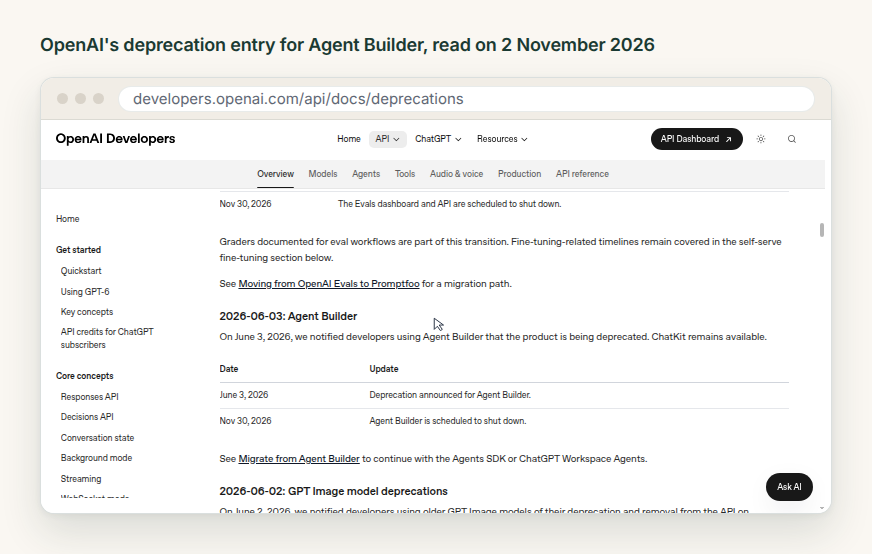
OpenAI is switching off Agent Builder on 30 November 2026. The notice went out on 3 June, and the entry on OpenAI's deprecations page is two lines long: "Deprecation announced for Agent Builder" on 3 June 2026, and "Agent Builder is scheduled to shut down" on 30 November 2026.
If part of your week runs through a workflow you drew on that canvas, you have about four weeks. The export you need runs inside Agent Builder, so it goes when Agent Builder goes.
What closes, and what stays
Agent Builder was the visual part: nodes on a canvas, branches between them, tools hung off each node, a workflow you could point at in a meeting. ChatKit, the chat interface many teams put in front of it, is staying. OpenAI's notice says both things in one sentence: "On June 3, 2026, we notified developers using Agent Builder that the product is being deprecated. ChatKit remains available."
The catch sits underneath the chat window. ChatKit has two integrations, and the recommended one let OpenAI host the backend out of Agent Builder. When the canvas goes, that hosting goes with it, and what remains is ChatKit in front of a backend you run yourself.
Two other things stop on the same date. Reusable prompt objects and the v1/prompts API shut down on 30 November, and so do the Evals dashboard and API, with existing evals read only since 31 October 2026. If one of your agents reads its instructions out of v1/prompts, that is a second thing to copy out this month.
The export gives you code, not your workflow
OpenAI's migration guide is short. Open your workflow, select Code in the top navigation, select Agents SDK, pick TypeScript or Python, and copy the export.
One sentence in it decides how much work your month holds: "This process does not convert your workflow graph or guarantee that every behavior transfers unchanged."
The export is a starting point for a rebuild, not a move. The guide repeats the point in its limitations: workflows "with strong determinism at their core may not migrate faithfully to a workspace agent", and connected apps, authentication, publishing and permissions each need separate review. You get the pieces. Putting them back in the order you had is yours.
That is why exporting comes first and choosing comes second. You need the workflow open in Agent Builder to export it, and after 30 November you will not have one.
The two routes OpenAI names
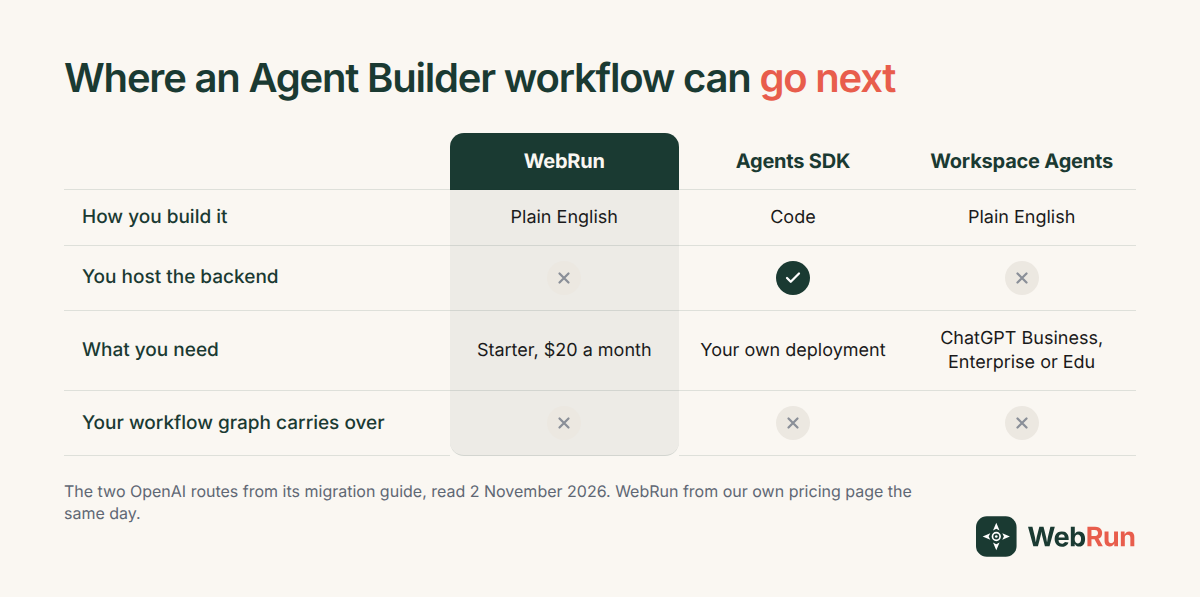
The Agents SDK is for people who build in code. You take the TypeScript or Python export into an application you write, deploy and operate. If an engineer built your Agent Builder workflow and liked working in it, this is the closest thing in spirit to what you had.
ChatGPT Workspace Agents keeps the plain English part. You paste the exported code into the agent builder in ChatGPT and it converts what it can. The requirement is in the guide: a ChatGPT Business, Enterprise or Edu workspace, with access to workspace agents and permission to create them. A personal ChatGPT account does not reach it.
Between those two sits the group this is hardest on: the person who chose Agent Builder because it was not code, and who has no business workspace either.
You can read what that feels like in OpenAI's own community thread. The builder who opened it on 4 June runs the managed Agent Builder backend with ChatKit for several clients, and wrote that managing the backend in house "makes the use of this tool economically unviable". By 22 June they had a FastAPI server deployed on IBM Cloud, the cheapest option they could find, and were still working through cold starts. Another builder got it running on AWS Lambda and put it plainly: "Agent Builder was much easier. I am already missing it."
Not everyone in the thread agrees the economics are bad. One reply argues that the backend is the same code for every client, with the per client instructions, tools and knowledge stored as data, so you build the loop once rather than once per client. Both readings can be true at the same time. Either way you end up running a server, which is the thing the canvas saved you from.
Four things to take out before the date
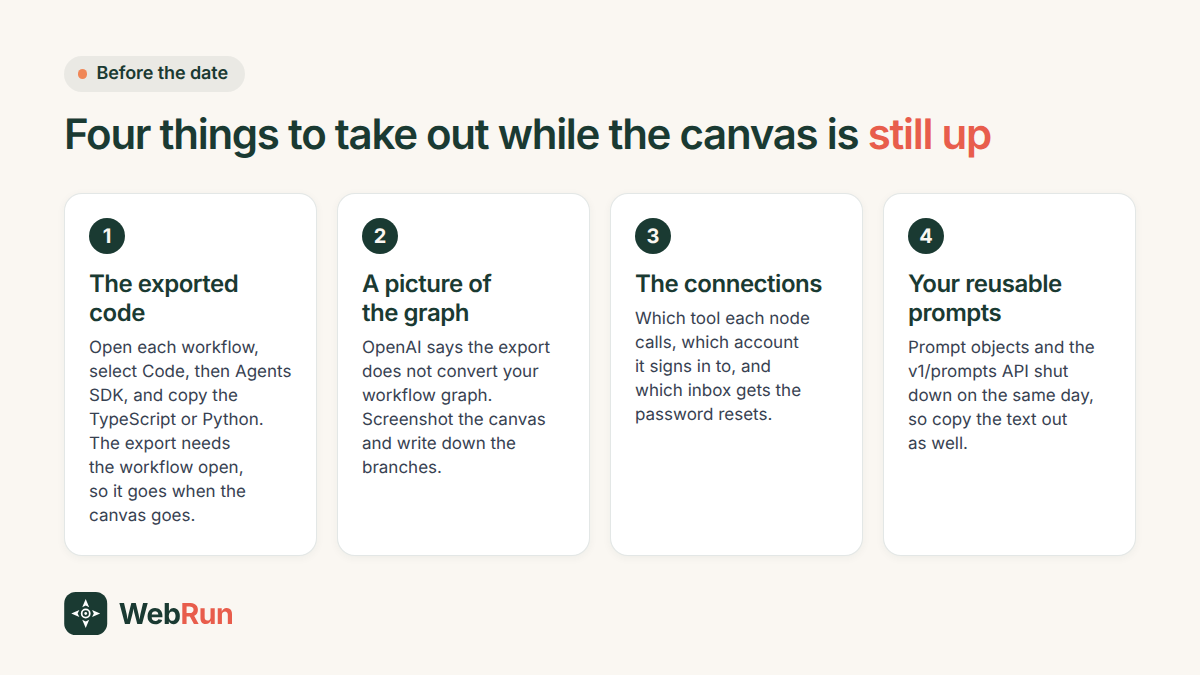
Start with the exports. Every workflow, one at a time, because the Code button disappears with the product.
Then capture the graph. A screenshot of the canvas and a line per branch is the specification you will check the rebuild against, and it is exactly what the export leaves behind.
Write down the connections next. Which tool each node calls, which account it signs in to, which inbox receives the password resets. Stored credentials rarely export in a form another tool can read, and the list of them is what you actually need on the other side.
Then the prompts. If you edit an agent's instructions in the dashboard rather than in your own code, that text lives in prompt objects, and they close on the same day.
If the canvas was the point
This part is ours, so weigh it accordingly. WebRun is built for the person in that gap. You describe the job in plain English, it runs in a real Chrome browser inside the accounts you are already signed in to, and there is nothing to deploy. There is no backend of ours for you to host, which is the specific cost the community thread is arguing about.
Two details matter if you ran Agent Builder for several clients. Each client gets its own environment, with its logins, files and memory kept apart from the next one, and our pricing page sets those at five on Starter, $20 a month after a seven day trial, twenty on Pro at $100, and as many as you need on Business at $200. The second is approvals: a run can ask you before it sends or pays anything, which is the control an unattended job needs when it works in a client's account rather than your own.
What WebRun will not do is read your exported Agents SDK code and become your old workflow. Nothing does, including the two routes above. You describe the job again, in English, and you test it against the notes you took.
Agent Builder is also not the only tool with a date on it this month. Airtop closes on 13 November, two weeks before this one. Both dates point the same way: keep the description of what a job does somewhere outside the tool that runs it.
What to do this week
Export every workflow and screenshot every canvas, while both still exist. Then pick the route by who will maintain it rather than by which one looks nearest: code if you have an engineer, Workspace Agents if you have the business plan, something else if you have neither.
If you want to see what the job looks like with no backend in it, describe it in plain English and set it to run on a schedule.