Walk into every meeting knowing where the relationship stands
Every morning, WebRun opens Google Calendar, finds today's external meetings, looks up each attendee in Folk for the last note, any open reminder, and their pipeline stage, then writes a one-screen prep brief per meeting into a Google Sheet.
- No credit card
- Under $0.01 per run
- Cancel anytime
How do I prepare for today's meetings using my CRM?
WebRun reads your Google Calendar each morning, finds today's external meetings, and looks up every guest in Folk. It pulls the last note, any open reminder, and the current pipeline stage, then writes a short prep brief per meeting into a Google Sheet before your first call.
- Every meeting starts with the last note and pipeline stage in hand
- First conversations are flagged before you join the call
- No CRM record is edited: the brief is read-only
Built for founders · account leads · consultants · agency owners
What does WebRun do on every run?
The exact actions WebRun takes, in order - in plain language, so you can adjust anything.
-
WebRun signs in and gets to work
Opens
folk.appin a real browser with your saved login - no setup, no API keys. -
1
Google Calendar - read today's meetings
calendar.google.com How to Automate Google Calendar

WebRun opens Google Calendar to read today's meetings. - Open Google Calendar and list every event on today's calendar
- Keep the meetings with an external guest and skip internal blocks and focus time
- Capture the start time, the title, and each guest's email address
Done when Today's external meetings are listed with their guests and start times.
-
2
Folk - pull the relationship history
folk.app
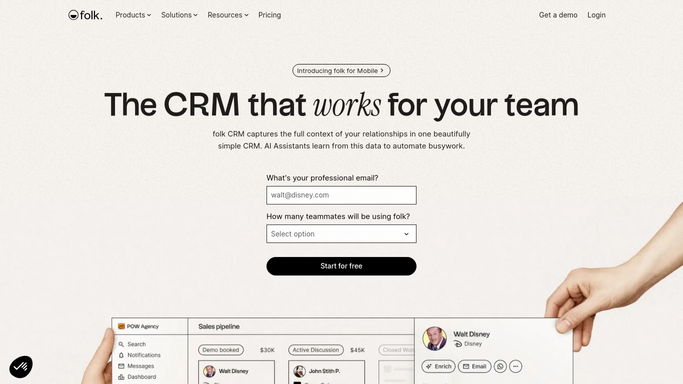
WebRun opens Folk to pull the relationship history. - Open Folk and search each guest email against your contacts
- Read the contact's group, custom fields, and the most recent note on the record
- Check for an open reminder and note the pipeline the contact sits in and its current stage
- Flag any guest with no matching Folk contact so you know it is a first meeting
Done when Every guest has a Folk record read, or is marked as a new contact.
-
3
Google Sheets - write the prep brief
google.com How to Automate Google Sheets

WebRun opens Google Sheets to write the prep brief. - Open your meeting prep sheet and add today's date as a new block
- Write one row per meeting: time, guest, company, last note, open reminder, pipeline stage
- Put the earliest meeting first so the sheet reads in running order
Done when Today's prep brief is in the sheet, one row per meeting.
How is each run configured?
Secure by default
Connect once, stays signed in
WebRun signs in once and keeps each session in a persistent environment, so every run picks up right where it left off.
Every action is checked against this policy before it runs.
Questions, answered
Does it change anything in my Folk records?
No. WebRun only reads your Folk contacts, notes, reminders, and pipelines. It writes the brief to a Google Sheet and leaves every CRM record untouched.
What happens when a guest is not in Folk yet?
The row is marked as a new contact with the guest email and company domain, so you can see at a glance which meetings are first conversations.
Will it email or message the people I am meeting?
Never. This brief is internal only. WebRun writes to your own Google Sheet and does not contact anyone on your calendar.
Related templates
Put this on autopilot.
Turn it on in minutes - or have our team set it up for you.