Reorder products before they fall below minimum stock
Every morning, WebRun opens Holded, checks stock levels across your warehouses against each product's minimum, drafts a purchase order for every supplier with something to reorder, posts the list to Telegram, and puts the expected delivery date in Google Calendar.
- No credit card
- Under $0.01 per run
- Cancel anytime
How do I reorder stock before a product runs out?
Every morning, WebRun opens Holded, compares stock levels across your warehouses against each product's minimum, and drafts a purchase order for every supplier with something to reorder. It posts the list to Telegram and puts the expected delivery date in Google Calendar, leaving every order for you to send.
- A fast-moving line does not sell out mid-week
- Purchase orders arrive drafted with quantities and supplier already filled in
- Expected deliveries sit in your calendar instead of your head
Built for ecommerce operators · wholesalers · retail buyers · small manufacturers
What does WebRun do on every run?
The exact actions WebRun takes, in order - in plain language, so you can adjust anything.
-
WebRun signs in and gets to work
Opens
app.holded.comin a real browser with your saved login - no setup, no API keys. -
1
Holded - find products under minimum
holded.com
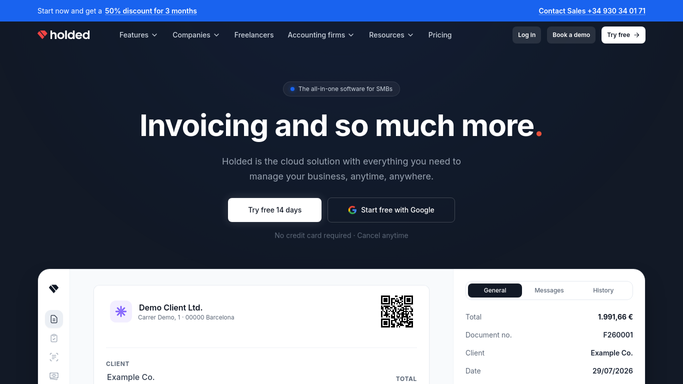
WebRun opens Holded to find products under minimum. - Open Holded and read current stock for each product across your warehouses
- Compare against the minimum stock set on each product and list anything at or below it
- Draft a purchase order per supplier with the products, the quantities needed to get back above minimum, and the last price paid. Leave every order unsent for you to approve
Done when Every product below its minimum sits on a drafted, unsent purchase order.
-
2
Telegram - post the reorder list
telegram.org How to Automate Telegram

WebRun opens Telegram to post the reorder list. - Post today's reorder list grouped by supplier
- Show each product, its current stock, its minimum, and the quantity drafted
- Flag anything already at zero so the fastest-moving lines get approved first
Done when Today's reorder list is in Telegram with quantities per supplier.
-
3
Google Calendar - diary the expected delivery
calendar.google.com How to Automate Google Calendar

WebRun opens Google Calendar to diary the expected delivery. - Add an entry to your own calendar for the expected delivery of each drafted order
- Use the supplier's usual lead time so the date is realistic
- Keep entries private to you. No supplier is invited and no order is sent
Done when Each drafted order has an expected delivery entry in your calendar.
How is each run configured?
Secure by default
Connect once, stays signed in
WebRun signs in once and keeps each session in a persistent environment, so every run picks up right where it left off.
Every action is checked against this policy before it runs.
Questions, answered
Will it send purchase orders to suppliers?
No. Every order is left as an unsent draft in Holded for you to check and send. WebRun never emails a supplier or commits you to a purchase.
How does it decide the quantity?
It orders enough to bring the product back above the minimum stock level you set in Holded, using the last price paid for that supplier so the draft is realistic.
Does it handle several warehouses?
Yes. It reads stock per warehouse and reports the product as low only when the total, or the specific warehouse you care about, falls under its minimum.
Related templates
Put this on autopilot.
Turn it on in minutes - or have our team set it up for you.