How to Automate Google Calendar

Google Calendar automates the parts that live inside it. Recurring events repeat, booking pages let people take a slot, notifications fire before a meeting, and Apps Script can run on a schedule. Keeping it accurate when the work is scheduled in another system is the part still done by hand.

The calendar is the only place anyone checks

Google Calendar is the free scheduling tool in Google Workspace, and in most small companies it has become the single source of truth about time, whether or not anyone intended that.

People will look at a calendar. They will not reliably look at a job management system, a rota tool or a booking platform, even when those are the systems the business actually runs on. If it is not on the calendar, for practical purposes it is not happening.

This produces a specific and very common failure. The real schedule lives in one system, everyone's behaviour is driven by another, and the gap between them is maintained by a person copying things across.

Two systems disagree about Thursday

The copying is invisible until it goes wrong, and it goes wrong in a way that costs real money.

A job gets booked in the field service system and somebody adds it to the shared calendar. A shift changes in the rota tool and the calendar keeps the old one. A client reschedules by email and the calendar gets updated but the job system does not.

Then an engineer drives to an address that was cancelled on Tuesday, or two people turn up for the same slot, or a visit that was moved never made it onto anyone's day at all.

The cause is never carelessness. It is that keeping two systems in step by hand is a task with no natural end, and it is always the first thing dropped on a busy day.

The calendar.google.com homepage, the app these three jobs run in. Google Calendar
The week filled in for you Jobs, shifts and appointments created where the work is booked, appearing on the right calendar without retyping.
Changes that follow through A visit moved in the job system moves on the calendar too, instead of drifting apart until someone notices.
Reminders with real detail The address, the reference and the contact pulled in, so nobody opens another system to find out where they are going.

Recurring events and booking pages cover a narrow slice

Google Calendar is more capable on its own than it is given credit for.

Events repeat on flexible rules. Appointment schedules let people book a slot from a public page, with buffers and limits. Working hours stop meetings landing at seven in the morning. Notifications fire by popup or email before an event. Calendars can be shared with fine-grained permissions, and Apps Script will run against them on a timer, so a nightly tidy-up is possible for anyone willing to write a little code.

What all of that shares is that the calendar is the origin. Something is created in the calendar, or created by someone booking through the calendar, and the calendar manages it from there.

When the appointment is created somewhere else, none of it applies. The calendar has no way to know that a job was booked in a different system twenty minutes ago, and no way to find out.

The week can fill itself from wherever the work is booked

The calendar can be written straight out of whatever system took the booking. Nobody needs to read one screen and type into another.

Tomorrow's jobs, read out of the field service system and written onto the right engineer's calendar with the address and the reference in the description. The week's shifts from a rota tool that has no calendar export. Appointments from a clinic system that only ever shows them in its own day view.

The corrections matter as much as the creations. A visit moved in the source system moves on the calendar. A cancellation removes the event instead of leaving it there to send somebody on a wasted trip.

It is worth being deliberate about direction. Pick one system as the truth, usually the one where the work is genuinely booked, and let the calendar follow it. Two systems that both write to each other will eventually fight, and the argument will surface as a double booking on a Friday afternoon.

Keeping two systems in step is nobody's job

Tomorrow's jobs are already written down somewhere; they are just not written down on the calendar. Moving them across is not skilled work, but it is the work that stops an engineer driving to the wrong town.

WebRun is an AI agent that works a real Chrome browser, signed in as you. It opens the system where the work is booked, including the ones with no API and no calendar export, reads the day, and writes the events onto the calendar with the details filled in.

It runs on your schedule in your own private environment, and you can watch a run and stop it. Anything that would notify a customer drafts and waits for a person.

The workflows below are already built, and each one shows the steps it takes.

Questions people ask

Will it create duplicate events if it runs twice?

Each workflow matches on a reference from the source system, so a second run updates the event it already created rather than adding another one.

Can it write to several people's calendars?

Yes, as long as the account it signs in with has permission to those calendars. It uses the same access a person would, so shared team calendars work the way they already do for you.

What about a booking system with no export at all?

That is the usual case. It reads the day off the screen the way a person would, then writes the events, so a system that never offered a calendar feed is no longer a dead end.

1,265 ready-made Google Calendar workflows

Each one names the apps it touches and the exact steps it takes. Open one to read what it will do, then turn it on.

Automated DairyComp Breeding Heat Reminders
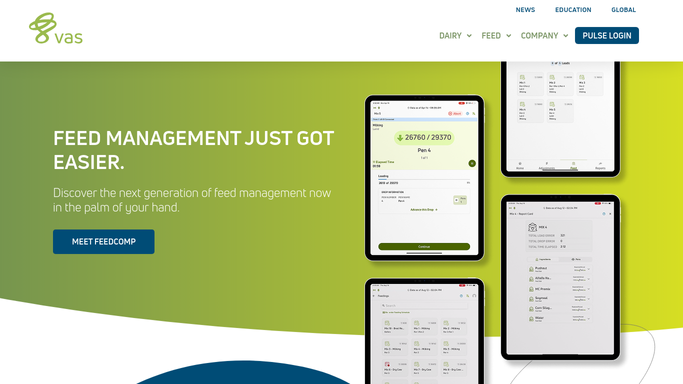
Every morning, WebRun checks DairyComp 305 for cows due to be watched for heat or scheduled on a breeding protocol, adds each one to your breeding technician's Google Calendar, and sends a Telegram list of today's breeding candidates.
DairyComp 305Google CalendarTelegram
Automated Therap Behavior Support Plan Reviews
Every Monday, WebRun checks Therap for behavior support plans due for review, posts the list to your behavior specialist in Slack, and drafts a review meeting hold with the host home provider on the calendar.
TherapSlackGoogle Calendar
Automated HRT Control Abnormal Lab Flags
WebRun checks HRT Control every few minutes for new lab results outside the normal range, flags the ordering provider in Slack right away, and holds a same-day callback slot on the calendar.
HRT ControlSlackGoogle Calendar
Automated Biologic Infusion Scheduling
Every Monday, WebRun checks ModuleMD for patients due for their next biologic infusion, holds a matching chair slot on Google Calendar, and posts the week's infusion schedule to Slack so nursing can prep premedication ahead of time.
ModuleMDGoogle CalendarSlack
Automatic Abnormal LFT Alert Routing
WebRun watches gGastro (ModMed) throughout the day for liver function tests outside normal range, posts an urgent Slack alert to the right hepatologist or on call provider, and holds an urgent follow up slot on Google Calendar.
gGastro (ModMed)SlackGoogle Calendar
Automated PrismHR Benefits Eligibility Follow Ups
Every morning, WebRun opens PrismHR, finds worksite employees who just crossed the benefits eligibility waiting period, drafts a personal eligibility notice for each one in Gmail, leaves it unsent for your benefits admin to review, and adds a calendar reminder before their election window closes.
PrismHRGmailGoogle Calendar
Automated Flex Crew Call Sheet Digest
Every evening, WebRun checks Flex Rental Solutions for tomorrow's jobs, adds each crew member's call time and venue to Google Calendar, and sends the full call sheet to your crew in Telegram before the night is out.
Flex Rental SolutionsGoogle CalendarTelegram
Automated Equipment Delivery Scheduling
WebRun checks ASPEN for units sold but not yet delivered, blocks a delivery slot on the driver's calendar, drafts a delivery confirmation for the customer to review, and flags any unit at risk of missing its promised date.
ASPEN (Charter Software)GmailGoogle Calendar
Automated Annual Radon System Checkup Reminders
Every Monday, WebRun finds RadonEasy clients whose mitigation system is due for its annual checkup, drafts a reminder email for each, and holds a calendar slot in Google Calendar for your technician to confirm.
RadonEasyGmailGoogle Calendar
Automated ArcSite Drainage Inspection Notices
Every Monday, WebRun finds ArcSite jobs with a drainage system approaching its one year inspection anniversary, drafts a notice email for each customer, and holds a placeholder inspection slot on your Google Calendar.
ArcSiteGmailGoogle Calendar
Automated Workiz Appointment Confirmation Texts
WebRun checks Workiz each evening for tomorrow's scheduled jobs, drafts a confirmation text for every customer, and cross-checks the crew calendar for conflicts so nothing surprises your team in the morning.
WorkizTwilioGoogle Calendar
Automated ShiftWizard Call-Out Backfill Alerts
The moment a nurse calls out in ShiftWizard, WebRun finds qualified on-call and PRN staff, drafts backfill request texts through Twilio for the charge nurse to send, and holds the open slot on the shared Google Calendar.
ShiftWizardTwilioGoogle Calendar
Automated QGenda Add-On Case Slotting
WebRun watches QGenda for new add-on cases with no room or time, matches each one to the nearest open slot, places a tentative hold on the shared Google Calendar, and nudges your scheduling coordinator in Slack to confirm it.
QGendaGoogle CalendarSlack
Automated RetailEdge Cooking Class Reminders
Every morning, WebRun checks Google Calendar for cooking classes in the next three days, pulls each registrant from RetailEdge, and drafts a reminder email in Gmail for your staff to send.
RetailEdgeGoogle CalendarGmail
Automated Reaction Time Outcome Reports
WebRun compares an athlete's first and latest Sports Vision EyeQ scores in RightEye, drafts a proud before-and-after outcome email in Gmail, and pencils their next reassessment onto Google Calendar, all held for your team to review before anything is sent.
RightEyeGmailGoogle Calendar
Automated GI Referral Intake and Offers
WebRun reads new referral orders in EndoManager, checks each for the details needed to schedule, finds matching open slots on Google Calendar, and drafts an appointment offer text for the scheduler to review and send to the patient.
EndoManagerGoogle CalendarTwilio
Automated Missed Session Re-Engagement
Each morning, WebRun opens Osmind, finds patients who no-showed or canceled a ketamine, Spravato, or TMS session and have no rebooking, checks Google Calendar for open slots, and drafts a warm re-engagement text in Twilio for the front desk to review and send.
OsmindTwilioGoogle Calendar
OmniMD Automated Post-Ablation Recall
Every morning, WebRun finds patients due for a post-ablation duplex recheck in OmniMD, drafts a recall text in Twilio, and holds a candidate slot in Google Calendar, all queued for your front desk to approve before anything sends.
OmniMDTwilioGoogle Calendar
Automated Same-Day Turn Alerts
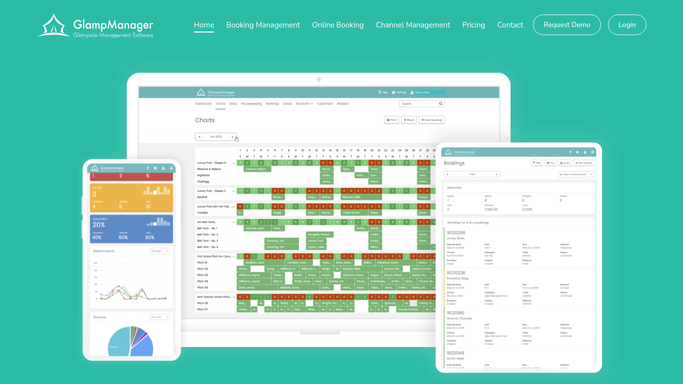
WebRun scans GlampManager for units where a guest departs and another arrives the same day, cross-checks the tight windows against your Google Calendar, and pings housekeeping on Telegram so the riskiest back-to-back turns get covered first.
GlampManagerGoogle CalendarTelegram
Automated Demo Night RSVP Tracking
Each day, WebRun reads the RSVP list for your upcoming board-game demo events in Nerdslice, adds each session to Google Calendar with the current headcount, and posts a table-and-seats summary to Discord so your event host can plan demos and copies.
NerdsliceGoogle CalendarDiscord
Automatic Tint No-Show Rebooking
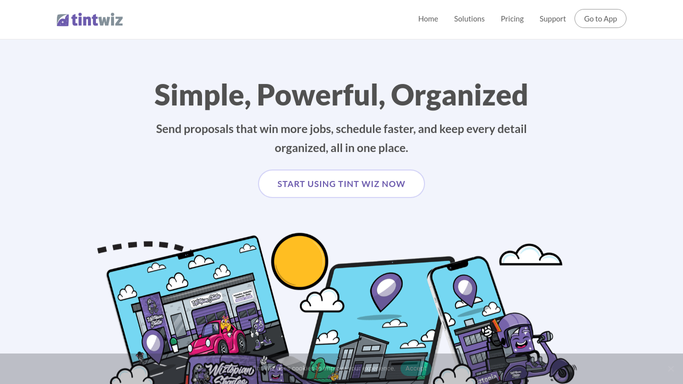
WebRun spots yesterday's tint no-shows and cancellations in Tint Wiz, drafts a friendly rebooking text with open slots, and offers the freed time to your waitlist so an empty bay turns back into a booked job.
Tint WizTwilioGoogle Calendar
Automated Restoration Permit Tracking
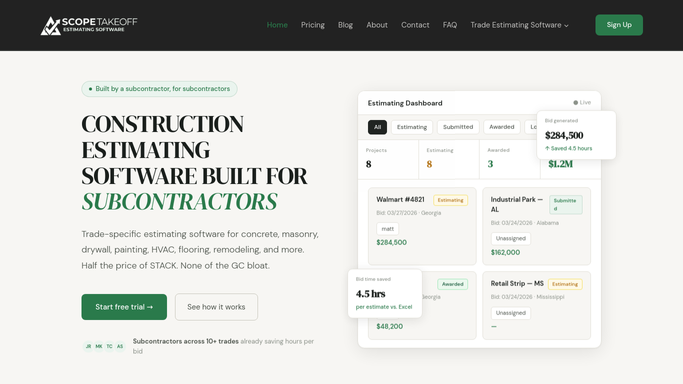
WebRun tracks the permit dates on your ScopeTakeoff restoration jobs, mirrors each expiry onto Google Calendar, and pings you on Telegram before any permit runs out.
ScopeTakeoffGoogle CalendarTelegram
Automated Nil Escheat Report Tracking
Every month, WebRun opens Simple Escheat, works out which states require a negative report when you have nothing to escheat, checks whether each is filed, and posts the team a Slack list of the nil reports still owed.
Simple EscheatGoogle CalendarSlack
Automated Placed-in-Service Tracking
WebRun reads each building component's placed-in-service date from a KBKG study, keeps a clean register in Google Sheets, and puts depreciation-start milestones on your calendar.
KBKGGoogle SheetsGoogle Calendar

Want one of these running on your own Google Calendar?

Show WebRun the process once and it will run it on schedule, in your own private browser environment.