Keep every sold unit on track for its promised delivery date
Every morning, WebRun opens ASPEN, finds units sold but not yet delivered, checks whether pre-delivery inspection is complete, blocks a delivery slot on the driver's Google Calendar for units ready to go, drafts a delivery confirmation email for the customer to review in Gmail, and flags any unit at risk of missing its promised date.
- No credit card
- Under $0.01 per run
- Cancel anytime
What does WebRun do on every run?
The exact actions WebRun takes, in order - in plain language, so you can adjust anything.
-
WebRun signs in and gets to work
Opens
aspendealers.comin a real browser with your saved login - no setup, no API keys. -
1
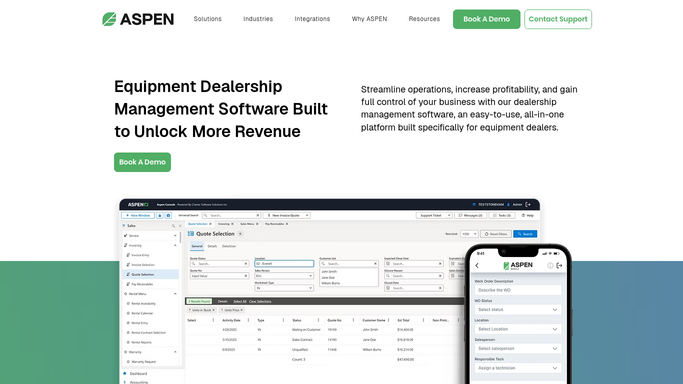
ASPEN (Charter Software) - find sold units awaiting delivery
aspendealers.com How to Automate ASPEN (Charter Software)

WebRun opens ASPEN (Charter Software) to find sold units awaiting delivery. - Open ASPEN and filter sold units to those not yet marked delivered
- Check the pre-delivery inspection status for each unit
- Flag any unit within 2 days of its promised delivery date where the inspection is not yet complete
Done when Every undelivered sold unit is listed with its inspection status and promised delivery date.
-
2
Google Calendar - block a delivery slot for the driver
calendar.google.com How to Automate Google Calendar
WebRun opens Google Calendar to block a delivery slot for the driver. - For units with inspection complete, block a delivery slot on the assigned driver's calendar
- Include the customer name, unit, and delivery address in the event
Done when A delivery slot is on the calendar for every unit ready to go out.
-
3
Gmail - draft the delivery confirmation for the customer
gmail.com How to Automate Gmail
WebRun opens Gmail to draft the delivery confirmation for the customer. - Draft a delivery confirmation email to the customer with the scheduled date and window
- Leave the draft unsent in Gmail for the sales rep to review and send
- Never send the confirmation automatically, even for a routine delivery
Done when A draft delivery confirmation exists in Gmail for every scheduled unit, ready for the rep to send.


How do I make sure sold equipment gets delivered on the date I promised the customer?
WebRun finds units sold but not yet delivered in ASPEN every morning, confirms pre-delivery inspection is complete, blocks a delivery slot on the driver's Google Calendar, and drafts a delivery confirmation email in Gmail for the sales rep to review and send, flagging any unit at risk of missing its promised date.
- Units at risk of missing their promised delivery date get flagged 2 days out
- Drivers see delivery slots on their calendar without a manual dispatch call
- Customers get a confirmation drafted in the rep's voice, never sent without a review
Built for delivery coordinators · sales reps · ag equipment dealership operations teams
How is each run configured?
Secure by default
Connect once, stays signed in
WebRun signs in once and keeps each session in a persistent environment, so every run picks up right where it left off.
Every action is checked against this policy before it runs.
Questions, answered
Will it email the customer a delivery time without me approving it?
No. WebRun drafts the confirmation email in Gmail and leaves it unsent. Your sales rep reviews and sends it before the customer sees a delivery time.
What happens if pre-delivery inspection is not done yet?
The unit is flagged instead of scheduled. WebRun will not block a delivery slot or draft a confirmation until the inspection is marked complete in ASPEN.
Does it reschedule the driver's calendar if a delivery slips?
It checks the calendar each morning and adds a new slot if a unit is still undelivered, but it does not delete or move an existing event on its own.
Related templates
Put this on autopilot.
Turn it on in minutes - or have our team set it up for you.