Catch overdue rental returns before they cost you a rental cycle
Every morning, WebRun opens ASPEN, finds every rental unit past its scheduled return date, drafts a polite reminder email for each customer and leaves it in Gmail for the rental desk to review, and posts an internal Slack list ranked by days overdue so the desk calls the longest-overdue units first.
- No credit card
- Under $0.01 per run
- Cancel anytime
What does WebRun do on every run?
The exact actions WebRun takes, in order - in plain language, so you can adjust anything.
-
WebRun signs in and gets to work
Opens
aspendealers.comin a real browser with your saved login - no setup, no API keys. -
1
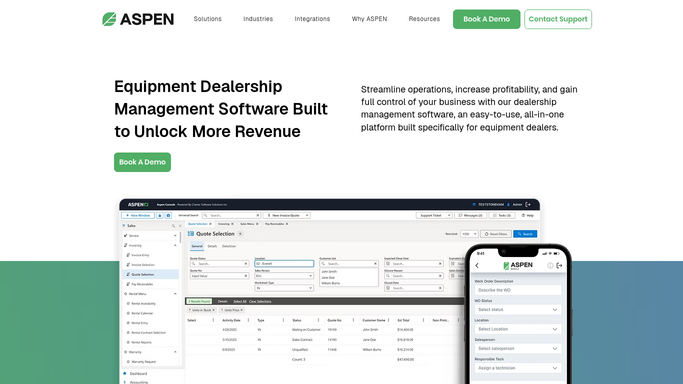
ASPEN (Charter Software) - find rental units past their return date
aspendealers.com How to Automate ASPEN (Charter Software)

WebRun opens ASPEN (Charter Software) to find rental units past their return date. - Open ASPEN Rental Management and filter units past their scheduled return date
- Capture the customer name, unit, days overdue, and daily rental rate for each
- Separate units 1 to 3 days overdue from those over 3 days
Done when Every overdue rental unit is listed with days overdue and daily rate.
-
2
Gmail - draft a reminder for each customer
gmail.com How to Automate Gmail
WebRun opens Gmail to draft a reminder for each customer. - Draft a polite return reminder for each customer, noting the unit and days overdue
- Leave every draft unsent in Gmail for the rental desk to review
- Never send an overdue notice automatically, even for a unit only 1 day late
Done when A draft reminder exists in Gmail for every overdue rental unit.
-
3
Slack - post the prioritized overdue list
slack.com How to Automate Slack
WebRun opens Slack to post the prioritized overdue list. - Post the overdue rental list to the rental desk Slack channel
- Rank units by days overdue, with the oldest at the top
- Include the accruing rental cost for each so the desk can prioritize calls
Done when The rental desk has today's prioritized overdue return list in Slack.


How do I catch overdue equipment rental returns before they cost me another rental cycle?
WebRun checks ASPEN every morning for rental units past their scheduled return date, drafts a polite reminder for each customer in Gmail without sending it, and posts a Slack list ranked by days overdue and accruing rental cost, so your rental desk follows up on the oldest, costliest overdue units first.
- The oldest overdue units surface first, before another billing cycle passes
- Every customer reminder is drafted, never sent, so the desk's tone stays consistent
- Units returned overnight drop off the list automatically, no manual cleanup
Built for rental desk coordinators · rental fleet managers · ag equipment dealership rental departments
How is each run configured?
Secure by default
Connect once, stays signed in
WebRun signs in once and keeps each session in a persistent environment, so every run picks up right where it left off.
Every action is checked against this policy before it runs.
Questions, answered
Will it email customers about their overdue rental without me?
No. WebRun drafts the reminder in Gmail and leaves it unsent. Your rental desk reviews and sends it, or calls instead, before the customer hears anything.
How does it prioritize which overdue units to chase first?
It ranks the Slack list by days overdue, oldest first, and includes the accruing rental cost so the desk can weigh urgency against dollars at stake.
Does it stop flagging a unit once it is returned?
Yes. It reads the live return status in ASPEN each morning, so any unit checked back in is dropped from the list automatically.
Related templates
Put this on autopilot.
Turn it on in minutes - or have our team set it up for you.