Catch OEM parts price changes before they cost you margin
Every night after the OEM price file loads, WebRun opens ASPEN Parts and compares the new cost and list price against the prior file for every SKU, flags any change over 5 percent, checks whether the item cost has updated in QuickBooks, logs every flagged change in the parts pricing tracker, and sends your parts manager a Telegram alert before the counter opens.
- No credit card
- Under $0.01 per run
- Cancel anytime
What does WebRun do on every run?
The exact actions WebRun takes, in order - in plain language, so you can adjust anything.
-
WebRun signs in and gets to work
Opens
aspendealers.comin a real browser with your saved login - no setup, no API keys. -
1
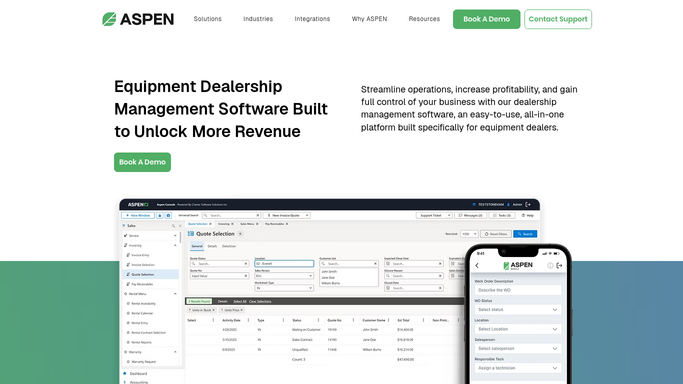
ASPEN (Charter Software) - compare the new price file against the prior one
aspendealers.com How to Automate ASPEN (Charter Software)

WebRun opens ASPEN (Charter Software) to compare the new price file against the prior one. - Open ASPEN Parts after the nightly OEM price file update completes
- Compare the new cost and list price against the prior file for every SKU
- Flag any SKU with a cost or list price change over 5 percent
Done when Every SKU with a price change over 5 percent is listed with the old and new price.
-
2
QuickBooks - check whether item cost has updated
- For each flagged SKU, check whether the item cost has been updated in QuickBooks
- Flag any SKU where the ASPEN cost changed but the QuickBooks item cost has not
Done when Every flagged SKU is marked as cost-synced or still out of date in QuickBooks.
-
3
Telegram - alert the parts manager before the counter opens
telegram.org How to Automate Telegram
WebRun opens Telegram to alert the parts manager before the counter opens. - Send the parts manager a Telegram alert before the counter opens
- List price increases first, since those carry the most margin risk if missed
- Include the part number, old price, new price, and QuickBooks sync status for each
Done when The parts manager has the price change alert on Telegram before opening.

How do I catch OEM parts price file changes before they hurt my margin?
WebRun compares each night's ASPEN parts price file against the prior one, flags any SKU with a cost or list price change over 5 percent, checks whether QuickBooks item cost has been updated to match, and sends your parts manager a Telegram alert before the counter opens so no one sells at yesterday's price.
- Margin-eroding price changes get caught the same night, not at month-end reconciliation
- Parts managers see old versus new price before the counter opens
- QuickBooks item cost gaps stop hiding inside a stale margin report
Built for parts managers · parts counter staff · ag equipment dealership pricing teams
How is each run configured?
Secure by default
Connect once, stays signed in
WebRun signs in once and keeps each session in a persistent environment, so every run picks up right where it left off.
Every action is checked against this policy before it runs.
Questions, answered
Does it update the sell price at the counter automatically?
No. WebRun only flags the change and alerts your parts manager on Telegram. Updating what the counter charges is a decision your team makes.
What counts as a significant price change?
Any SKU with a cost or list price move over 5 percent from the prior file. You can adjust that threshold if your OEM price files move more or less often.
Why does it also check QuickBooks?
A price change in ASPEN does not always mean the item cost updated in QuickBooks too. Flagging the gap stops your margin reporting from running on a stale cost.
Related templates
Put this on autopilot.
Turn it on in minutes - or have our team set it up for you.