How to Automate Trello

Trello automates through Butler, which moves cards, sets due dates, posts comments and runs rules on a schedule. Butler acts on cards that already exist. Creating the card in the first place, from an order or an email or a form in another system, is the step still done by hand.

The board is how a team sees its own work

Trello is a board of lists and cards, and its whole appeal is that you can understand somebody else's work in about four seconds of looking at it.

That visibility is why it spreads through the parts of a company that never adopted a project tool. A small agency runs client work on it. A landlord runs maintenance requests. A workshop runs repairs, one card per machine, moving left to right as the job progresses.

The unit that matters is the card. A card is one real thing: a job, a fault, an application, an order. The board is honest only for as long as the cards match the things that actually exist in the world.

Which puts all the weight on how cards get made.

Cards get made by whoever remembers

The work arrives somewhere else first. It arrives as an email, a form submission, a phone call, an order in a system, a fault logged on a portal.

Then a person reads it and makes a card. They type a title, paste an address into the description, set a due date and drop it in the right list. It takes ninety seconds and it happens forty times a week.

Two things go wrong, and both are quiet. Cards that never got made, because it was busy on Thursday and nobody wrote it down, so a job simply does not exist as far as the board is concerned. And cards that were made but never updated, sitting in Doing for a fortnight after the customer cancelled.

A board people have stopped trusting gets checked less, which means it drifts further, which is how a team ends up back on a group chat.

The trello.com homepage, the app these three jobs run in. Trello
Cards that create themselves A new order, application or fault becomes a card in the right list, without anyone transcribing it first.
Boards that match reality A job cancelled in the source system stops sitting on the board looking like work somebody still has to do.
Detail already on the card The reference, the address and the contact filled in, so nobody opens another system to start the job.

Butler acts on cards that already exist

Trello's automation is Butler, and it is genuinely capable for something included in the free plan.

Rules fire when a card is created, moved, labelled or has its due date arrive. Card buttons and board buttons run a set of actions on demand. Calendar commands run on a schedule, so every Monday you can sort, archive or move a batch of cards. Actions cover moving, copying, assigning, commenting, setting dates and posting to other lists.

Every one of those starts from something happening on the board. Butler is very good at what happens to a card once it exists.

It has no way to know that an order arrived in your ordering system, that a form was submitted on a site it cannot see, or that the job on that card was cancelled by a phone call this morning. The board can only react to itself.

The right card can appear on its own

The board reflects whatever was last typed into it, and nothing else. Everything missing from it was already recorded somewhere behind a login.

The overnight orders, each one a card in the intake list, with the reference and the delivery address already in the description. The faults logged on a customer's own portal, which is a site your team has a login for and no integration with. The applications submitted through a recruiting system, each becoming a card in the first column.

The updates matter as much. A job marked complete in the source system moves to Done rather than aging on the board. A cancelled visit gets archived instead of sending somebody out. A date that moved shows the date it moved to.

Worth deciding up front: let one system be the truth. If the board and the source system can both change a job's state, they will eventually disagree, and the disagreement will show up as an engineer standing outside a locked building.

Nobody has to transcribe the work first

Work arrives as an email, a form or a line in another system, and it becomes a card only when a person retypes it. That is not skilled work, but skipping it is how jobs get lost.

WebRun is an AI agent that works a real Chrome browser, signed in as you. It opens the ordering system, the customer portal or the inbox where work arrives, reads what is there, and creates or updates the cards on your board to match.

It runs on your schedule in your own private environment, and you can watch a run and stop it. Anything that would contact a customer drafts and waits for a person.

The workflows below are already built, and each one shows the steps it takes.

Questions people ask

Should we use this instead of Butler?

No, alongside it. Butler is the right tool for what happens once a card exists, and it is free. This handles the part Butler cannot reach: creating and updating cards from systems outside Trello.

Will the board fill up with duplicates?

Each workflow matches on a reference from the source system, so a second run updates the card it already made. Cards it has created can also be kept in their own list until someone triages them.

Does it work with a free Trello plan?

Yes. It works the Trello interface signed in as you, so anything you can do by hand on your current plan it can do too. There is no Power-Up to install.

1,079 ready-made Trello workflows

Each one names the apps it touches and the exact steps it takes. Open one to read what it will do, then turn it on.

Automated StarOfService Unanswered Lead Alerts
Every hour, WebRun checks StarOfService for quote requests sitting unanswered, drafts a reply for your team to review, creates a Trello card, and alerts the team in Microsoft Teams.
StarOfService›Microsoft Teams›Trello
Automated SocialFlow Post Failure Alerts
WebRun checks SocialFlow's real-time publishing queue for posts that failed to go out at their optimized moment, creates a Trello card for review, and messages the team on WhatsApp.
SocialFlow›Trello›WhatsApp
Automated Smash Large File Handoff Alerts
WebRun watches for large file transfers received through Smash, creates a Trello card for the assigned teammate, and pings them on WhatsApp so nothing sits unclaimed.
Smash›Trello›WhatsApp
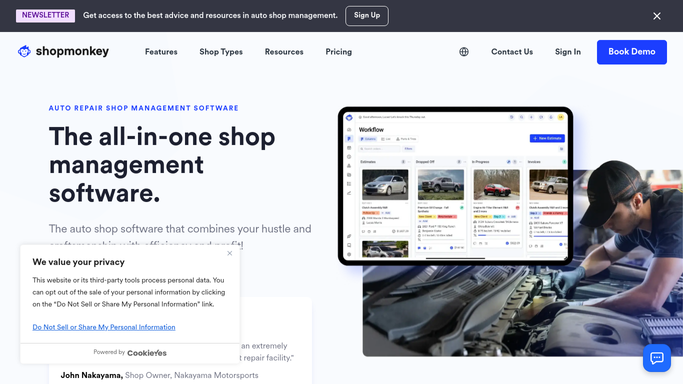
Automated Shopmonkey Stale Work Order Alerts
Every evening, WebRun checks Shopmonkey for work orders with no update in two days, creates a Trello card, and alerts the shop foreman over WhatsApp.
Shopmonkey›Trello›WhatsApp
Automated SHL Completed Assessment Digest
WebRun checks SHL each morning for candidates who completed their assessment, creates a Trello review card for the hiring manager, and pings them on WhatsApp.
SHL›Trello›WhatsApp
Automated Saviynt New Hire Access Checklist
WebRun checks Saviynt for new hire access requests still awaiting approval or provisioning, logs a setup checklist card to Trello, and reminds the approver in Microsoft Teams.
Saviynt›Microsoft Teams›Trello
Automated Richpanel Order Issue Escalation
WebRun finds Richpanel order issue tickets stuck past your target resolution time, creates a Trello escalation card for the right teammate, and drafts a WhatsApp update for the customer once it's resolved.
Richpanel›Trello›WhatsApp
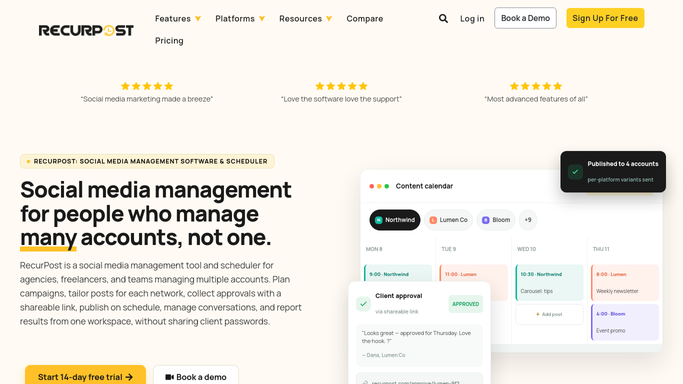
Automated RecurPost Weekly Performance Reports
WebRun checks RecurPost's published post performance each week, posts a scorecard to Microsoft Teams, and creates a Trello card when it's time to restock a client's content.
RecurPost›Microsoft Teams›Trello
Automated Range Missing Check-In Chasing
WebRun finds who hasn't checked in on Range each morning, logs raised blockers as Trello cards, and reminds the team in Microsoft Teams.
Range›Microsoft Teams›Trello
Automated Progressive Commercial Quote Tracking
WebRun checks Progressive for the status of every open commercial quote, builds a Trello card for each, and sends a WhatsApp nudge when a quote is about to expire.
Progressive›Trello›WhatsApp
Automated PracticePanther Weekly Scorecard
Every Monday, WebRun pulls billable hours, open matters, and overdue invoices from PracticePanther, posts a scorecard to Microsoft Teams, and creates a Trello card for each overdue invoice.
PracticePanther›Microsoft Teams›Trello
Automated PeopleKeep Reimbursement Reminders
WebRun checks PeopleKeep for HRA reimbursement submissions awaiting review, creates a Trello card per pending submission, and posts a reminder to Microsoft Teams before the monthly processing deadline.
PeopleKeep›Microsoft Teams›Trello
Automated MetricStream Weekly Risk Scorecards
WebRun reviews MetricStream for open risk items and control tests from the week, scores the program's health, and logs the scorecard to Trello with a WhatsApp summary.
MetricStream›Trello›WhatsApp
Automated Liberty Mutual Renewal Handoff
WebRun checks your Liberty Mutual policies for renewals coming up in 30 days, posts the details to Microsoft Teams, and creates a Trello card so someone owns the review.
Liberty Mutual›Microsoft Teams›Trello
Automated Root Insurance Claim Status Alerts
WebRun checks Root Insurance for claim status changes, logs each update to a Trello board, and posts a Microsoft Teams alert so nothing is missed.
Root Insurance›Microsoft Teams›Trello
Automated Hub Planner Utilization Scorecard
WebRun checks Hub Planner utilization each week, updates a Trello staffing board, and sends the resource manager a WhatsApp scorecard.
Hub Planner›Trello›WhatsApp
Automated HaloITSM SLA Breach Digest
Every morning, WebRun checks HaloITSM for tickets breaching or close to breaching SLA, creates a Trello card for each, and pings the service desk lead on WhatsApp with the count.
HaloITSM›Trello›WhatsApp
Automated Vero Workflow Error Handoff
Every hour, WebRun checks Vero for a triggered workflow that failed or errored, hands off the details to the engineer on Microsoft Teams, and logs a Trello card to track the fix.
Vero›Microsoft Teams›Trello
Automated Timely New Client Intake Handoff
WebRun detects a client's first Timely booking, creates an intake card in Trello for the stylist, and drafts a WhatsApp welcome message with what to bring.
Timely›Trello›WhatsApp
Automated Droplr Daily Share Digest
WebRun checks Droplr every night for screenshots and recordings shared that day, posts a digest to Microsoft Teams, and logs anything needing action as a Trello card.
Droplr›Microsoft Teams›Trello
Automated Criteo Campaign ROAS Scorecard
Every Monday, WebRun checks Criteo for last week's spend and return on ad spend per campaign, creates a Trello card for anything underperforming, and posts a scorecard to Microsoft Teams.
Criteo›Microsoft Teams›Trello
Automated Cloudbeds Arrivals and Housekeeping Digest
Every morning, WebRun checks Cloudbeds for today's arrivals, departures, and room status, creates a Trello card for every room that needs turnover before its next guest, and messages the housekeeping lead on WhatsApp.
Cloudbeds›Trello›WhatsApp
Automated XPO Delivery Scorecards
WebRun pulls the week's XPO shipments, scores on-time delivery and exceptions by lane, logs it to a Trello board, and posts the scorecard to Microsoft Teams.
XPO›Microsoft Teams›Trello
Automated WebEngage Journey Launch Checklist
When a new customer journey is created in WebEngage, WebRun walks the pre-launch checklist, confirms segments and channels are connected and a test send has run, posts a Microsoft Teams update once it's clear, and tracks each step on a Trello card.
WebEngage›Microsoft Teams›Trello

Want one of these running on your own Trello?

Show WebRun the process once and it will run it on schedule, in your own private browser environment.