Chase stale Shopmonkey work orders
Every evening, WebRun opens Shopmonkey, finds open work orders with no status update in the last two days, creates a Trello card for each so it's visible on the shop board, and sends an internal WhatsApp alert to the foreman so stalled jobs get picked up the next morning.
- No credit card
- Under $0.01 per run
- Cancel anytime
How do I find stale Shopmonkey work orders before they stall a bay?
WebRun checks Shopmonkey every evening for open work orders with no status update in the last two days. It creates a Trello card for each so it's visible on the shop board, and sends an internal WhatsApp alert to the foreman, so a stalled job gets picked up the next morning instead of sitting quietly in the bay.
- Stalled work orders get flagged before they sit another full day
- Every stale job has a visible Trello card, not a buried status
- The foreman gets a same-day alert instead of finding out at pickup
Built for auto repair shops · service advisors · shop foremen · independent repair shop owners
What does WebRun do on every run?
The exact actions WebRun takes, in order - in plain language, so you can adjust anything.
-
WebRun signs in and gets to work
Opens
www.shopmonkey.ioin a real browser with your saved login - no setup, no API keys. -
1
Shopmonkey - find work orders with no recent update
shopmonkey.io
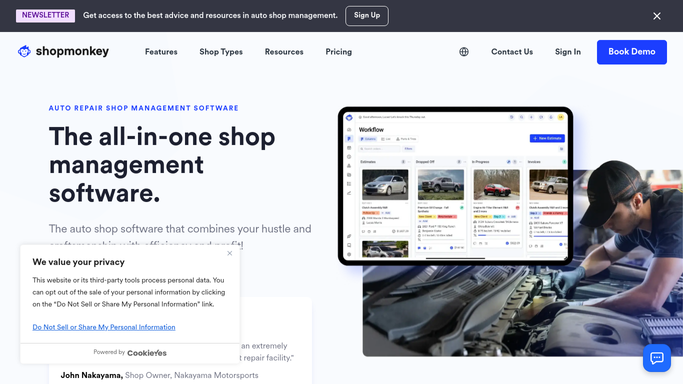
WebRun opens Shopmonkey to find work orders with no recent update. - Open Shopmonkey and review open work orders
- Keep work orders with no status change or note in 2 days
- Capture the vehicle, customer, and assigned technician for each
Done when Every stale work order is listed with its details.
-
2
Trello - create a follow-up card
trello.com How to Automate Trello

WebRun opens Trello to create a follow-up card. - Create a card on the shop board for each stale work order
- Add the vehicle, technician, and days since last update
- Place it in the Needs Attention list
Done when Every stale work order has an open Trello card.
-
3
WhatsApp - alert the shop foreman
whatsapp.com How to Automate WhatsApp

WebRun opens WhatsApp to alert the shop foreman. - Send an internal alert to the shop foreman with today's stale work orders
- Include the vehicle and assigned technician for each
- Never message the customer, only your internal foreman
Done when The foreman has been alerted about every stale work order.
How is each run configured?
Secure by default
Connect once, stays signed in
WebRun signs in once and keeps each session in a persistent environment, so every run picks up right where it left off.
Every action is checked against this policy before it runs.
Questions, answered
Does it update the work order or contact the customer?
No. WebRun only reads work order activity and reports what's gone quiet. Updating the job or calling the customer stays with your shop staff.
How is stale defined?
A work order with no status change or note logged in the last 2 days. You can adjust that window to fit how busy the shop is.
What happens once a technician updates the job?
It's read fresh from Shopmonkey each evening, so an updated work order stops appearing in the next alert.
Related templates
Put this on autopilot.
Turn it on in minutes - or have our team set it up for you.