Run Aflac open enrollment without chasing forms
Every morning during the open enrollment window, WebRun opens your Aflac group account, checks which eligible employees have elected or waived coverage, saves each completed confirmation to Google Drive, and posts a Slack checklist showing who is done and who still needs to enroll before the deadline.
- No credit card
- Under $0.01 per run
- Cancel anytime
What does WebRun do on every run?
The exact actions WebRun takes, in order - in plain language, so you can adjust anything.
-
WebRun signs in and gets to work
Opens
www.aflac.comin a real browser with your saved login - no setup, no API keys. -
1
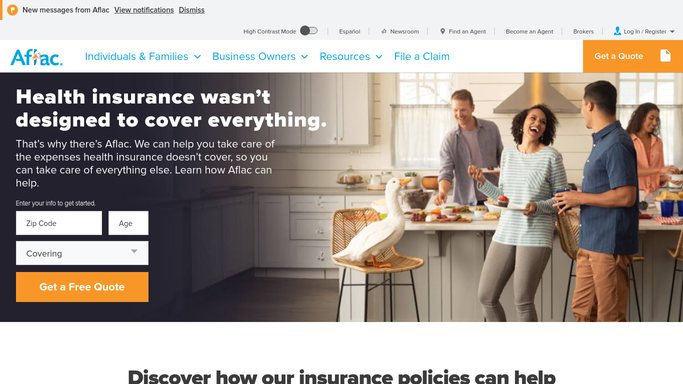
Aflac - check which employees have completed enrollment
aflac.com

WebRun opens Aflac to check which employees have completed enrollment. - Open the Aflac group account and list every employee eligible for open enrollment
- Capture each employee's status as elected, waived, or not started
- Note the number of days left before the enrollment deadline
Done when Every eligible employee's enrollment status is captured.
-
2
Google Drive - save completed enrollment confirmations
drive.google.com How to Automate Google Drive
WebRun opens Google Drive to save completed enrollment confirmations. - Save each newly completed enrollment confirmation to the enrollment folder
- Name each file with the employee's name and completion date
- Skip saving a confirmation already on file
Done when Every completed confirmation this enrollment period is saved to Drive.
-
3
Slack - post the completion checklist
slack.com How to Automate Slack
WebRun opens Slack to post the completion checklist. - Post the count of employees who have completed enrollment versus who have not
- List anyone who has not started with the days left to enroll
- Stop posting once every eligible employee shows a completed status
Done when HR has today's enrollment completion checklist in Slack.


How do I track who has completed Aflac open enrollment?
WebRun checks your Aflac group account every morning during open enrollment, reading which eligible employees have elected or waived coverage. It saves each completed confirmation to Google Drive and posts a Slack checklist of who is done and who still needs to enroll, so HR can chase stragglers before the deadline instead of after.
- HR sees who still needs to enroll every morning, not just at the deadline
- Completed confirmations are archived automatically as they come in
- The checklist stops posting itself once enrollment is fully complete
Built for HR teams · benefits administrators · office managers · small business owners
How is each run configured?
Secure by default
Connect once, stays signed in
WebRun signs in once and keeps each session in a persistent environment, so every run picks up right where it left off.
Every action is checked against this policy before it runs.
Questions, answered
Will it elect or waive coverage for an employee?
No. WebRun only reads each employee's enrollment status and reports it. Every election or waiver is completed by the employee themselves in Aflac.
Does the Slack checklist share individual health or benefit choices?
No. It only reports whether someone has completed enrollment or not, never the specific plans or coverage they chose, so the Slack post stays limited to completion status.
Does it keep posting after enrollment closes?
No. Once every eligible employee shows a completed status, the checklist stops posting automatically.
Related templates
Put this on autopilot.
Turn it on in minutes - or have our team set it up for you.