Hand off Liberty Mutual renewals to your broker contact
Every Monday, WebRun opens your Liberty Mutual account, checks every policy for a renewal date coming up in the next 30 days, posts the details to Microsoft Teams, and creates a Trello card so someone on the team owns reviewing the renewal before it goes through.
- No credit card
- Under $0.01 per run
- Cancel anytime
What does WebRun do on every run?
The exact actions WebRun takes, in order - in plain language, so you can adjust anything.
-
WebRun signs in and gets to work
Opens
www.libertymutual.comin a real browser with your saved login - no setup, no API keys. -
1
Liberty Mutual - check upcoming renewals
libertymutual.com

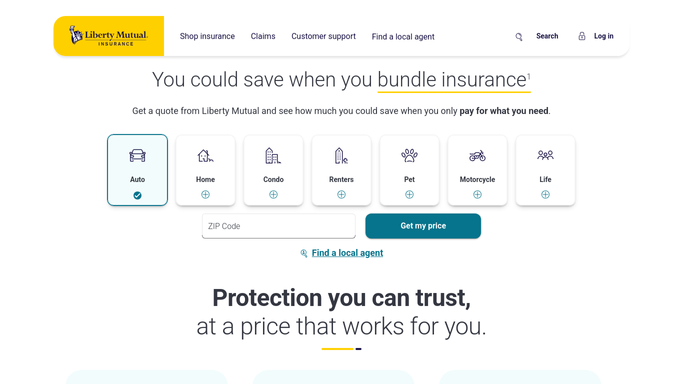
WebRun opens Liberty Mutual to check upcoming renewals. - Open the account and list every active policy
- Check each policy's renewal date and current premium
- Flag any policy renewing within 30 days
Done when Every policy renewing within 30 days has been identified.
-
2
Microsoft Teams - post the renewal details
microsoft.com How to Automate Microsoft Teams
WebRun opens Microsoft Teams to post the renewal details. - Post the policy, renewal date, and current premium for each
- Note any premium change from the prior term if visible
- Stay quiet on weeks with no renewals coming up
Done when The team has this week's upcoming renewals in Teams.
-
3
Trello - assign the review
trello.com How to Automate Trello
WebRun opens Trello to assign the review. - Create a card for each policy renewing within 30 days
- Assign it to whoever owns insurance review
- Leave it in the To Review column until the renewal is handled
Done when A Trello card exists for every upcoming renewal.


How do I make sure someone reviews every Liberty Mutual policy renewal?
WebRun checks every Liberty Mutual policy each Monday for a renewal date inside the next 30 days, posting the policy and premium to Microsoft Teams. It also creates a Trello card assigned to your insurance reviewer, so an upcoming renewal always has a named owner instead of quietly auto-renewing unreviewed.
- Every renewal gets a named owner instead of going unreviewed
- Premium changes are visible 30 days before the renewal date
- Nothing auto-renews without someone on the team seeing it first
Built for Small business owners · office managers · risk managers · operations teams
How is each run configured?
Secure by default
Connect once, stays signed in
WebRun signs in once and keeps each session in a persistent environment, so every run picks up right where it left off.
Every action is checked against this policy before it runs.
Questions, answered
Will it renew or change the policy for us?
No. WebRun only reads renewal dates and premiums. Renewing, adjusting coverage, or switching carriers stays a human decision.
How does it decide who owns the review?
It assigns the Trello card to whoever you set up as the insurance reviewer during setup, so it never sits unowned.
What if a policy's premium didn't change?
It still gets posted and carded like any other renewal, so the review happens even when nothing looks different.
Related templates
Put this on autopilot.
Turn it on in minutes - or have our team set it up for you.