How to Automate Slack

Slack automates in two layers. Workflow Builder, reminders and vendor Slack apps cover anything that starts inside Slack or gets pushed to it. Getting an answer out of a tool that never built a Slack app is the layer people still do by hand, one browser tab at a time.

Slack is where the company keeps its attention

Slack is a messaging app that turned into something else along the way: the place a company keeps its attention. Decisions get made in a thread before they are written down anywhere official. The person who needs to know something asks in a channel rather than opening the system that holds the answer. New staff learn how the business actually works by scrolling.

Most companies run a few dozen channels and about four that matter. The one where orders come in. The one where things break. The one where the numbers get posted every morning. Those few are checked constantly, by people who are supposed to be doing something else.

That is both the value and the cost. Everything important passes through Slack, which is what makes it worth automating. Everything unimportant passes through too, which is why half the workspace has notifications off.

Someone is quietly paid to watch the dashboards

In most teams one person has become the human integration layer, without anyone deciding they should be.

They open the payment dashboard each morning and post yesterday's total. They check whether the overnight job finished and tell the channel either way. They copy the day's bookings across because the booking system has no Slack app. When somebody asks whether an order shipped, they open another tab and look.

None of that is in their job description. It is what happens when the tool everyone watches knows nothing about the tools that hold the facts. The channel is full of people and short of data.

The slack.com homepage, the app these three jobs run in. Slack
Morning numbers Yesterday's takings, failures and bookings read from the systems that hold them and posted before the team logs on.
The usual questions, answered Whether it shipped, whether it cleared, whether the status changed, checked and posted without anyone opening a tab.
Exceptions only The three lines that fell below reorder, not the two hundred that did not. Quiet channels are the ones people still read.

Workflow Builder only reacts to what happens inside Slack

Slack automates a fair amount on its own, and for what it covers it is good.

Workflow Builder runs a sequence when someone joins a channel, reacts with an emoji, submits a form or clicks a button. Reminders repeat on a schedule. Scheduled send posts a message you already wrote at a time you pick. Hundreds of products publish a Slack app that pushes their own events into a channel.

Every one of those is triggered by something that happened in Slack, or pushed in by a vendor who decided to build the integration. That is the ceiling. A workflow cannot go and look at anything. It posts what it is handed.

So the gap is every tool that never built a Slack app: the supplier portal, the council website, the twenty-year-old booking system, the bank. Those hold the answers people ask for in channels all day, and Slack has no way to reach them.

The channel can report before anyone asks

Change what is able to reach the channel and the whole thing inverts. Instead of people asking the channel questions, the channel starts answering them first.

Yesterday's takings, posted at seven, read from the till system that only ever shows them on a dashboard. The overnight payment failures, listed by customer, out of a portal with no export. The three stock lines that dropped below reorder, checked across every supplier you buy from. The bookings that came in during the night from a system that never built an integration.

The same goes for the questions people ask over and over. Whether a shipment moved. Whether a permit changed status. Whether a listing is still on the first page. Whether a competitor put their price up again. Each of those is somebody opening a tab, looking, and typing what they saw.

One thing worth building in from the start: a channel that posts everything gets muted inside a week, and a muted channel is worse than no channel. The version that survives posts what changed and stays quiet otherwise. Report the exception, not the heartbeat.

Nobody has to be watching at six in the morning

The till system will not post its own number into a channel, and the number is wanted before the doors open. Reading it off a screen at that hour is work, but it is not the kind that justifies a phone by the bed.

WebRun is an AI agent that works a real Chrome browser, signed in as you. It opens the portal or the dashboard, reads what is on the screen, and posts the result into the channel you choose. Because it works the browser rather than an API, it reaches the tools that never built a Slack app, which is most of them.

It runs on your schedule in your own private environment, and you can watch a run and stop it. Anything that would reach a customer drafts and waits for you.

The workflows below are already built, and each one names the apps it touches.

Questions people ask

Will it post to a channel without me approving it?

Posting to your own internal channel runs on its own, because a message you did not want is a message you delete. Anything customer-facing, like an email or a public reply, is drafted and waits for a person.

Do we need a paid Slack plan or admin rights?

No. It posts through the browser using the access you already have, so there is no app to get approved into the workspace and no admin ticket to wait on.

How do we stop it turning into noise?

Post exceptions rather than everything. Each workflow decides what is worth saying: the lines below reorder, the payments that failed, the job that did not finish. A channel that only speaks when something changed keeps getting read.

5,789 ready-made Slack workflows

Each one names the apps it touches and the exact steps it takes. Open one to read what it will do, then turn it on.

Automated Per-Sequence Progress Posts
Every morning, WebRun reads shot completion by sequence in Vani Software and posts a percent-complete breakdown to Slack so the whole studio can see how each sequence is tracking at a glance.
Vani SoftwareSlack
Automated Aged Receivables Tracking
Every week, WebRun reconciles issued invoices between ExpertClear and QuickBooks, ages each unpaid balance by matter, and posts a Slack digest of who owes what and for how long.
ExpertClearQuickBooksSlack
Automated Executed Agreement Notices
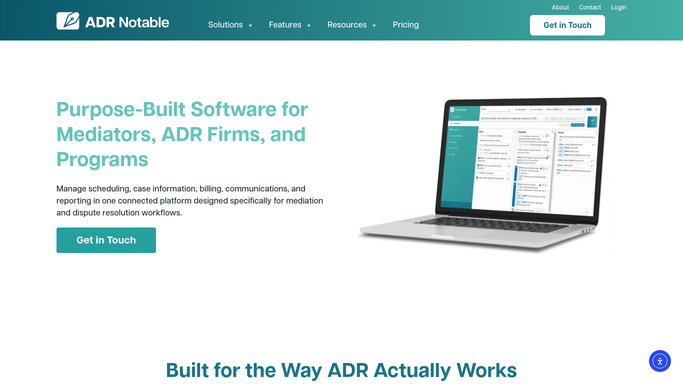
When DocuSign shows a mediation agreement fully executed, WebRun updates the case in ADR Notable and drafts a confirmation to each party's counsel in Outlook with the effective date and next steps, leaving every message for you to send.
ADR NotableDocuSignOutlook
Automated Unscheduled Student Alerts
Every Monday, WebRun cross-checks your active students in CounselMore against your Google Calendar and posts you a Slack list of anyone with no session booked this month.
CounselMoreGoogle CalendarSlack
Automated Mix-Ready Handoff Alerts
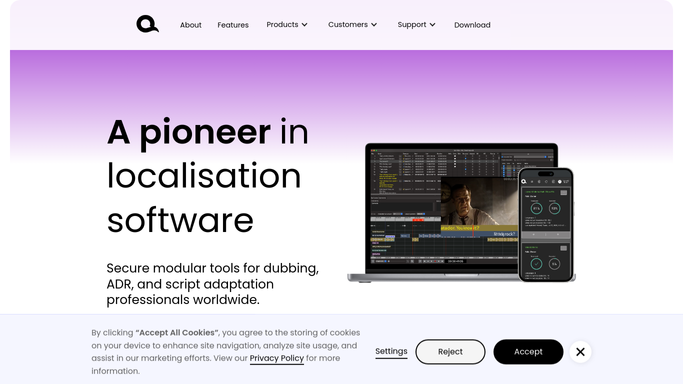
WebRun watches recording status in VoiceQ, and the moment every line for a language version is marked recorded, it confirms the audio has landed in Google Drive and pings the mixer in Slack that it is ready for the mix.
VoiceQGoogle DriveSlack
Automated Post-Visit Review Requests
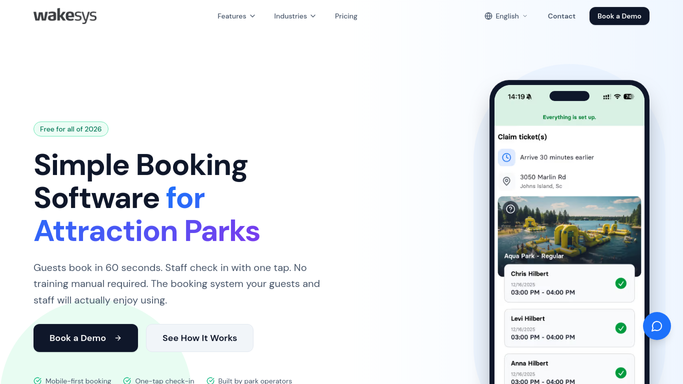
The day after a visit, WebRun finds who jumped in Wakesys and drafts a friendly review request in Klaviyo with a direct rating link, held for staff to approve before it goes out.
WakesysKlaviyoSlack
Automated Stall Lease Renewal Tracking
Every morning, WebRun reads each stall's lease dates from Hallpass, checks them against your Google Calendar, and posts you a Slack heads-up on which leases renew or expire soon so no renewal window slips by.
HallpassGoogle CalendarSlack
Automated Forecast-Based Shift Scheduling
WebRun reads recent taproom sales by daypart in Arryved, drafts a suggested bartender and server schedule for next week in Google Calendar, and posts it to Slack for your manager to adjust and confirm.
ArryvedGoogle CalendarSlack
Automated Rain Reschedule Alerts
Each morning, WebRun checks the forecast against the day's outdoor RaceFacer sessions, posts staff a rain-risk digest, and drafts reschedule texts for affected drivers.
RaceFacerTwilioSlack
Automated Surf Lesson Review Requests
The evening after a guest's first lesson, WebRun confirms in WaveRez that they attended, drafts a warm review-request email in Klaviyo that names their instructor, leaves it for your approval, and logs the ask in Slack.
WaveRezKlaviyoSlack
Automated PO Shortfall Digest
As stock is received, WebRun compares each GiftLogic purchase order against what actually arrived and posts you a digest of shortages and overages in Slack.
GiftLogicGoogle SheetsSlack
Automated Vendor Backorder Digest
Every morning, WebRun reviews open purchase orders in The Uniform Solution, reads vendor confirmations in Gmail, and posts a Slack digest of what is backordered and when it is due.
The Uniform SolutionGmailSlack
Automated Sealed Product Reorder Alerts
Each morning, WebRun checks your sealed TCG and board-game stock in Nerdslice against reorder points, builds a suggested purchase order in Google Sheets, and posts a low-stock alert to Slack so your buyer can reorder before shelves go empty.
NerdsliceGoogle SheetsSlack
Ordorite Automated Sleep-Trial Exchange Tracking
Every morning, WebRun reviews open sleep-trial exchange requests in Ordorite, flags which are waiting on a replacement, a pickup, or a refund, and posts your team a Slack worklist.
OrdoriteSlack
Automated Slow-Mover Markdown Flags
Every week, WebRun finds the records that have sat in your bins the longest without selling, logs them to a Google Sheet with a suggested markdown, and posts your team a Slack shortlist for a pricing decision.
Common GroundGoogle SheetsSlack
Automated Lipsey's New Arrival Sync
Every morning, WebRun scans the Lipsey's live feed for newly listed firearms, checks what you already hold in FastBound, and posts your buyer a Slack shortlist of fresh arrivals not yet on your shelves.
FastBoundLipsey'sSlack
Automatic Mobile Tint Route Planning
WebRun reads the day's mobile installs from Tint Wiz, orders them into an efficient driving route with Google Maps, and posts each installer a Slack run sheet with stops, addresses, and film so crews spend less time driving.
Tint WizGoogle MapsSlack
Automated Drywall Level 5 Inspection Reminders
WebRun watches which drywall jobs are reaching finish in The EDGE, reminds your team when a Level 5 quality inspection is due before the painters arrive, and posts a checklist to Slack so no wall gets covered before it is signed off.
The EDGE by Estimating EdgeGoogle CalendarSlack
Automated Coating Review Requests
WebRun finds coating jobs that finished and were paid in CoatingOS, drafts a friendly review-request text through Twilio for each homeowner, and posts the day's send list to Slack for a quick check.
CoatingOSTwilioSlack
Automated Multi-Site Inspection Digest
Every Monday, WebRun rolls up fire asset inspection status across all your sites in Uptick, builds a portfolio compliance sheet, and posts account managers a Slack digest of what is due, done, and overdue.
UptickGoogle SheetsSlack
FieldGroove Automated Warranty Tracking
After each completed job, WebRun checks whether the manufacturer warranty is registered in FieldGroove, drafts the homeowner a confirmation with their coverage, and logs the warranty in a shared sheet.
FieldGrooveGoogle SheetsGmail
Automated Crane Corrective Work Log
Each day, WebRun reads InspectAll for inspection items that failed, opens a follow-up work-order row for each in a sheet, and posts your service manager a Slack digest of open corrective work.
InspectAllGoogle SheetsSlack
Automated Rep Earnings Digest at Close
At period close, WebRun pulls each rep's earnings and attainment from QuotaPath, files a leaderboard in Google Sheets, and posts a clear earnings digest to Slack.
QuotaPathGoogle SheetsSlack
Automated Grain Inventory Exception Flags
Each week, WebRun compares the grain inventory booked in Traction Ag against your on-farm bin capacity, logs any mismatch to a Google Sheet, and posts you a Slack alert so a shrink or an over-full bin gets caught early.
Traction AgGoogle SheetsSlack

Want one of these running on your own Slack?

Show WebRun the process once and it will run it on schedule, in your own private browser environment.