Draft a review request after each jump visit
Every morning, WebRun opens Wakesys, finds guests who visited the day before, drafts a friendly review request in Klaviyo with a direct rating link, holds the send for staff to approve, and posts a Slack summary of how many requests are queued and any guests to skip.
- No credit card
- Under $0.01 per run
- Cancel anytime
What does WebRun do on every run?
The exact actions WebRun takes, in order - in plain language, so you can adjust anything.
-
WebRun signs in and gets to work
Opens
www.wakesys.comin a real browser with your saved login - no setup, no API keys. -
1
Wakesys - find yesterday's completed visits
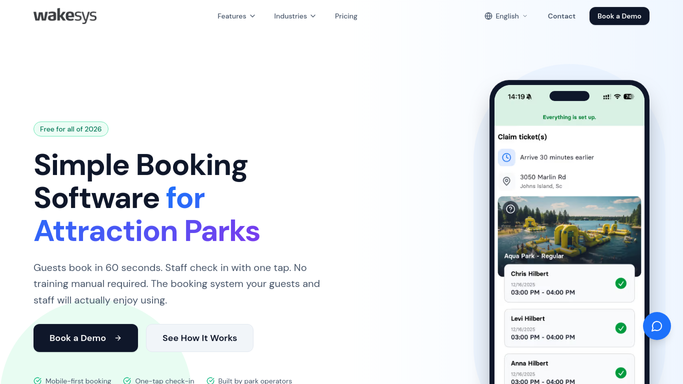
wakesys.com How to Automate Wakesys

WebRun opens Wakesys to find guests who visited yesterday. - Open Wakesys and list bookings that were checked in and completed yesterday
- Capture the guest name, email, session type, and party or individual booking
- Skip anyone flagged with a complaint or incident so they are handled personally
Done when Every completed visit from yesterday is listed with a contact email.
-
2
Klaviyo - draft the review request
klaviyo.com How to Automate Klaviyo
WebRun drafts the review request in Klaviyo, held for approval. - Build the review request in Klaviyo addressed to yesterday's guests
- Include a warm thank you, a direct rating link, and a line inviting private feedback if the visit fell short
- Leave the campaign or flow paused as a draft, held for staff to approve before it sends
Done when A ready-to-approve review request is drafted in Klaviyo for yesterday's guests.
-
3
Slack - summarise what is queued
slack.com How to Automate Slack
WebRun posts the queued review-request summary to Slack. - Post a Slack summary of how many review requests are queued and the segment covered
- List any guest skipped for a complaint so a manager can reach out personally
Done when Staff have a Slack summary of the queued request and any skipped guests.


How do I ask trampoline park guests for a review after their visit?
WebRun opens Wakesys each morning, finds guests who completed a visit the day before, and drafts a friendly review request in Klaviyo with a direct rating link. The send is held for staff to approve, guests flagged with a complaint are skipped, and Slack summarises the queue, so happy jumpers are invited to review while it is fresh.
- Happy guests are asked to review while the visit is fresh
- Guests with a complaint are routed to a private follow-up
- No-shows and cancellations never receive a request
Built for trampoline parks · jump parks · family entertainment centers · marketing managers
How is each run configured?
Secure by default
Connect once, stays signed in
WebRun signs in once and keeps each session in a persistent environment, so every run picks up right where it left off.
Every action is checked against this policy before it runs.
Questions, answered
Will it email guests for a review without my approval?
No. The review request is drafted and left paused in Klaviyo. A manager approves it before anything sends, so no guest is emailed on its own.
Does it ask unhappy guests to post a public review?
No. Anyone flagged with a complaint in Wakesys is skipped from the request and listed in Slack, so a manager can follow up privately instead of inviting a public rating.
How does it know who actually visited?
It reads which bookings were checked in and completed in Wakesys yesterday, so only guests who really jumped receive a request, not no-shows or cancellations.
Related templates
Put this on autopilot.
Turn it on in minutes - or have our team set it up for you.