Notify counsel the moment the mediation agreement is executed
Each morning, WebRun checks DocuSign for mediation agreements that have become fully executed, updates the matching case status in ADR Notable, drafts a confirmation in Outlook to each side's counsel with the effective date, and posts your team a Slack heads-up. Every confirmation is saved unsent for you to review and send.
- No credit card
- Under $0.01 per run
- Cancel anytime
What does WebRun do on every run?
The exact actions WebRun takes, in order - in plain language, so you can adjust anything.
-
WebRun signs in and gets to work
Opens
account.docusign.comin a real browser with your saved login - no setup, no API keys. -
1
DocuSign - detect fully executed agreements
docusign.com How to Automate DocuSign

WebRun opens DocuSign to detect fully executed agreements. - Open DocuSign and filter envelopes to those completed since the last run
- Keep only mediation agreements that are now fully executed by all signers
- Capture the completion date and the parties on each executed envelope
Done when Every newly executed mediation agreement is identified with its completion date and parties.
-
2
ADR Notable - update the case status and record
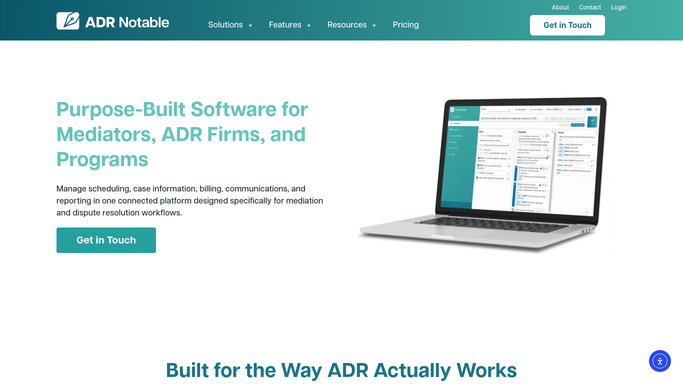
adrnotable.com How to Automate ADR Notable
WebRun opens ADR Notable to update the case status and record. - Open the matching case in ADR Notable for each executed agreement
- Update the case status to reflect the executed agreement and record the effective date
- Confirm the counsel of record for each party from the case contacts
Done when Each case in ADR Notable shows the agreement executed with its effective date and counsel confirmed.
-
3
Outlook - draft a confirmation to each counsel
outlook.com How to Automate Outlook
WebRun opens Outlook to draft a confirmation to each counsel. - Draft a confirmation in Outlook to each party's counsel that the agreement is executed
- State the effective date and the agreed next steps, keeping the tone professional
- Save each confirmation as an unsent Outlook draft. Do not email counsel automatically.
Done when A confirmation draft exists in Outlook for each counsel, awaiting your review and send.
-
4
Slack - post a heads-up to your team
slack.com How to Automate Slack
WebRun opens Slack to post a heads-up to your team. - Post an internal Slack heads-up that an agreement has executed and counsel confirmations are drafted
- Include the case name, the effective date, and a link to the Outlook drafts
- Keep the note internal to your team. Never message counsel or the parties from this step.
Done when Your team has a Slack heads-up that the agreement executed and confirmation drafts are ready.



How do I notify counsel automatically when a mediation agreement is executed?
WebRun checks DocuSign each morning for mediation agreements that have become fully executed, updates the matching case status and effective date in ADR Notable, and drafts a confirmation in Outlook to each party's counsel with the next steps. Every confirmation stays an unsent draft until you review the recipients and send it yourself.
- Counsel confirmations are drafted the day an agreement executes
- Case status and effective date are updated in ADR Notable automatically
- No message reaches counsel without your review
Built for mediators · ADR firms · arbitrators · case managers
How is each run configured?
Secure by default
Connect once, stays signed in
WebRun signs in once and keeps each session in a persistent environment, so every run picks up right where it left off.
Every action is checked against this policy before it runs.
Questions, answered
Will it email counsel without my review?
No. Each confirmation to counsel is saved as an unsent Outlook draft. You check the recipients and wording before sending, so no message reaches counsel or a party without your approval.
Does it change the case record on its own?
It updates only the case status and the effective date in ADR Notable to reflect the executed agreement. It makes no other edits, and the update is easy to see and adjust in the case history.
How does it know the agreement is fully executed?
It reads the envelope status in DocuSign and acts only when every required signer has completed, so a partially signed agreement never triggers a status change or a confirmation draft.
Related templates
Put this on autopilot.
Turn it on in minutes - or have our team set it up for you.