Catch sealed product before it runs out
Every morning, WebRun opens Nerdslice, checks sealed TCG boxes, booster displays, and board games against their reorder points and recent sell-through, builds a suggested purchase order in Google Sheets, and posts a low-stock alert to Slack so your buyer can reorder before anything sells out.
- No credit card
- Under $0.01 per run
- Cancel anytime
What does WebRun do on every run?
The exact actions WebRun takes, in order - in plain language, so you can adjust anything.
-
WebRun signs in and gets to work
Opens
nerdslice.comin a real browser with your saved login - no setup, no API keys. -
1
Nerdslice - check sealed stock and sell-through
nerdslice.com How to Automate Nerdslice

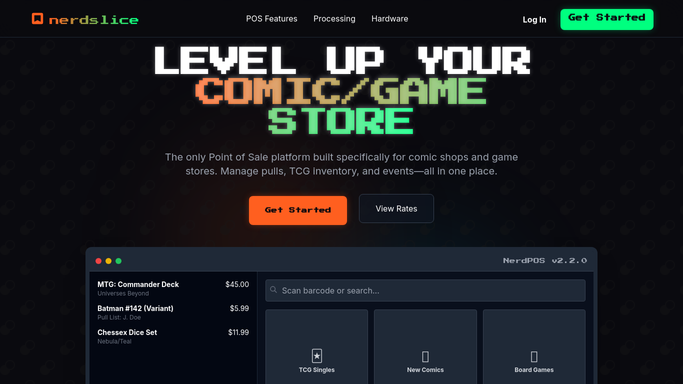
WebRun opens Nerdslice to check sealed stock and sell-through. - Open Nerdslice and pull on-hand quantities for sealed TCG and board-game SKUs
- For each SKU, read the reorder point, the sell-through over the last few weeks, and open POs
- Flag any SKU at or below its reorder point that is not already on an inbound order
- Estimate a suggested reorder quantity from the recent sell-through rate
Done when Every below-threshold sealed SKU has a suggested reorder quantity and its sell-through noted.
-
2
Google Sheets - build the suggested purchase order
google.com How to Automate Google Sheets
WebRun opens Google Sheets to build the suggested purchase order. - Open the Sealed Reorder sheet and list every SKU below its reorder point
- Write on-hand, reorder point, weekly sell-through, and the suggested reorder quantity
- Group the suggested order by distributor so your buyer can raise one PO per vendor
- Total the estimated cost of the suggested order so the spend is visible up front
Done when The sheet holds a suggested purchase order grouped by distributor with an estimated total.
-
3
Slack - post the low-stock alert
slack.com How to Automate Slack
WebRun opens Slack to post the low-stock alert. - Post a low-stock alert to your buying channel with the count of SKUs below reorder point
- Call out fast sellers about to hit zero so they can be prioritized
- Link the suggested-order sheet so your buyer can review and raise the POs themselves
Done when Your buyer has a Slack alert of low-stock SKUs and a link to the suggested order.


How do I automatically catch sealed game product before it runs out of stock?
Every morning, WebRun opens Nerdslice, checks sealed TCG and board-game stock against reorder points and recent sell-through, and estimates a reorder quantity for anything running low. It builds a suggested purchase order grouped by distributor in Google Sheets and posts a low-stock alert to Slack, so your buyer reorders before shelves go empty.
- Low-stock SKUs are flagged every morning before they hit zero
- Suggested order is grouped by distributor with an estimated total
- Items already on order are never double-suggested
Built for game store owners · comic shop buyers · inventory managers · hobby retailers
How is each run configured?
Secure by default
Connect once, stays signed in
WebRun signs in once and keeps each session in a persistent environment, so every run picks up right where it left off.
Every action is checked against this policy before it runs.
Questions, answered
Does it place the purchase order with my distributor?
No. WebRun builds a suggested purchase order in the sheet and alerts your buyer. Raising the actual PO with your distributor stays a human decision, since it commits real spend.
How does it decide the reorder quantity?
It reads each SKU's reorder point and recent sell-through in Nerdslice and estimates a quantity from that sales rate, so fast movers are suggested in larger amounts than slow ones.
Will it double-order something already on the way?
No. It checks open purchase orders in Nerdslice and skips any SKU that already has stock inbound, so the suggested order never duplicates something you have already reordered.
Related templates
Put this on autopilot.
Turn it on in minutes - or have our team set it up for you.