How to Automate Trello

Trello automates through Butler, which moves cards, sets due dates, posts comments and runs rules on a schedule. Butler acts on cards that already exist. Creating the card in the first place, from an order or an email or a form in another system, is the step still done by hand.

The board is how a team sees its own work

Trello is a board of lists and cards, and its whole appeal is that you can understand somebody else's work in about four seconds of looking at it.

That visibility is why it spreads through the parts of a company that never adopted a project tool. A small agency runs client work on it. A landlord runs maintenance requests. A workshop runs repairs, one card per machine, moving left to right as the job progresses.

The unit that matters is the card. A card is one real thing: a job, a fault, an application, an order. The board is honest only for as long as the cards match the things that actually exist in the world.

Which puts all the weight on how cards get made.

Cards get made by whoever remembers

The work arrives somewhere else first. It arrives as an email, a form submission, a phone call, an order in a system, a fault logged on a portal.

Then a person reads it and makes a card. They type a title, paste an address into the description, set a due date and drop it in the right list. It takes ninety seconds and it happens forty times a week.

Two things go wrong, and both are quiet. Cards that never got made, because it was busy on Thursday and nobody wrote it down, so a job simply does not exist as far as the board is concerned. And cards that were made but never updated, sitting in Doing for a fortnight after the customer cancelled.

A board people have stopped trusting gets checked less, which means it drifts further, which is how a team ends up back on a group chat.
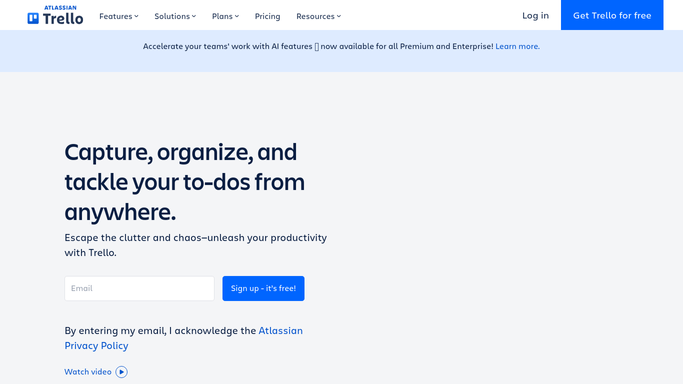
The trello.com homepage, the app these three jobs run in. Trello
Cards that create themselves A new order, application or fault becomes a card in the right list, without anyone transcribing it first.
Boards that match reality A job cancelled in the source system stops sitting on the board looking like work somebody still has to do.
Detail already on the card The reference, the address and the contact filled in, so nobody opens another system to start the job.

Butler acts on cards that already exist

Trello's automation is Butler, and it is genuinely capable for something included in the free plan.

Rules fire when a card is created, moved, labelled or has its due date arrive. Card buttons and board buttons run a set of actions on demand. Calendar commands run on a schedule, so every Monday you can sort, archive or move a batch of cards. Actions cover moving, copying, assigning, commenting, setting dates and posting to other lists.

Every one of those starts from something happening on the board. Butler is very good at what happens to a card once it exists.

It has no way to know that an order arrived in your ordering system, that a form was submitted on a site it cannot see, or that the job on that card was cancelled by a phone call this morning. The board can only react to itself.

The right card can appear on its own

The board reflects whatever was last typed into it, and nothing else. Everything missing from it was already recorded somewhere behind a login.

The overnight orders, each one a card in the intake list, with the reference and the delivery address already in the description. The faults logged on a customer's own portal, which is a site your team has a login for and no integration with. The applications submitted through a recruiting system, each becoming a card in the first column.

The updates matter as much. A job marked complete in the source system moves to Done rather than aging on the board. A cancelled visit gets archived instead of sending somebody out. A date that moved shows the date it moved to.

Worth deciding up front: let one system be the truth. If the board and the source system can both change a job's state, they will eventually disagree, and the disagreement will show up as an engineer standing outside a locked building.

Nobody has to transcribe the work first

Work arrives as an email, a form or a line in another system, and it becomes a card only when a person retypes it. That is not skilled work, but skipping it is how jobs get lost.

WebRun is an AI agent that works a real Chrome browser, signed in as you. It opens the ordering system, the customer portal or the inbox where work arrives, reads what is there, and creates or updates the cards on your board to match.

It runs on your schedule in your own private environment, and you can watch a run and stop it. Anything that would contact a customer drafts and waits for a person.

The workflows below are already built, and each one shows the steps it takes.

Questions people ask

Should we use this instead of Butler?

No, alongside it. Butler is the right tool for what happens once a card exists, and it is free. This handles the part Butler cannot reach: creating and updating cards from systems outside Trello.

Will the board fill up with duplicates?

Each workflow matches on a reference from the source system, so a second run updates the card it already made. Cards it has created can also be kept in their own list until someone triages them.

Does it work with a free Trello plan?

Yes. It works the Trello interface signed in as you, so anything you can do by hand on your current plan it can do too. There is no Power-Up to install.

1,079 ready-made Trello workflows

Each one names the apps it touches and the exact steps it takes. Open one to read what it will do, then turn it on.

Automated SignalWire Weekly Reliability Scorecard
Every week, WebRun compiles SignalWire call and message volume and error rate, posts the scorecard as a Trello card, and pings the dev team on WhatsApp.
SignalWire›Trello›WhatsApp
Automated Shipt Office Spend Tracking
Every week, WebRun checks your Shipt order history for office grocery deliveries, logs each order to a Trello board, and posts the weekly spend digest to Microsoft Teams.
Shipt›Microsoft Teams›Trello
Automated SalesRabbit Field Activity Scorecards
Every Friday, WebRun totals your SalesRabbit door-knocking activity by rep, posts the scorecard to Microsoft Teams, and creates a Trello card for any territory that's falling behind.
SalesRabbit›Microsoft Teams›Trello
Automated Salesflow Campaign Results Digest
Every morning, WebRun checks Salesflow for yesterday's LinkedIn campaign results, creates a Trello card for each new positive reply, and sends the manager a WhatsApp summary.
Salesflow›Trello›WhatsApp
Automated RubyGems Security Advisory Alerts
Every day, WebRun checks RubyGems advisories for your team's dependencies, creates a Trello card for each new advisory, and texts the maintainer through WhatsApp for critical ones.
RubyGems›Trello›WhatsApp
Automated Rockstar Social Club Onboarding
When a new roster member joins, WebRun checks their Rockstar Social Club account status, works through the onboarding checklist on Trello, and sends your team lead a WhatsApp update once it's complete.
Rockstar Games›Trello›WhatsApp
Automated Riot Games Match Schedule Tracking
Every morning, WebRun checks Riot Games for the roster's upcoming matches and account status, updates the match prep board in Trello, and notifies the coaching staff in Microsoft Teams.
Riot Games›Trello›Microsoft Teams
Automated Reply.io Weekly Sequence Scorecard
Every Friday, WebRun tallies Reply.io sequence performance for the week, posts the scorecard to Microsoft Teams, and logs a coaching card in Trello for the underperforming sequences.
Reply.io›Microsoft Teams›Trello
Automated Replit Deployment Down Alerts
Every hour, WebRun checks your team's Replit deployments for one that's stopped or crashed, creates a Trello card to track the fix, and texts the on call developer through WhatsApp.
Replit›Trello›WhatsApp
Automated Rent.com Inquiry Routing
WebRun checks Rent.com for new inquiries on your listings, posts an alert to Microsoft Teams, and creates a Trello card so a leasing agent can follow up.
Rent.com›Microsoft Teams›Trello
Automated Remitly Pending Transfer Tracking
WebRun checks Remitly for transfers still in pending or processing, creates a Trello card for anything over a day old, and posts the list to Microsoft Teams.
Remitly›Microsoft Teams›Trello
Automated Raz-Kids Daily Reading Digest
WebRun checks daily books read and quiz scores in Raz-Kids, posts a digest to Microsoft Teams for your reading specialists, and creates a Trello card for students falling behind their level.
Raz-Kids›Microsoft Teams›Trello
Automated Rambler Mail Weekly Inbox Scorecard
Every Monday, WebRun reviews the past week in Rambler Mail, tallies volume, unread backlog, and top senders, updates a scorecard card on Trello, and messages you the summary on WhatsApp.
Rambler Mail›Trello›WhatsApp
Automated Quo New Line Setup Checklist
When a new Quo phone line is requested, WebRun tracks the setup and call forwarding checklist on a Trello card and confirms with the internal admin on WhatsApp once it is ready.
Quo›Trello›WhatsApp
Automated Quantcast Audience Insights Report
WebRun reads your Quantcast audience and reach data every week, opens a Trello task for the media team with the top opportunity, and pings them on WhatsApp.
Quantcast›Trello›WhatsApp
Automated QQ Mail Stale Thread Chasing
Every morning, WebRun finds QQ Mail threads with no reply after 3 days, drafts a reply for you to review, creates a Trello card for each, and posts the chase list to Microsoft Teams.
QQ Mail›Microsoft Teams›Trello
Automated Puzzle Uncategorized Transaction Handoff
WebRun checks Puzzle for transactions still uncategorized, creates a Trello card for your accountant to review them in a batch, and posts a heads up in Microsoft Teams.
Puzzle›Trello›Microsoft Teams
Automated PropertyGuru Listing Tracking
Every morning, WebRun checks your saved PropertyGuru searches for new listings and price changes, logs each one to a Trello board, and posts the digest to Microsoft Teams.
PropertyGuru›Microsoft Teams›Trello
Automated Pluto TV Channel Lineup Tracking
Every Monday, WebRun checks the Pluto TV channel lineup for new or removed channels relevant to your coverage, logs each change to a Trello content board, and sends your team a WhatsApp summary.
Pluto TV›Trello›WhatsApp
Automated Pipeliner CRM Pipeline Scorecards
Every Monday, WebRun totals your Pipeliner CRM pipeline by stage and owner, posts the scorecard to Microsoft Teams, and creates a Trello card for any deal that has slipped its close date.
Pipeliner CRM›Microsoft Teams›Trello
Automated Perforce Pending Changelist Chase
Every morning, WebRun checks Perforce for changelists shelved or pending for days without submitting, posts a reminder to Microsoft Teams, and creates a Trello card per stale changelist.
Perforce›Microsoft Teams›Trello
Automated Pendo Adoption and NPS Scorecard
Every Monday, WebRun pulls feature adoption and NPS scores from Pendo, opens a Trello card for underused features, and pings the PM on WhatsApp.
Pendo›Trello›WhatsApp
Automated Paystack Settlement Digest
Every morning, WebRun checks Paystack for the prior day's transactions and settlement status, logs the day's card in Trello, and sends the digest on WhatsApp.
Paystack›Trello›WhatsApp
Automated Panopto Unwatched Lecture Chasing
WebRun checks each required Panopto recording for students who haven't watched it past the deadline, logs the list to a Trello board, and drafts a WhatsApp nudge for each student.
Panopto›Trello›WhatsApp

Want one of these running on your own Trello?

Show WebRun the process once and it will run it on schedule, in your own private browser environment.