Hand off Quantcast audience insights every week
Every Monday, WebRun opens Quantcast, reads last week's audience reach and segment performance, opens a Trello task for the media team naming the best optimization opportunity, and pings the team on WhatsApp so it doesn't sit unread.
- No credit card
- Under $0.01 per run
- Cancel anytime
How do I turn weekly Quantcast audience data into a team action?
WebRun reads your Quantcast audience reach and segment performance every Monday, opens a Trello task for the media team naming the week's clearest opportunity, and pings the team on WhatsApp so it gets seen. Media and growth teams start the week with one concrete, numbers backed action instead of a raw dashboard.
- One clear, numbers backed task lands every Monday instead of a raw dashboard
- The team gets pinged directly instead of relying on a board check
- The best opportunity is picked from the data, not a hunch
Built for media planning teams · growth marketing teams · advertising agencies
What does WebRun do on every run?
The exact actions WebRun takes, in order - in plain language, so you can adjust anything.
-
WebRun signs in and gets to work
Opens
quantcast.comin a real browser with your saved login - no setup, no API keys. -
1
Quantcast - read audience and reach data
quantcast.com
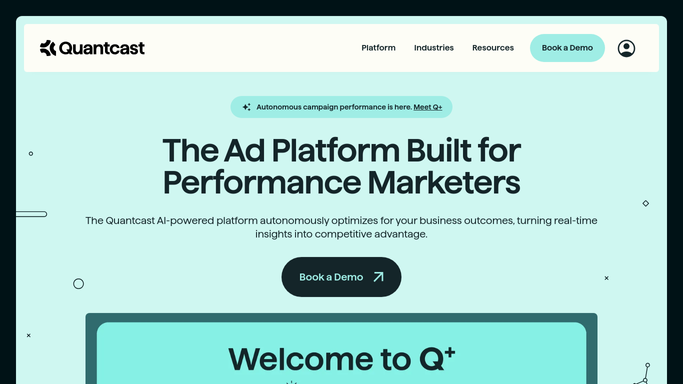
WebRun opens Quantcast to read audience and reach data. - Open the Quantcast measurement dashboard
- Read last week's audience reach and segment performance
- Identify the segment or placement with the clearest opportunity to act on
Done when Last week's audience data is read and the top opportunity is identified.
-
2
Trello - open a task for the team
trello.com How to Automate Trello

WebRun opens Trello to open a task for the team. - Open the media team's board in Trello
- Create a task naming the opportunity and the supporting numbers
- Add it to this week's to-do list
Done when This week's opportunity is a task on the board.
-
3
WhatsApp - ping the team
whatsapp.com How to Automate WhatsApp

WebRun opens WhatsApp to ping the team. - Message the media team group on WhatsApp
- Link to the new Trello task
- Note the one number that matters most this week
Done when The media team has been pinged about this week's task.
How is each run configured?
Secure by default
Connect once, stays signed in
WebRun signs in once and keeps each session in a persistent environment, so every run picks up right where it left off.
Every action is checked against this policy before it runs.
Questions, answered
Does WebRun launch or change any campaign?
No. It only reads audience and reach data from Quantcast and hands the opportunity to a person as a task. Campaign changes stay manual.
Will the team miss the task if they're busy?
Less likely. The Trello task alone can get buried, so WebRun also pings the group on WhatsApp with a direct link.
How is the top opportunity picked?
From the audience and reach numbers Quantcast already reports. WebRun surfaces whichever segment or placement moved most or has the clearest upside.
Related templates
Put this on autopilot.
Turn it on in minutes - or have our team set it up for you.