Set up new Quo lines with forwarding confirmed
When a new line is requested, WebRun checks the Quo account for the number and its call forwarding setup, tracks outstanding steps on a Trello card, and sends the internal admin a WhatsApp confirmation once the number and forwarding are both fully set up.
- No credit card
- Under $0.01 per run
- Cancel anytime
How do I make sure a new Quo line is fully set up?
WebRun checks a newly requested Quo line for its number and call forwarding setup, tracks outstanding steps on a Trello card, and sends the internal admin a WhatsApp confirmation once everything is configured, so a new line is verified ready before anyone assumes it is live.
- Every new line gets a tracked setup checklist
- The admin is confirmed only once setup is genuinely complete
- Outstanding steps stay visible instead of getting forgotten
Built for office managers · small business owners · IT admins · operations teams
What does WebRun do on every run?
The exact actions WebRun takes, in order - in plain language, so you can adjust anything.
-
WebRun signs in and gets to work
Opens
my.quo.comin a real browser with your saved login - no setup, no API keys. -
1
Quo - check the new line's setup
quo.com
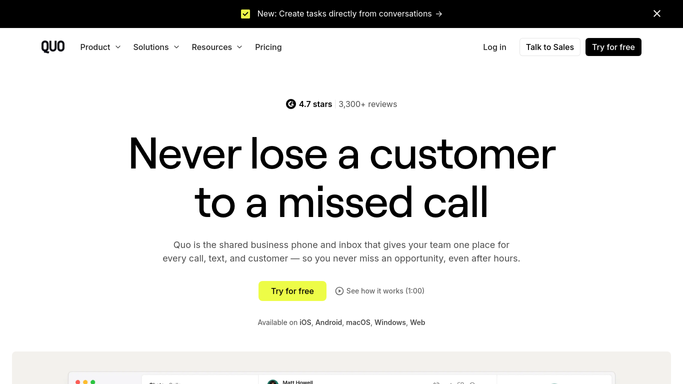
WebRun opens Quo to check the new line's setup. - Open the Quo account and find the newly requested number
- Confirm the number is active and forwarding is configured
- List anything still outstanding
Done when The new line's setup and forwarding status is fully known.
-
2
Trello - track the setup checklist
trello.com How to Automate Trello

WebRun opens Trello to track the setup checklist. - Add a card to the New Line Setup board
- Check off each confirmed step
- Leave outstanding steps open with a note
Done when The Trello card reflects the current setup status.
-
3
WhatsApp - confirm with the admin
whatsapp.com How to Automate WhatsApp

WebRun opens WhatsApp to confirm with the admin. - Send the internal admin a WhatsApp confirmation once setup is complete
- Include the new number and where it forwards to
- Skip the message until every step is confirmed
Done when The admin has been confirmed internally that the line is ready.
How is each run configured?
Secure by default
Connect once, stays signed in
WebRun signs in once and keeps each session in a persistent environment, so every run picks up right where it left off.
Every action is checked against this policy before it runs.
Questions, answered
Does WebRun configure the forwarding itself?
No. It only checks whether the number and forwarding are already configured in Quo and tracks what is outstanding. The actual configuration is done by your admin.
Why wait until everything is confirmed to message the admin?
So the WhatsApp confirmation means the line is genuinely ready to use, rather than pinging the admin partway through a setup that is still in progress.
What if forwarding needs to change later?
That is a new setup change made in Quo directly. This checklist covers the initial line request, not ongoing forwarding changes.
Related templates
Put this on autopilot.
Turn it on in minutes - or have our team set it up for you.