Get a weekly SignalWire API reliability scorecard
Every Monday, WebRun opens the SignalWire dashboard, compiles call and message volume and the API error rate for the past week, posts the scorecard as a card on the engineering Trello board, and pings the dev team on WhatsApp so reliability trends stay visible without checking the dashboard directly.
- No credit card
- Under $0.01 per run
- Cancel anytime
How do I track my weekly SignalWire API reliability?
WebRun compiles SignalWire call and message volume and API error rate every Monday, posts the scorecard as a card on the engineering Trello board, and pings the dev team on WhatsApp, so reliability trends stay visible on the team's own board instead of requiring a dashboard login every week.
- Reliability trends are compiled every Monday without a dashboard check
- Weeks with a rising error rate are flagged for review
- The dev team gets a direct ping instead of a buried report
Built for developers · DevOps teams · CPaaS engineers · platform teams
What does WebRun do on every run?
The exact actions WebRun takes, in order - in plain language, so you can adjust anything.
-
WebRun signs in and gets to work
Opens
signalwire.comin a real browser with your saved login - no setup, no API keys. -
1
SignalWire - compile volume and error rate
signalwire.com
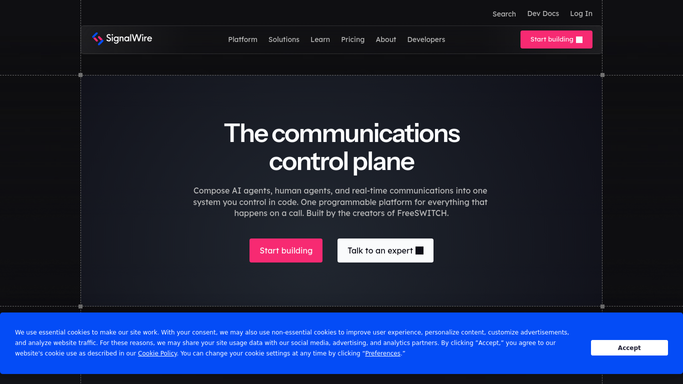
WebRun opens SignalWire to compile volume and error rate. - Open the SignalWire dashboard for the last 7 days
- Pull call and message volume and the API error rate
- Compare this week's error rate against last week
Done when Last week's volume and error rate are compiled with a comparison.
-
2
Trello - post the scorecard card
trello.com How to Automate Trello

WebRun opens Trello to post the scorecard card. - Add or update a card on the Reliability board for this week
- Include volume, error rate, and the week over week change
- Move the card to Needs Review if error rate rose
Done when This week's scorecard card is posted with a clear status.
-
3
WhatsApp - ping the dev team
whatsapp.com How to Automate WhatsApp

WebRun opens WhatsApp to ping the dev team. - Send the dev team an internal WhatsApp ping once the card posts
- Note whether the card needs review
- Link to the Trello card
Done when The dev team has been pinged internally about this week's card.
How is each run configured?
Secure by default
Connect once, stays signed in
WebRun signs in once and keeps each session in a persistent environment, so every run picks up right where it left off.
Every action is checked against this policy before it runs.
Questions, answered
Does WebRun fix API errors itself?
No. It only reads volume and error rate data from the SignalWire dashboard and reports on it. Any fix to the integration is made by your dev team.
What counts as needing review?
A week where the error rate rose compared to the week before, which moves the card into a flagged state on the Trello board instead of a routine one.
Where is the historical trend kept?
On the Trello Reliability board, where each week's card stays as a record, so the trend across weeks is visible by scrolling the board.
Related templates
Put this on autopilot.
Turn it on in minutes - or have our team set it up for you.