How to Automate Microsoft Teams

Microsoft Teams automates well inside its own estate. Power Automate has connectors for SharePoint, Outlook, Excel and hundreds of major products, and posts to a channel on almost any event. The systems with no connector, which in most companies is the interesting half, still need a person to go and look.

Teams is where the company's process actually lives

Microsoft Teams is the chat, meetings and files layer bundled with Microsoft 365, which means most companies did not so much choose it as receive it. That matters, because it ends up carrying more than conversation.

The channel structure usually mirrors the org chart, and the files tab is where the real version of a document lives. Approvals happen in it. Handovers happen in it. In a lot of firms the actual process, as distinct from the documented one, is whatever gets posted in a particular channel on a particular day of the week.

It also sits inside a governed estate. There is an IT department, a tenant, an admin consent screen, and a queue for getting anything installed. That changes what automation is realistic far more than any technical limit does.

The weekly update is assembled by hand

In most companies somebody spends Monday morning building a post.

They open three systems, copy numbers into a message, format it so it reads well on a phone, and post it to the leadership channel. Somebody else does the same for the operations channel on Thursday. A third person checks a queue twice a day and flags anything that has been sitting too long.

These are not junior tasks either. They tend to land on the person who understands the numbers, which means an experienced person spends a few hours a week transcribing figures from one screen to another.

And when that person is away, the update simply does not go out, which is the clearest sign it was never really a process.

The microsoft.com homepage, the app these three jobs run in. Microsoft Teams
Past the connector list The line-of-business system with no Power Automate connector can still put its numbers in a channel.
No IT ticket to raise Nothing gets installed into the tenant, so a team can start without waiting on an admin approval queue.
Approvals stay with people The channel gets the facts and the flag. What happens next is still somebody's decision to make.

Power Automate reaches everything Microsoft has a connector for

Teams has serious automation attached to it, and inside the Microsoft world it is genuinely strong.

Power Automate builds flows across hundreds of connectors, so a new SharePoint file, an Outlook email, a Forms response, an Excel row or a Planner task can all post to a channel, start an approval or update a record. Workflows can be attached directly to a channel. Adaptive Cards give a post buttons that write back. Approvals are a first-class feature rather than a convention.

The whole model rests on the connector list. Where a connector exists, this is excellent and you should use it rather than anything else. Where one does not, there is no route at all.

In most companies the systems without connectors are the specific ones: the industry package the business actually runs on, the regional supplier portal, the customer's own extranet, the internal tool a contractor built in 2011. Those hold the numbers people most want in the channel.

The systems outside the tenant can reach the channel too

The systems with no connector are still websites. A browser can open a website, and the connector list stops being the boundary.

The Monday leadership post, assembled from the three systems it currently takes a person to open. The queue that gets checked twice a day, checked every twenty minutes instead, with a message only when something has aged past its limit. The supplier portal that shows a delivery date nobody sees until a customer asks.

The industry system that runs the actual business, the one with no API and no export, reporting its own numbers into the channel where decisions get made about them.

There is a governance point here that works in your favour. Nothing is installed into the tenant, so there is no admin consent to obtain and no new app with standing permissions across the estate. The agent signs in the way a staff member does, sees what that person can see, and can be locked to an explicit list of sites.

The transcribing is the part to give away

The figure that goes into the post is on a screen in another system, and moving it across is typing. The judgement in the post is worth paying for. The transcription is not.

WebRun is an AI agent that works a real Chrome browser, signed in as you. It opens whatever holds the numbers, including the systems with no connector, reads what is on the screen, and posts the result into the Teams channel you choose.

It runs on your schedule in your own private environment, you can watch a run and stop it, and it can be restricted to a named set of domains. Anything that would go outside the company drafts and waits.

The workflows below are already built, and each one shows what it opens and in what order.

Questions people ask

Does our IT team need to approve an app in the tenant?

No. Nothing is installed into Microsoft 365 and no tenant-wide permissions are granted. The agent works the browser signed in as a normal user, so it sees exactly what that user can see.

Should we use this instead of Power Automate?

Not where a connector already exists. Power Automate is the better tool for anything inside the Microsoft estate. This is for the systems it has no connector for, and the two work together happily.

Can it be restricted to specific systems?

Yes. A workflow can be locked to an explicit list of domains, so an agent holding a session cannot wander into anything you did not name.

1,329 ready-made Microsoft Teams workflows

Each one names the apps it touches and the exact steps it takes. Open one to read what it will do, then turn it on.


Automated Keap Unpaid Invoice Chasing
Every Monday, WebRun lists your overdue Keap invoices and unaccepted quotes, drafts a reminder per contact for your approval, and books the calls worth making.
Keap›Google Calendar›Microsoft Teams
Automated Kaspersky Scan Coverage Audit
Every Monday, WebRun opens My Kaspersky, checks each device's last scan and database update, writes the coverage audit into Notion, and posts the quiet machines to Microsoft Teams.
Kaspersky›Notion›Microsoft Teams
Automated KakaoStory Post Archiving
Every Monday, WebRun opens KakaoStory, copies the posts, photos, and comments published since the last run into a dated Notion archive, and confirms the backup in Microsoft Teams.
KakaoStory›Microsoft Teams›Notion
Automated Kajabi Course Launch Checks
Before you open the doors, WebRun walks your new Kajabi product, offer, checkout page and welcome sequence, puts the fix window on Google Calendar, and posts a pass or fail list to Microsoft Teams.
Kajabi›Google Calendar›Microsoft Teams
Automated Jooble Job Alert Coverage Audit
Every Monday, WebRun reviews your Jooble alerts against the roles and locations you care about, writes the gaps into Notion, and posts the coverage summary to Microsoft Teams.
Jooble›Notion›Microsoft Teams
Automated JD.com Return Request Queue
Every morning, WebRun reads the return and refund requests waiting on your JD.com store, logs them in Airtable oldest first, and posts the queue to your team.
JD.com›Airtable›Microsoft Teams
Automated IXL Parent Progress Updates
Every Monday, WebRun reads each student's IXL progress, writes a short plain-language note per family, queues the texts in Twilio for your approval, and files the notes in Teams.
IXL›Twilio›Microsoft Teams
Automated iTalki Teaching Income Tracking
Every Monday, WebRun totals your completed iTalki lessons and credits for the week, files the record in Microsoft Teams, and sends you the figure on Telegram.
iTalki›Microsoft Teams›Telegram
Automated ProConnect E-File Rejection Alerts
Every morning, WebRun checks your Intuit ProConnect returns for e-file rejections, texts you the ones that came back overnight, and posts the reasons to your Teams channel.
Intuit ProConnect›Microsoft Teams›Twilio
Automated QuickBooks Bank Feed Review
Every morning, WebRun opens QuickBooks, reads the bank transactions sitting in the For Review queue, and posts what is still uncategorized to Microsoft Teams.
QuickBooks›Microsoft Teams›Twilio
Automatic Instacart Staple Price Tracking
Every morning, WebRun prices your regular Instacart staples across the retailers you use, flags what went up, and posts the cheapest store to Microsoft Teams with an email recap.
Instacart›Microsoft Teams›Gmail
Automated Indeed Sponsored Spend Reporting
Every morning, WebRun reads yesterday's Indeed sponsored spend against views and applications per posting, posts the cost per applicant to Microsoft Teams, and pings you on Telegram about dead listings.
Indeed›Microsoft Teams›Telegram
Automated Hotjar Feedback Routing
Every morning, WebRun opens Hotjar, sorts yesterday's survey and feedback responses by page and sentiment, posts each to the owning team's Microsoft Teams channel, and texts the lead the angry ones.
Hotjar›Twilio›Microsoft Teams
Automated Hetzner Backup Coverage Checks
Every night, WebRun checks each Hetzner server for a recent snapshot or backup, posts the unprotected list to Microsoft Teams, and pings you on Telegram if anything is exposed.
Hetzner›Microsoft Teams›Telegram
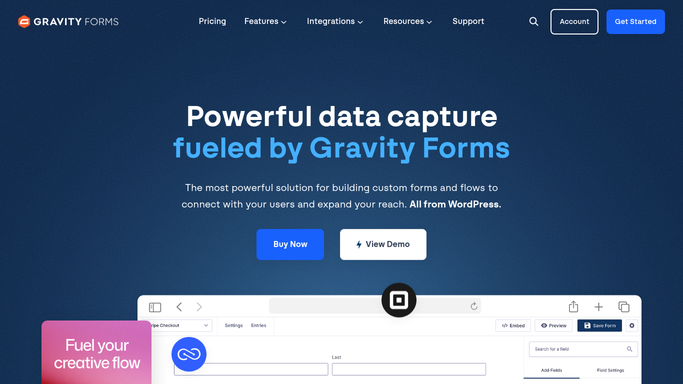
Automated Gravity Forms License Renewal Alerts
Every Monday, WebRun reads your Gravity Forms license and posts the renewal date, the sites it covers, and any waiting add-on updates to Microsoft Teams and Telegram.
Gravity Forms›Microsoft Teams›Telegram
Automatic Grab Voucher Expiry Alerts
Every Monday, WebRun checks which Grab vouchers, promos, and reward points expire soon, posts the list to Microsoft Teams, and sends you a Telegram nudge about what to use first.
Grab›Microsoft Teams›Telegram
Automated Meeting Licence Utilization Reviews
Every Monday, WebRun reads GoTo Meeting hosting activity per organiser, records who has not hosted in weeks in Notion, and posts the seat review to Microsoft Teams.
GoTo Meeting›Notion›Microsoft Teams
Automated Google One Renewal Checks
Every Monday, WebRun opens Google One, reads the renewal date, price, and plan members against your actual storage use, posts it to Microsoft Teams, and queues a Twilio text before renewal.
Google One›Microsoft Teams›Twilio
Automated Merchant Center Promotion Alerts
Every morning, WebRun reads your Google Merchant Center promotions, works out which offers end in the next few days, and warns you before the ad and the price disagree.
Google Merchant Center›Telegram›Microsoft Teams
Automatic Google Meet No-Show Follow-Up
Every morning, WebRun reads yesterday's Google Meet attendance, works out who was invited but never joined, posts the no-show list to Microsoft Teams, and queues a catch-up text in Twilio for approval.
Google Meet›Microsoft Teams›Twilio
Automatic Google Keep Checklist Chasing
Every night, WebRun reads your shared Google Keep checklists, works out which items are still unticked and whose list they are on, sends the gaps to Telegram, and posts the handover note to Microsoft Teams.
Google Keep›Telegram›Microsoft Teams
Automated GMX Spam Folder Rescue
Every morning, WebRun reads your GMX spam folder, lists the messages that look genuine with sender and subject, suggests a rule for each sender, and texts you when something important is stuck.
GMX›Microsoft Teams›Twilio
Automatic Gmail Receipt and Invoice Filing
Every night, WebRun searches Gmail for receipts and invoices, labels and files each one with supplier and amount, sends the day's list to Telegram, and posts the month's running total to Microsoft Teams.
Gmail›Telegram›Microsoft Teams
Automated GetResponse Webinar Follow-Ups
Every morning, WebRun splits your GetResponse webinar registrants into attendees and no shows, drafts a follow up for each group, and posts the numbers to Microsoft Teams and Telegram.
GetResponse›Microsoft Teams›Telegram

Want one of these running on your own Microsoft Teams?

Show WebRun the process once and it will run it on schedule, in your own private browser environment.