How to Automate Censis
Censis automates surgical instrument tracking through CensiTrac, with case cart assembly against pick lists, tray assembly alerts, decontamination guidance and an OR Scheduler Interface, plus LoanerLink and ScopeTrac Advanced alongside it. Courier pages and vendor portals stay manual, and an agent like WebRun reads them each morning.
 Written by
Elliot Nakamura
Platform writer
Written by
Elliot Nakamura
Platform writer
 Reviewed by
Devon Ruiz
Workflow engineer
Reviewed by
Devon Ruiz
Workflow engineer
A tray is the smallest unit a surgery depends on
Censis Technologies makes surgical instrument tracking software for sterile processing departments. CensiTrac is the centre of it, following instruments at the instrument, procedure and patient level. The people in it are sterile processing technicians, the department manager, and the perioperative staff waiting on what it sends up.
What sterile processing does is not obvious from outside the department. Instruments come down from theatre dirty, then get decontaminated, inspected, assembled into trays against a count sheet, wrapped, sterilised, tested, stored and sent back up for a named case. Every step is recorded, because if a sterilisation load fails its test, the department has to know exactly which trays were in it and which patients they reached.
So the record here is not paperwork about the work. The record is what makes an instrument usable. A tray without a documented cycle behind it is a tray that cannot go into a room, however clean it looks.
The loaner set is somebody else's promise
The trays a hospital owns are the easy half of the problem.
A large share of what gets used in an orthopaedic or spine case belongs to the vendor. The set arrives from a rep, on a courier, sometimes the night before, and the department cannot process what has not landed. So somebody phones the rep. Somebody refreshes a courier tracking page. Somebody emails the vendor's loaner desk to ask whether the second tray shipped, and the answer arrives after the case is on the board.
Then it all goes back out, and the same round runs in reverse: what left the building, what was returned, what the vendor says was missing and intends to bill for.
Around that sits the rest of the outside world. A manufacturer's recall or field safety notice naming a lot number. An instrument out at a sharpening vendor with no promised date. A replacement on back order at a supplier. Each one is a fact the department needs, published on a company's website or emailed to whoever reads it that day.
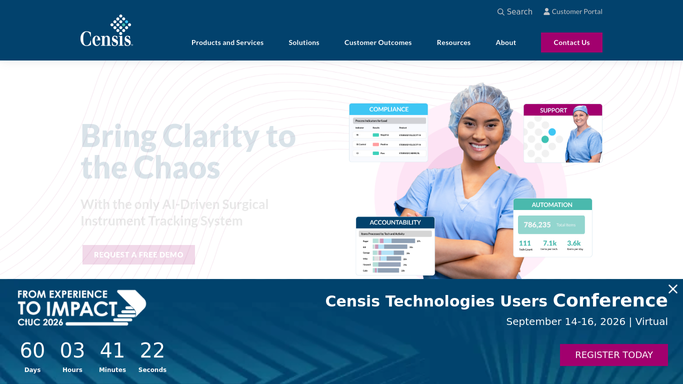
CensiTrac follows the tray everywhere inside the building
Censis covers the inside of sterile processing thoroughly, and it is worth saying how much before looking for the gap.
CensiTrac tracks instruments in real time. Case Cart Assembly tracks cart location and contents against case-specific pick lists, prioritised by the surgery schedule so the cart for the first case gets built first. The OR Scheduler Interface shows theatre staff unreturned instruments and case counts, which is the view that stops a case being booked against a tray still sitting in decontamination. Alongside CensiTrac sits LoanerLink for loaner tray management.
That is close to complete for anything the department can put a scanner on.
The wall is the one every tracking system meets: a barcode can only be scanned once the item is in the building. A loaner set two states away is a row with an expected date somebody typed. Its real status is on a courier's tracking page or the vendor's own portal. A recall notice is a PDF on a manufacturer's site. A repair is an entry in a sharpening vendor's system nobody here can see.
The trays for Thursday can be confirmed on Tuesday
A set that did not arrive gets discovered too late and by telephone, at six in the morning, on the day it was needed.
Every loaner set expected for the week checked against the courier's tracking page and the vendor's own portal, each morning, with the ones that will not make their case named days out, so a substitute can be pulled or the case moved up. A shipment that never left shows up on Tuesday, not on Thursday at handover.
Recall and field safety notices watched on the manufacturers' own sites and matched against the lot and serial numbers the department holds, so the question becomes a list of affected trays instead of a search that starts from nothing on a Friday afternoon.
Instruments out for repair or sharpening checked on that vendor's portal, so a set sitting for five weeks is visible against the count sheet it belongs to and the cases missing it. Back-ordered replacements checked on the supplier's site rather than chased by email.
A tray gets released by a technician, never by a schedule
All of those answers sit on a screen somebody has to log into, usually at the start of a shift already behind. The looking-up is the part that does not need a technician's training.
WebRun is an AI agent that drives a real Chrome browser, signed in the way your staff sign in. It opens the courier's tracking page, a vendor's loaner portal, a manufacturer's safety notices or a repair vendor's system, reads what is on the screen, and hands back a list against this week's cases and the sets they need.
The line does not move in a sterile processing department. Gathering runs unattended. Marking a tray complete, releasing a load, recording a cycle result or telling theatre a set is ready is prepared and waits for a qualified person. Nothing about a load is recorded on an agent's say-so.
The workflows below each name what they open.
Questions people ask
Will it record a sterilisation result or release a tray?
No. It gathers and reports. Recording a cycle, interpreting a biological indicator, releasing a load or marking a tray ready stays with a qualified sterile processing technician, exactly as it does today.
Can it track a loaner set the vendor has not shipped yet?
Yes, as far as the vendor's own systems admit. It reads the courier tracking page and the loaner portal each morning and reports what has moved, what has not, and which case each set is due for.
How does it match a recall notice to our instruments?
It reads the lot and serial numbers named in the manufacturer's notice and compares them against what your department holds, then hands back the affected trays for the manager to verify and act on.
12 ready-made Censis workflows
Each one names the apps it touches and the exact steps it takes. Open one to read what it will do, then turn it on.



Want one of these running on your own Censis?
Show WebRun the process once and it will run it on schedule, in your own private browser environment.