Automated GetResponse Webinar Follow-Ups
Every morning after a webinar, WebRun opens GetResponse, compares the registrant list against who actually attended, tags the two groups on your contact list, drafts a separate follow up email for each and leaves both unsent, then posts the attendance numbers to Microsoft Teams and a short Telegram note when the drafts are ready to approve.
How do I follow up with webinar registrants who did not attend?
WebRun runs your webinar follow up. Each morning it compares GetResponse registrants against who actually attended, tags the two groups, drafts a thank you for attendees and a replay offer for no shows, both held for approval, and posts the attendance numbers to Microsoft Teams.
- No shows get the replay while the topic is still warm
- Attendees and no shows are tagged as two separate groups
- Attendance is tracked against your previous webinar every time
Built for marketing teams · demand generation · course creators · B2B event marketers
What does WebRun do on every run?
The exact actions WebRun takes, in order - in plain language, so you can adjust anything.
-
WebRun signs in and gets to work
Opens
app.getresponse.comin a real browser with your saved login - no setup, no API keys. -
1
GetResponse - split registrants from attendees
getresponse.com
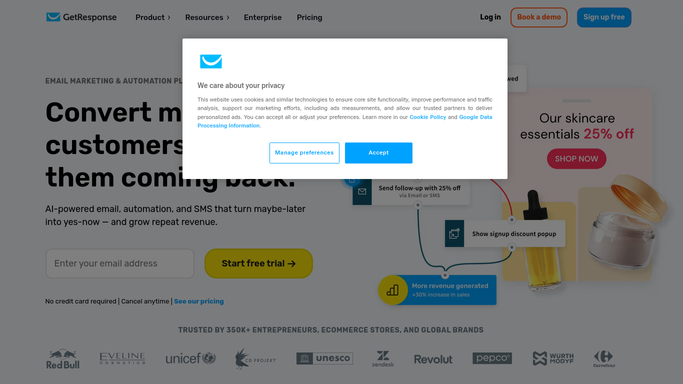
WebRun opens GetResponse to split registrants from attendees. - Sign in to GetResponse and open the most recent webinar with its registrant and attendance data
- Tag each contact as attended or registered but did not attend, and note how long the attendees stayed
- Draft two follow up emails: a thank you with next steps for attendees, and a replay offer for the no shows. Leave both unsent for approval
Done when Both groups are tagged and both follow up emails are drafted but unsent.
-
2
Microsoft Teams - post the attendance numbers
microsoft.com

WebRun opens Microsoft Teams to post the attendance numbers. - Post the marketing channel the webinar numbers: registrants, attendees, the show up rate, and the average time watched
- Compare against your previous webinar so the trend is visible, not just the single figure
- Name the two tagged groups and their sizes so anyone can see who each follow up will reach
Done when The marketing channel has the attendance numbers and the group sizes.
-
3
Telegram - flag the drafts ready to approve
telegram.org

WebRun opens Telegram to flag the drafts ready to approve. - Send yourself a short note that both follow ups are drafted and waiting, with the recipient count for each
- Include the first line of each draft so you can judge the tone without opening GetResponse
- Say clearly that nothing sends until you approve it. WebRun never emails a registrant on its own
Done when You know the drafts are ready and how many people each one would reach.
How is each run configured?
Secure by default
Connect once, stays signed in
WebRun signs in once and keeps each session in a persistent environment, so every run picks up right where it left off.
Every action is checked against this policy before it runs.
Questions, answered
Will it send the follow up emails itself?
No. Both follow ups are drafted in GetResponse and left unsent. A marketer reads them and presses send, so nothing reaches your list without approval.
How does it tell attendees from no shows?
It compares the registrant list against the attendance data for the same webinar, then tags each contact accordingly and records how long the attendees stayed.
What happens on days with no webinar?
Nothing is drafted and no tags change. WebRun only acts when there is a completed webinar whose follow up has not gone out yet.
Related templates
Put this on autopilot.
Turn it on in minutes - or have our team set it up for you.