How to Automate Gmail

Gmail automates in layers. Filters, labels and canned responses handle sorting and repeated wording. Schedule send and shared inboxes handle timing and teamwork. Writing the reply that needs a fact from another system is the part still done by hand, and the part worth handing to an agent.

Gmail is still where the work arrives

Gmail is the mail service in Google Workspace, and for most businesses it is still the front door. Orders arrive in it. Quotes get requested in it. Suppliers confirm things in it. The customer who is about to leave writes to it first, usually politely.

It is also, in practice, the system of record for everything that never made it into a proper system. The agreed price is in a thread. The change to the delivery date is in a thread. The reason a discount was given four months ago is in a thread somebody will spend twenty minutes finding.

Everything downstream of it depends on a person reading each message, working out what it needs, and going somewhere else to do it. That last step is where the day goes.

The inbox is a to-do list written by other people

An inbox is the only queue in the business that anyone in the world can add to.

So the morning goes like this. Read a message. Open the CRM to check whether this is already a customer. Open the ordering system to see whether the thing is in stock. Copy an address into a form. Type a reply that says roughly what you typed yesterday to somebody else. Mark it read. Next one.

The reading is the quick part. The looking things up is what takes the hour. And the replies that end up delayed are almost never the difficult ones. They are the ordinary ones that needed a number from a system nobody had open at the time.

The gmail.com homepage, the app these three jobs run in. Gmail
Replies waiting in drafts The ordinary answers written overnight, with the tracking number, the stock level or the price already looked up.
The lookup done first The four tabs someone opens to answer one message, opened and read before anybody has seen the message.
Nothing sent without you Email cannot be recalled, so the default is a draft sitting in your folder rather than a message already gone.

Filters sort mail, they cannot answer it

Gmail does more on its own than most people ever set up.

Filters route by sender, subject or content, apply labels, skip the inbox and forward automatically. Canned responses keep you from retyping the same paragraph for the hundredth time. Smart Compose finishes sentences. Schedule send holds a written message until a time you pick. Workspace adds shared inboxes and delegation so a team can work one address without stepping on each other.

All of that acts on the message: where it goes, what it looks like, when it leaves. None of it can find anything out. A filter cannot check whether that customer has an unpaid invoice, whether the part is in stock, or what you quoted them in March.

Which is why the reply still waits for a person. Not because the words are hard, but because the facts live in four other places.

The reply can be written before you open the thread

The facts an ordinary reply needs are all on screens somebody could open. When they arrive on their own, the ordinary reply stops being work.

A supplier asks whether you want to reorder. The stock level is in the ordering system, last quarter's usage is in a spreadsheet, and the answer is one sentence. A customer asks where their order is. The status is on a courier site, behind a reference number sitting in the original confirmation email.

A prospect asks for a price on the thing you quote fifteen times a week, where the number depends on two values you look up. Someone asks to move a visit, and the answer depends on what the calendar says about Thursday.

Every one of those is a lookup and a paragraph. Both can happen before you sit down, with the result left in your drafts folder for you to glance at and send.

Hold one line, though: drafted, not sent. Email goes to real people and cannot be pulled back. A draft costs two seconds to approve and removes the entire category of things you would rather had not gone out on their own.

The drafting happens overnight

The number that belongs in the reply is sitting in another system, and getting it out is typing, not thinking. Fetching it does not have to be your job, and it does not have to wait until after you have read the email.

WebRun is an AI agent that works a real Chrome browser, signed in as you. It reads the thread, opens whatever holds the answer, whether that is your CRM, a supplier portal or a courier site with no integration at all, and leaves a reply in your drafts with the details already filled in.

It runs on your schedule in your own private environment. Nothing goes out on its own unless you deliberately set a narrow rule that says so, and you can watch a run and stop it.

The workflows below are already built, and each one shows the steps it takes.

Questions people ask

Does it send email on my behalf?

By default it drafts and leaves the message in your folder. Email cannot be unsent, so sending on its own is something you turn on deliberately for a narrow case, never the starting point.

Will it read my whole mailbox?

It works only the messages a workflow points it at, such as a label, a search or a single sender. You set that scope yourself, and you can watch a run to see exactly which threads were opened.

Can it use information that is not in the email?

That is usually the whole point. It opens the CRM, the ordering system or the courier site the way you would, reads what it needs, and writes the reply with the real number already in it.

3,893 ready-made Gmail workflows

Each one names the apps it touches and the exact steps it takes. Open one to read what it will do, then turn it on.
Automated Kahoot Assignment Reminders
Every morning, WebRun reads your Kahoot assignment reports, finds who has not finished before the due date, drafts each a reminder in Gmail, and posts the chase list to Slack.
Kahoot!GmailSlack
Automated Job Bank Job Match Shortlists
Every morning, WebRun reads the new Job Match candidates on each open Job Bank posting, builds a shortlist in Trello, and drafts an invitation email in Gmail for your approval.
Job BankTrelloGmail
Automatic Jitsi Attendance and No-Show Check
Every hour, WebRun compares the people in your Jitsi rooms against the expected attendee list, logs attendance in Notion, and drafts a follow-up note in Gmail for the no-shows.
JitsiNotionGmail
Automated YouTrack Time Tracking Audits
Every Monday, WebRun audits YouTrack for issues worked on with no time logged and estimates never filled in, emails the team lead the gaps, and sends the summary on WhatsApp.
YouTrackGmailWhatsApp
Automated JazzHR Stalled Candidate Alerts
Every Monday, WebRun finds the JazzHR candidates sitting in one workflow stage too long, records who is holding each up in Airtable, and drafts a nudge in Gmail.
JazzHRAirtableGmail
Automated Iterable Journey Stall Alerts
Every morning, WebRun checks your live Iterable journeys for any with no sends since yesterday, posts the stalled ones to Slack, and drafts an escalation email in Gmail.
IterableSlackGmail
Automated Sage Intacct Budget Variance Reports
Every Monday, WebRun compares actuals against budget by department in Sage Intacct, sends the variance summary to Telegram, and drafts each department head's email in Gmail for review.
Sage IntacctTelegramGmail
Automatic Instacart Staple Price Tracking
Every morning, WebRun prices your regular Instacart staples across the retailers you use, flags what went up, and posts the cheapest store to Microsoft Teams with an email recap.
InstacartMicrosoft TeamsGmail
Automated Informatica Agent Health Checks
Every night before the batch window opens, WebRun checks your Informatica Secure Agents and connections, logs readiness in Notion, and drafts the escalation email.
InformaticaGmailNotion
Automatic IKEA Stock Availability Alerts
Every morning, WebRun checks each item on your IKEA list against stock at your chosen store, drafts a back-in-stock note in Gmail, and updates your Trello board.
IKEAGmailTrello
Automated IDrive Storage Quota Monitoring
Every Monday, WebRun reads your IDrive storage against the plan quota, works out which devices are eating it fastest, and emails you the headroom left.
IDriveGmailTrello
Automated Idealist Volunteer Enquiry Intake
Every morning, WebRun collects new volunteer applications on Idealist, drafts a reply in Gmail for each one, and books an intake call slot on Google Calendar.
IdealistGoogle CalendarGmail
Automated iCloud Shared Access Audit
Every Monday, WebRun audits your shared iCloud Drive folders, links, and albums, flags anyone outside your household or company, and drafts you the list of shares worth closing.
iCloudGmailNotion
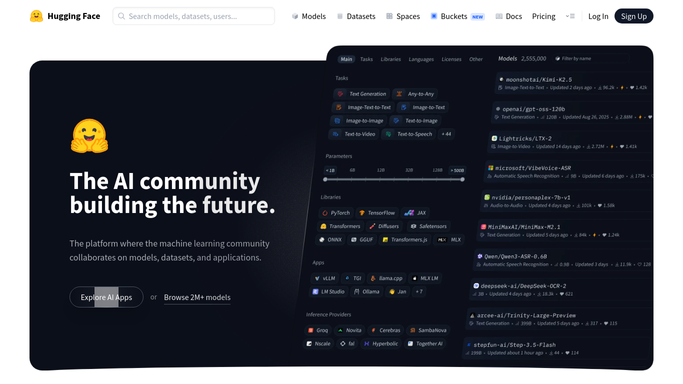
Automated Hugging Face Model Card Audits
Every Monday, WebRun audits your Hugging Face org for models and datasets missing a model card or licence tag, posts the list by owner to Slack, and drafts the owner emails in Gmail.
Hugging FaceGmailSlack
Automated Hostinger WordPress Update Checks
Every Monday, WebRun checks each WordPress install in your Hostinger panel for outdated core, plugins, and themes, and builds one patch list for you.
HostingerGmailGoogle Calendar
Automated HeyGen Video Localisation Batches
Hand WebRun an approved HeyGen video and it produces a translated version per market, collects the share links, and hands the set to your team for review.
HeyGenGmailSlack
Automated Heroku Add-On Cost Review
Every Monday, WebRun reads the dyno sizes and add-ons on every Heroku app, works out what each one costs, flags the idle ones, emails you the breakdown, and posts the totals to Slack.
HerokuGmailSlack
Automated Bonsai Project Budget Alerts
Every morning, WebRun checks hours tracked against budget on every Bonsai project, files the record in Google Drive, and drafts a change order email in Gmail.
BonsaiGoogle DriveGmail
Automated Groove Warm Prospect Queue
Every morning, WebRun reads your Groove flow engagement, finds prospects opening and clicking without replying, checks the thread in Gmail, and posts a ranked call list to Slack.
GrooveGmailSlack
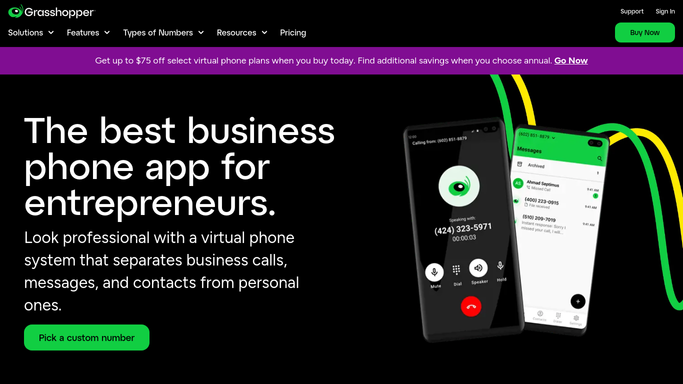
Automated Grasshopper Call Routing Audit
Every Monday, WebRun opens Grasshopper, walks the extensions, forwarding numbers, greetings and business hours, texts the owner what looks wrong, and drafts the full audit in Gmail for approval.
GrasshopperTwilioGmail
Automated Feedback Theme Analysis in Gemini
Upload your free-text answers and WebRun works through them in Gemini, groups them into themes with counts and example quotes, writes the result to Airtable, and drafts a Gmail summary.
Google GeminiAirtableGmail
Automated Gojek Balance Threshold Alerts
Every morning, WebRun checks your GoPay balance against the day's planned bookings, posts the shortfall to Slack, and drafts the top up request in Gmail for finance to approve.
GojekGmailSlack
Automatic Gmail Receipt and Invoice Filing
Every night, WebRun searches Gmail for receipts and invoices, labels and files each one with supplier and amount, sends the day's list to Telegram, and posts the month's running total to Microsoft Teams.
GmailTelegramMicrosoft Teams
Automated Glassdoor Employer Rating Benchmark
Every Monday, WebRun reads your Glassdoor profile and your rivals' public numbers, records the benchmark in Notion, and drafts the summary email to leadership in Gmail.
GlassdoorNotionGmail

Want one of these running on your own Gmail?

Show WebRun the process once and it will run it on schedule, in your own private browser environment.