Chase the learners who have not finished their kahoot
Every morning, WebRun opens Kahoot!, reads the report for each live assignment, lists the participants who have not finished and the days left before the due date, drafts a personal reminder in Gmail for each of them, and posts the chase list to Slack.
- No credit card
- Under $0.01 per run
- Cancel anytime
How do I remind learners who have not completed their assigned kahoot?
Every morning, WebRun opens Kahoot!, reads each assignment report, and lists the participants who have not finished with the days left before the due date. It drafts a personal reminder in Gmail for each of them, leaving it for you to send, and posts the chase list to Slack.
- The reminder goes to the four people who need it, not the whole group
- Completion is checked live, so nobody is nudged twice
- Assignments due soonest sit at the top of the list every morning
Built for trainers · teachers · L&D teams · onboarding managers
What does WebRun do on every run?
The exact actions WebRun takes, in order - in plain language, so you can adjust anything.
-
WebRun signs in and gets to work
Opens
kahoot.comin a real browser with your saved login - no setup, no API keys. -
1
Kahoot! - find who has not finished
kahoot.com
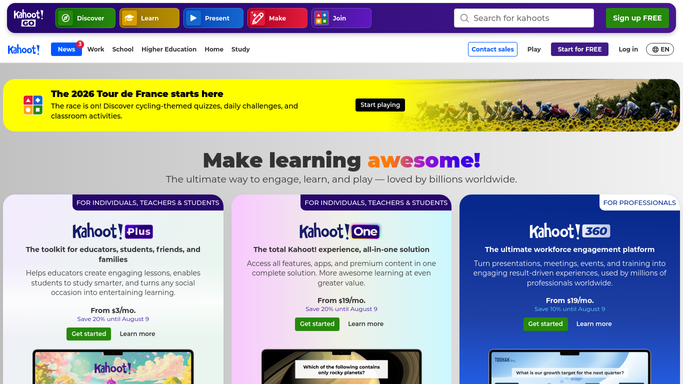
WebRun opens Kahoot! to find who has not finished. - Open Kahoot! and go to your assigned kahoots
- For each assignment still open, read the report of who has played and who has not
- Capture the outstanding names, their group, and the days remaining before the due date
Done when Every open assignment has a list of participants still to finish.
-
2
Gmail - draft each learner a reminder
gmail.com How to Automate Gmail

WebRun opens Gmail to draft each learner a reminder. - Draft a short, friendly reminder for each outstanding learner naming the kahoot and its due date
- Include the assignment link so they can start straight from the message
- Leave every reminder in Drafts. Nothing goes to a learner until you approve and send it
Done when A reminder is drafted in Gmail for each learner still outstanding.
-
3
Slack - post the chase list
slack.com How to Automate Slack

WebRun opens Slack to post the chase list. - Post the chase list to your training channel, grouped by assignment
- Put assignments due soonest at the top with the count still outstanding
- Note anyone who has now finished since yesterday so the list keeps shrinking
Done when Today's chase list is in Slack with counts and due dates.
How is each run configured?
Secure by default
Connect once, stays signed in
WebRun signs in once and keeps each session in a persistent environment, so every run picks up right where it left off.
Every action is checked against this policy before it runs.
Questions, answered
Will it email learners without me?
No. Every reminder is left in Gmail Drafts for you to read and send. WebRun writes them, you decide who actually gets one.
Does it nag people who already finished?
No. It reads the live assignment report each morning, so anyone who has played since yesterday drops off the list automatically.
Can it chase only the assignments near their deadline?
Yes. Set the window you care about, for example three days out, and WebRun only drafts reminders for assignments inside it.
Related templates
Put this on autopilot.
Turn it on in minutes - or have our team set it up for you.