How to Automate Instagram
Instagram automates the posting and the filtering. The Planner schedules ahead, Hidden Words screens comments, and saved answers reply to common questions. Getting a reply that carries a real fact, today's price or Saturday's free slot, is the part left over, and where an agent like WebRun does the looking up for you.
 Written by
Marcus Deleon
Support operations
Written by
Marcus Deleon
Support operations
 Reviewed by
Nikhil Bhatt
Automation strategist
Reviewed by
Nikhil Bhatt
Automation strategist
Instagram is the shop window customers check before they come in
Instagram is a photo and video app that became the front page of an enormous number of small businesses. For a salon, a bubble tea shop, a record store or a go-kart track, it is more current than the website and considerably more read.
People use it as a directory. They check the grid to see whether the place looks any good, the stories to see whether it is open today, and the bio for a booking link. Then, far more often than a website ever managed, they send a message.
That last part is what catches businesses out. Instagram stopped being a broadcast channel some time ago. It is a front door with a doorbell, and the doorbell rings at eleven at night, on a Sunday, from somebody who wants to know whether you do balayage and what it costs.
The DMs pile up faster than anyone can answer them
The work Instagram creates is not the posting. It is the answering.
The same six questions arrive every week. Are you open Monday. How much is a consultation. Do you have that one in a medium. Can I book for six on Saturday. Every answer exists, and every answer is somewhere else: the booking system, the price list, the stock screen in the till software.
Meanwhile the posting still has to happen. Somebody photographs the specials board, writes a caption and remembers to put the same thing on stories. Somebody scrolls the comments for the real question buried under forty compliments. Somebody screenshots this month's reach figure for a report, because they have worked out it does not stay there.
All of it lands on whoever is nearest the phone, which is reliably whoever should be doing something else.
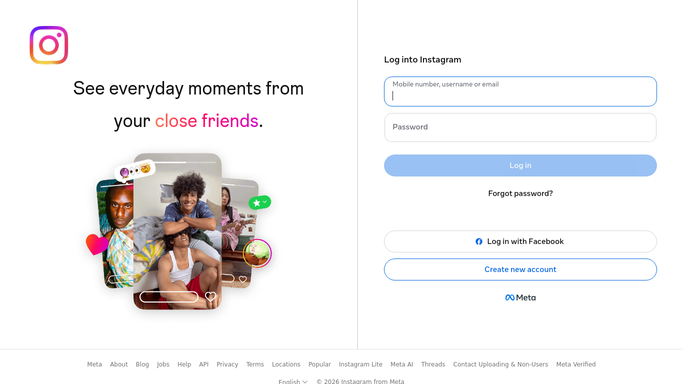
 Instagram
The Planner schedules posts, the inbox still needs a person
Instagram gives professional accounts more than most of them have switched on.
Meta Business Suite includes a Planner: a calendar where posts, reels and stories are written once and scheduled ahead, across Instagram and Facebook together. Instagram Direct supports frequently asked questions with automated responses, so a first-time messenger can tap a question and get an answer immediately. Hidden Words filters comments and message requests against Instagram's own list of offensive terms plus any words, phrases or emojis you add. Insights reports accounts reached, accounts engaged and total followers for a period you choose, within the last ninety days.
Those are worth setting up, and that ninety days is where the first wall shows. Instagram does not keep your own history for you, so no one has a year-on-year comparison unless somebody wrote the numbers down each month.
The bigger wall is the automated response itself. It can only say what you typed into it in advance. It cannot say yes, there are two left in a medium, or Saturday at six has gone but seven is free, because those facts live in a system Instagram has never heard of.
The account can answer the questions it keeps getting
The useful version is not more posts. It is an account that knows what the rest of the business knows.
The eleven o'clock message asking about Saturday gets a reply drafted with the slots that are actually open, read off the booking system. The comment asking the price of the jacket in the third photo gets one with today's price and whether it is still in stock. The regular asking whether the record came in gets an answer, because something checked the supplier list rather than waiting for Monday.
The reading side is worth as much as the replying. This month's reach, saves and follower change written into a sheet before the ninety days runs out, so next January has something to sit beside. The comments and story replies mentioning a competitor, a complaint or a booking, lifted out of the noise into a list somebody scans in two minutes. The photos you were tagged in that you have permission to use again.
None of that needs software pretending to be a person. It is your own account's data, read the way you would read it, turned into a draft.
And the boundary is firm. Publishing to a public grid and replying to a real customer are not reversible in any way that counts. Both get prepared, and both wait for somebody to look.
Every reply waits for a person to press send
Finding the answer is the slow part, and it is the part that has nothing to do with knowing your customers.
WebRun is an AI agent that works a real Chrome browser, signed in as you. It reads the message or the comment, opens the booking system, the price list or the stock screen that holds the answer, and writes a reply that is ready to go.
It runs on your schedule in your own private environment, and you can watch a run and stop it. It does not like, follow or comment on other people's accounts, and nothing is posted or sent until you say so.
The workflows below are already built, and each one names what it opens.
Questions people ask
Will it reply to a customer before I have seen the message?
No. It reads the message, goes and finds the answer, and leaves the reply as a draft. A message to a customer and a public comment both reach real people, so pressing send stays with you.
Is automating a business Instagram account allowed?
Reading and drafting on your own account is fine, and is what this does. What is not allowed anywhere is inauthentic engagement: bulk following, artificial likes and comments, or software behaving like a person on other people's posts. None of that is on offer here.
Can it keep our Insights numbers before they expire?
Yes, and it is one of the better reasons to use it. Instagram only shows the last ninety days, so a monthly snapshot written into a sheet is the only way to have a real year-on-year comparison later.
17 ready-made Instagram workflows
Each one names the apps it touches and the exact steps it takes. Open one to read what it will do, then turn it on.
 Instagram›
 Instagram›
 Instagram
 Instagram
 Instagram
 Instagram›Instagram›
 Instagram›Instagram›
 Instagram›
 Instagram›
 Instagram›
 Instagram›
 Instagram›Instagram›Instagram›
 Instagram›
Want one of these running on your own Instagram?
Show WebRun the process once and it will run it on schedule, in your own private browser environment.