Ask happy 12-month patients for a review
Every Monday, WebRun opens TrichoSuite, finds patients who reached their 12-month result and have final progress photos on file, drafts a warm review and testimonial request in Gmail, and drafts an Instagram message asking permission to feature their before and after, leaving both for your team to review and send.
- No credit card
- Under $0.01 per run
- Cancel anytime
 Instagram
draft a feature permission ask
Instagram
draft a feature permission ask
What does WebRun do on every run?
The exact actions WebRun takes, in order - in plain language, so you can adjust anything.
-
WebRun signs in and gets to work
Opens
trichosuite.com/en-USin a real browser with your saved login - no setup, no API keys. -
1
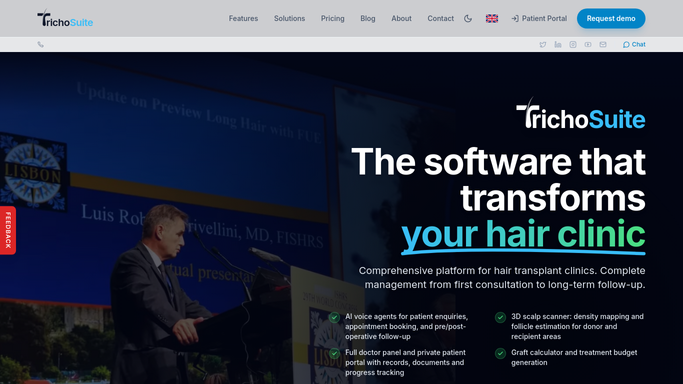
TrichoSuite - find completed 12-month results
trichosuite.com How to Automate TrichoSuite

WebRun opens TrichoSuite to find completed 12-month results. - Open TrichoSuite and find patients now at 12 months since their transplant
- Confirm final progress photos are on file and the result is marked satisfactory
- Skip anyone flagged as a complaint, refund, or do-not-contact
Done when Every eligible happy 12-month patient is identified with photos on file.
-
2
Gmail - draft the review request
gmail.com How to Automate Gmail
WebRun opens Gmail to draft the review request. - Draft a warm, personal email thanking the patient and asking for a Google review
- Reference their journey and include the direct review link
- Leave the email as a draft for your team to review and send. Never email the patient on its own
Done when A personalized review request email is drafted in Gmail for each patient.
-
3
Instagram - draft a feature permission ask
WebRun opens Instagram to draft a feature permission ask. - Draft an Instagram direct message asking permission to feature their before and after result
- Make clear the patient chooses whether their face is shown and can decline
- Leave the message unsent as a draft for your team to review and send. Never post the photos or message on its own
Done when A feature permission draft is ready in Instagram for each patient.

How do I ask satisfied 12-month hair transplant patients for a review automatically?
Every Monday WebRun finds patients who reached their 12-month result in TrichoSuite with final photos on file and a satisfactory outcome. It drafts a warm Gmail review request and an Instagram message asking permission to feature their before and after, leaving both for your team to send, so happy patients are asked while results are fresh.
- Happy 12-month patients are asked for a review while thrilled with results
- Requests are drafted, not sent, so a human approves each one
- Complaint and do-not-contact patients are excluded automatically
Built for hair transplant clinics · clinic marketing teams · patient coordinators · hair restoration surgeons
How is each run configured?
Secure by default
Connect once, stays signed in
WebRun signs in once and keeps each session in a persistent environment, so every run picks up right where it left off.
Instagram
Sign in once
Every action is checked against this policy before it runs.
Questions, answered
Will it send review requests or post photos without me?
No. WebRun drafts the email and the Instagram message and leaves both unsent for your team to review. No review request is sent and no before and after is posted until a human approves it.
How does it avoid asking unhappy patients?
It only selects patients whose 12-month result is marked satisfactory with final photos on file, and it skips anyone flagged as a complaint, refund, or do-not-contact in TrichoSuite.
Does it publish the before and after itself?
No. It only drafts a message asking the patient's permission to feature their result. Any actual post is created and published by your team after the patient agrees.
Related templates
Instagram›Put this on autopilot.
Turn it on in minutes - or have our team set it up for you.