How to Automate Cerbo

Cerbo automates the visit itself. Chart Parts, e-prescribing, parsed lab results with abnormal values highlighted, and email and text appointment reminders all run inside the chart. The work between visits, on outside lab portals, dispensary suppliers and the card processor, is still manual, and that layer suits an agent like WebRun.

Cerbo suits a practice that bills the patient, not an insurer

Cerbo is an electronic health record built for the kind of medicine that does not fit a standard chart. Functional and integrative medicine clinics use it, along with naturopaths, direct primary care practices, cash-based clinics, IV therapy and hormone replacement providers, and medical spas.

The difference that matters is who pays. A practice like this usually bills the patient or a membership rather than an insurer, which changes the whole shape of the software. There is a dispensary selling supplements. There are wellness plans that renew. There are lab panels far outside the standard set, ordered because the practitioner wanted a fuller picture rather than because a code required one.

So the chart in Cerbo is not only clinical. It is the customer record, the order history and the subscription too. The practice running it is small: one or two practitioners, one person at the front, sometimes a health coach. Nobody there has a spare afternoon.

Everything between appointments is done by hand

The visit is the easy part. It is booked, it happens, it gets charted. What fills the week is everything either side of it.

Someone logs into a specialty lab's portal to see whether a panel has come back, because that lab is not on the feed and never will be. Someone counts what is left on the dispensary shelf and works out what to reorder from the distributor's site. Someone checks which memberships renewed this month and whether the card actually went through. Someone notices, eventually, that a patient who was six months into a protocol has not booked since March.

In a practice of this size that someone is the practitioner, at nine in the evening, or the one person at the desk who is also answering the phone. Neither is doing it well, because neither has the time to.
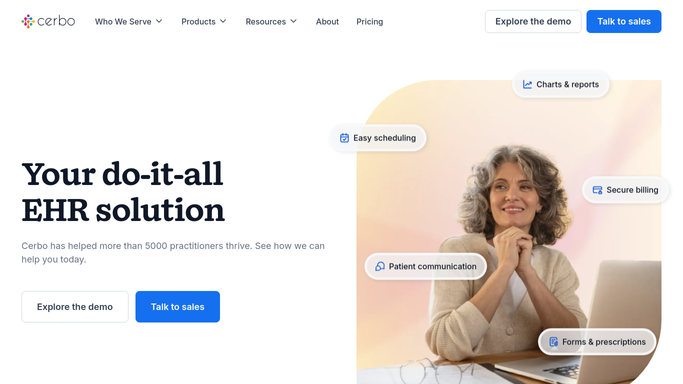
The cer.bo homepage, the app these three jobs run in. Cerbo
Results before the appointment Panels from labs with no direct feed collected from their own portals as they post, so the practitioner is not opening a PDF during the visit.
A dispensary that stays stocked Supplement levels checked against the distributor's ordering site, so a protocol is not written around something that will not ship for three weeks.
Patients who quietly stopped coming The people who finished a protocol and never rebooked, listed with their last visit date and a check-in message drafted and waiting.

Chart Parts, lab parsing and reminders already cover the visit

Cerbo has automated the clinical hour thoroughly, and a practice that has not set all of it up is leaving the easy wins on the table.

Chart Parts, auto-complete and fillable forms for physical exams and a functional review of systems keep the note short to write. E-prescribing covers compounded and controlled medications, with renewals, medication history and a nationwide pharmacy database. Electronic lab results arrive parsed, with abnormal, high, low and critical values highlighted against their normal ranges, from more than forty standard and functional laboratories. Appointment reminders go out as an initial email, an email reminder and a text, with the wording and timing yours to set. Incoming faxes, portal messages and requests land in a task system that assigns them with due dates and pop-up reminders. The patient portal handles medication and supplement lists, results, handouts and online refill requests.

Every one of those acts on something that has already reached Cerbo: a result on the feed, a fax in the queue, an appointment in the calendar.

The lab outside those forty has a portal instead. So does the supplement distributor, the compounding pharmacy, the card processor that takes the membership payment, and the online shop the dispensary sells through. None of them push anything into the chart. Someone logs in and looks.

Results and stock arrive without anyone fetching them

Once the logging in is somebody else's problem, the practice stops running a day behind its own information.

A panel from a lab with no feed, downloaded from its portal the morning it posts and filed against the right patient, values outside range marked, so the practitioner reads it before the appointment rather than during it.

Supplement stock checked on the distributor's ordering site against what the dispensary is dispensing, so nothing is recommended that will not ship for three weeks. Memberships renewing this month lined up against what the card processor took, so a failed payment is a phone call this week rather than a discovery next quarter. The patients who finished a protocol and never came back, listed with the date of their last visit and a check-in note already written. Orders that came through the online shop matched to the chart they belong to.

None of that needs an interface, an API key or a developer. It needs a login and the patience to use it every morning.

The boundary in a clinic is firm. Collecting a result, counting stock and spotting a lapsed patient runs unattended. Reading a result, deciding a protocol and writing a prescription cannot, and anything that reaches a patient is drafted and left for a clinician.

Downloading a result is clerical work

Fetching a result and reading it are two different jobs, and only one of them needs a clinician. The fetching is the half that can be handed over.

WebRun is an agent that works a real Chrome browser, signed in as your practice is. It opens the lab portal, the distributor's site or the payment dashboard, reads what is there, and puts it where your team will see it.

It runs on your schedule in your own private environment, and a workflow can be restricted to an explicit list of sites. You can watch a run and stop it partway. Nothing clinical happens without a person, and nothing goes to a patient unread.

Each workflow below names what it opens and what it writes back.

Questions people ask

Can it order a lab or send a prescription?

No. Ordering and prescribing stay with the practitioner and stay inside Cerbo, where e-prescribing already handles compounded and controlled medications. This collects what other systems are holding, puts it in front of a person, and stops there.

Not every lab we use is on the HL7 feed. Can it still help?

That is the main reason to use it. Cerbo integrates with more than forty standard and functional laboratories, and the ones outside that list still publish to a portal of their own. An agent can log in, download the panel and file it against the right patient.

Could it share a result with a patient by mistake?

No, because it is not given that job. Releasing a result, replying in the portal and sending a recall note are all left as drafts for a clinician to review. In a practice built on the relationship, a message that lands wrong costs far more than the minutes it saved.

25 ready-made Cerbo workflows

Each one names the apps it touches and the exact steps it takes. Open one to read what it will do, then turn it on.


Automated Cerbo Supplement Reorder Alerts
Every Monday, WebRun checks your Cerbo dispensary inventory against par levels, lists what's running low, and drafts a reorder email to your supplement distributor for staff to review and send.
CerboGmail
Automated Cerbo Dispensary Order Recap
Every night, WebRun pulls the day's dispensed supplement orders from Cerbo, matches them against recorded payments in QuickBooks, and logs a recap in Google Sheets flagging anything dispensed but not yet invoiced.
CerboQuickBooksGoogle Sheets
Automated Cerbo Referral Partner Report
On the first of every month, WebRun tallies each new patient's referral source from Cerbo, and compiles a ranked report in Google Sheets showing which referring providers and partners send the most patients, and how many of them stay.
CerboGoogle Sheets
Automated Cerbo Protocol Check-In Drafts
Every morning, WebRun finds patients due for a scheduled check-in on their treatment protocol, and drafts a personal check-in email referencing their specific plan for the provider to review and send.
CerboGmail
Automated Cerbo Patient Portal Message Triage
Throughout the day, WebRun scans incoming Cerbo patient portal messages, drafts a suggested reply for routine questions inside the portal for provider review, and emails the on call provider immediately for anything flagged urgent or clinical.
CerboGmail
Automated Cerbo New Patient Intake Summary
When a new patient completes their intake form, WebRun pulls their history, current supplements, and prior labs from Cerbo, builds a one page summary in Google Sheets, and emails the assigned provider so they walk into the first visit prepared.
CerboGoogle SheetsGmail
Automated Cerbo Functional Medicine Lab Digest
Every morning, WebRun scans Cerbo for lab results that arrived since the last run across every functional and standard panel, logs each one to a running tracker, and emails your care team a clear summary so nothing slips past a busy schedule.
CerboGoogle SheetsGmail
Automated Cerbo Monthly Revenue Report
On the first of every month, WebRun pulls visit volume and dispensary sales from Cerbo, matches revenue and outstanding balances in QuickBooks, and compiles a monthly report in Google Sheets comparing this month to last.
CerboQuickBooksGoogle Sheets
Automated Cerbo Lapsed Patient Recall Drafts
Every Monday, WebRun finds patients with no visit or contact in Cerbo for 12 or more months, and drafts a personal recall email for each one for staff to review and send.
CerboGmail
Automated Cerbo Annual Panel Due Reminders
Every Monday, WebRun finds patients due for their annual or recurring functional lab panel per their care plan, and drafts a scheduling reminder in Gmail for staff to review and send.
CerboGoogle SheetsGmail
Automated Cerbo Membership Renewal Reminders
Every Monday, WebRun finds patients whose annual membership or care plan renews within 30 days, checks QuickBooks to confirm they haven't already paid, and drafts a personal renewal reminder in Gmail for staff to review and send.
CerboQuickBooksGmail
Automated Cerbo Abnormal Biomarker Alerts
Throughout the day, WebRun scans new Cerbo lab results for any biomarker outside its reference range, ranks each by how far out of range and whether it's trending worse, and logs it to a running critical values tracker in Google Sheets.
CerboGoogle Sheets
Automated Cerbo Supplement Refill Reminders
WebRun checks Cerbo each morning for patients whose supplement protocols are due for a refill, drafts a reminder for each, and queues them for your review before anything is sent.
CerboGoogle Sheets
Automated Cerbo Patient Review Request Drafts
Every evening, WebRun finds patients who completed a visit today, and for those flagged as satisfied by your provider, queues a personalized review request draft in Gmail for your team to send the next morning.
CerboGmail
Automated Cerbo Patient Recall Reminders
Every Monday, WebRun scans Cerbo for patients who have not had a visit in 90 days or more, drafts a personalized recall message for each, and queues those drafts for staff review before anything is sent to the patient.
CerboGmail
Automated Cerbo Provider Utilization Report
Every Monday, WebRun pulls the prior week's appointment data from Cerbo and posts a provider utilization report to Slack, showing booked hours versus available hours for each clinician so your practice manager can spot capacity gaps and take action.
CerboSlack
Automated Cerbo Care Package Visit Tracking
Every Monday, WebRun opens Cerbo, counts the remaining visits on every active patient care package, and posts a usage summary to a Google Sheet so your front desk always knows who is running low before they book.
CerboGoogle Sheets
Automated Cerbo No-Show Report
Every evening, WebRun pulls Cerbo's appointment records, identifies patients who missed their visit today, and posts a tidy report to Slack so your team can follow up first thing tomorrow.
CerboSlack
Automated Cerbo New Patient Intake Routing
When a new patient intake form arrives in Cerbo, WebRun reads their chief concerns, assigns them to the best-fit provider based on specialty and availability, and posts a routing summary to Slack so your coordinator can confirm the match in seconds.
CerboSlack
Automated Cerbo Membership Renewal Reminders
Every Monday, WebRun checks Cerbo for patients on a membership or wellness plan whose renewal date falls within the next 30 days, drafts a warm renewal reminder for each, and queues those drafts for staff to review before sending.
CerboGmail
Automated Cerbo Abnormal Lab Result Worklist
Every morning, WebRun scans Cerbo for newly arrived lab results that have abnormal values, builds a prioritized follow-up worklist, and posts it to your Slack channel so providers can act the same day.
CerboSlack
Automated Cerbo Dispensary Low-Stock Alerts
Every morning, WebRun checks supplement inventory levels in Cerbo, identifies any product that has fallen below your reorder threshold, and posts a low-stock alert to Slack so your dispensary team can reorder before a patient comes in for their next refill.
CerboSlack
Automated Cerbo Daily Schedule Digest
Every morning, WebRun pulls the day's appointments from Cerbo and posts a concise schedule digest to Slack, so every provider and front desk staff member knows exactly what the day holds before the first patient arrives.
CerboSlack
Automated Cerbo Care Plan Adherence Tracking
Every Monday, WebRun reviews Cerbo care plans, identifies patients who have not completed a scheduled step such as a lab order, follow-up visit, or lifestyle goal check-in, and posts an internal adherence digest to your team so you can reach out before a plan goes off track.
CerboAirtable

Want one of these running on your own Cerbo?

Show WebRun the process once and it will run it on schedule, in your own private browser environment.

