How to Automate Telegram

Telegram automates through its Bot API, which will post to a group or a channel on a schedule or on command. What a bot cannot do is find anything out. Getting the number onto the phone still needs something to read the system holding it first.

Telegram reaches the people who are not at a desk

Telegram is a free messaging app with groups, channels and bots, and for a lot of businesses it is the quickest way to reach someone who is nowhere near a computer. Drivers, engineers, site managers, kitchen staff and shop owners all have it open already.

It matters most where email is not really read and a desktop chat tool would never get installed. A crew of eight has a group. The owner has a channel where the day's numbers get posted. A supplier set up a bot that nobody ever configured properly.

Delivery is the appeal. A message lands on a phone in a pocket in about a second, costs nothing, and needs no licence and no company login. For a small operator that is often the only channel that genuinely works.

The person on site finds out last

The gap is never the sending. It is the knowing.

Someone at a desk checks whether the payment cleared, then types it into the group. Someone opens the job system to see which visits are booked for tomorrow and pastes the list in at nine at night. Someone notices at four in the afternoon that a delivery never left, four hours after the courier site said exactly that.

The information already exists. It is sitting behind a login on a screen nobody had open, waiting for a person to go and look before anyone else can be told.

By the time the group is told, the fact is often hours old, and the person it mattered to has already driven to the wrong place or waited for a part that was never coming.

The telegram.org homepage, the app these three jobs run in. Telegram
Tomorrow's list, tonight The next day's jobs read out of the scheduling system and posted to the crew group before anyone goes to bed.
Only what changed The deliveries that stopped moving and the payments that failed, rather than a full report nobody scrolls through.
Reaches people without a desk Drivers, engineers and site staff get the same facts as the office, on the phone already in their pocket.

A bot only says what it is handed

Telegram gives you real building blocks, and they are more capable than most people use.

The Bot API will post into a group or a channel on demand, run scheduled messages, offer buttons and keyboards, and take commands from members. Channels broadcast to any number of subscribers. A group can be quietly automated by a bot nobody has to think about.

What a bot cannot do is find anything out. It is a mouth, not a pair of eyes. Something has to hand it the figure, and that something is either a developer wiring up an API, assuming the system you care about even has one, or a person reading a screen and typing.

For most small operators it is the second, which is why so many of these groups are a stream of forwarded screenshots.

So the bot ends up as a megaphone for whatever a human already went and read, which is useful, but it is not automation.

The group can carry the day's facts

The posting has never been the problem. The reading in front of it is, and once a browser does that reading the group changes character.

Tomorrow's jobs, posted at six the evening before, read out of the scheduling system the office uses. The payments that failed overnight, named. The three deliveries that have not moved since yesterday, checked on the courier site by reference number. The stock lines that will not last the week.

It works the same way for the things people ask about all day. Whether the part arrived. Whether the invoice got paid. Whether the customer replied. Whether tomorrow is still going ahead.

Two things are worth deciding early. Post exceptions rather than everything, because a group that pings all day gets muted and then nobody sees the one message that mattered. And keep what goes to the crew separate from what goes to a customer: the crew group can run on its own, a message to a client should not.

Something has to go and look first

A bot will happily post the figure. Getting the figure is the part that still involves a person and a browser tab.

WebRun is an AI agent that works a real Chrome browser, signed in as you. It opens the scheduling system, the bank, the courier site or the supplier portal, reads what is on the screen, and hands the result to your bot to post into the group.

It runs on your schedule in your own private environment, and you can watch a run and stop it mid-way. Anything that would reach a customer is drafted and waits.

The workflows below are already built, and each shows exactly what it opens.

Questions people ask

Do I need a developer to set up a bot?

No. Creating a bot is a short conversation with BotFather inside Telegram and takes a couple of minutes. The part that normally needs a developer, getting real data to the bot, is what the workflow handles.

Can it message customers as well as staff?

It can, and that is the case to be careful with. Messages to your own crew group run on their own. Anything going to a customer is set up to draft and wait for a person to approve.

What if the group ends up too noisy?

Post exceptions rather than everything. Each workflow decides what is worth saying, so the group speaks when a delivery stalls or a payment fails, and stays quiet the rest of the time.

1,818 ready-made Telegram workflows

Each one names the apps it touches and the exact steps it takes. Open one to read what it will do, then turn it on.

Automated Replicate Failed Run Alerts
Every hour, WebRun checks your Replicate predictions for failed or errored runs, posts the details to Slack, and mirrors repeating failures to Telegram.
ReplicateSlackTelegram
Automatic Qualaroo Negative Feedback Alerts
Every day, WebRun opens Qualaroo, reads new nudge responses, posts a weekly response scorecard to Telegram, and texts you through Twilio right away whenever someone leaves a strongly negative response.
QualarooTelegramTwilio
Automated Qonto Transaction Alerts
WebRun watches your Qonto business account for transactions over a threshold, posts them to Telegram, and texts you on Twilio for the largest ones.
QontoTelegramTwilio
Automated Qdrant Cluster Capacity Alerts
WebRun checks your Qdrant Cloud cluster's storage and memory usage, posts a Telegram alert as it nears capacity, and texts the on-call engineer if it crosses a critical threshold.
QdrantTelegramTwilio
Automated Pushwoosh Stale Subscriber Alerts
WebRun checks Pushwoosh for push subscribers who have gone inactive or stopped receiving notifications, posts a Slack alert, and escalates to Telegram if the inactive share is large.
PushwooshSlackTelegram
Automated ProjectManager.com Weekly Health Scorecard
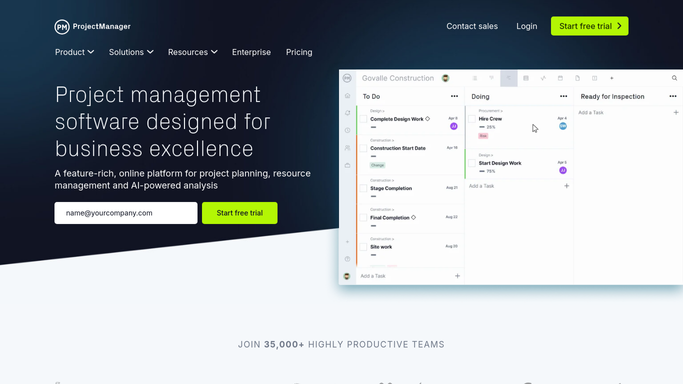
Every Friday, WebRun pulls task completion status for every project in ProjectManager.com, posts the weekly health scorecard to Slack, and flags anything that's gone red on Telegram.
ProjectManager.comSlackTelegram
Automated Private Internet Access Renewal Reminders
Every Monday, WebRun checks your Private Internet Access subscription and seat count, posts a renewal summary to Telegram, and texts you directly once renewal is under 5 days away.
Private Internet AccessTelegramTwilio
Automated Picktime Daily Booking Digest
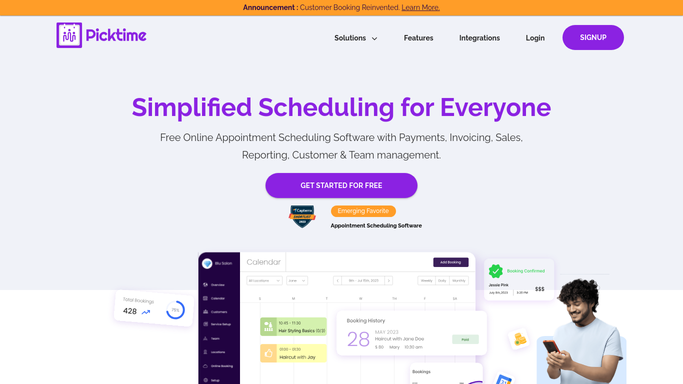
Every morning, WebRun opens Picktime, lists every appointment booked for today, posts the full schedule to Slack, and sends a Telegram alert right away if anything gets cancelled during the day.
PicktimeSlackTelegram
Automated Pi AI Daily Reflection Digest
Every morning, WebRun reviews yesterday's Pi conversations, summarizes the topics and any commitments you mentioned, posts the digest to Slack, and pings Telegram with today's top commitment.
PiSlackTelegram
Automated PayU Payment Method Setup Tracking
WebRun checks PayU for which payment methods and KYC steps are live, posts setup progress to Slack, and pings you on Telegram once everything is enabled.
PayUSlackTelegram
Automated Paymo Project Budget Threshold Alerts
WebRun checks Paymo for projects where logged hours have crossed 80 percent of the budgeted hours, posts an alert to Telegram, and drafts a Twilio text to the project owner for review.
PaymoTelegramTwilio
Automated Paycom Beti Verification Alerts
Before each Paycom payroll deadline, WebRun finds employees who haven't completed their Beti paycheck verification, posts a Telegram digest to HR, and texts the payroll admin via Twilio as the deadline nears.
PaycomTelegramTwilio
Automated OpenVPN Session Reconciliation
Every morning, WebRun checks OpenVPN Access Server for connected sessions, posts the reconciled list to Slack, and alerts Telegram if a session doesn't match an active employee.
OpenVPNSlackTelegram
Automated OneSpan Sign Packet Status Tracking
WebRun watches a new OneSpan Sign document packet through every status change, posts progress updates to Telegram, and drafts a Twilio text reminder if a signer stalls.
OneSpan SignTelegramTwilio
Automated Microsoft Bookings No-Show Digest
WebRun checks yesterday's Microsoft Bookings appointments for no-shows and cancellations, then posts a short digest to Slack and Telegram so staff know who to follow up with.
Microsoft BookingsSlackTelegram
Automated Nuclino Content Review Reminders
WebRun checks Nuclino for pages tagged with a review date that is coming due, posts a Slack reminder to each page's owner, and sends a Telegram summary to the wiki admin of everything expiring this week.
NuclinoSlackTelegram
Automated Novo Business Account Setup Tracking
WebRun checks your Novo account for outstanding verification, card, and reserve setup steps, posts progress to Telegram, and texts a confirmation once it is fully live.
NovoTelegramTwilio
Automated Norton Protection Status Alerts
WebRun watches your Norton 360 devices for protection that's been turned off or a threat left unresolved, sends a Telegram alert, and escalates by Twilio text if it's still unresolved the next check.
NortonTelegramTwilio
Automated NetSpend Daily Card Digest
Every night, WebRun checks your NetSpend card for the day's loads and purchases, posts a digest to Slack, and sends a personal Telegram alert if the balance runs low.
NetSpendSlackTelegram
Automated M&T Bank Large Transaction Alerts
WebRun watches your M&T Bank account for transactions over a threshold, posts them to your finance Slack channel, and sends an urgent Telegram ping for the biggest ones.
M&T BankSlackTelegram
Automated Metricool Cross-Network Scorecard
WebRun checks Metricool each week for performance across every connected network, posts the scorecard to Slack, and pings you on Telegram if followers drop.
MetricoolSlackTelegram
Automated MeisterTask Retainer Renewal Reminders
WebRun scans MeisterTask for tasks tagged as a retainer or contract renewal with a due date closing in, posts a heads up to Telegram, and drafts a Twilio text to the client contact for you to review and send.
MeisterTaskTelegramTwilio
Automated Maya Wallet Daily Digest
Every night, WebRun checks your Maya wallet balance and the day's transactions, posts a digest to Telegram, and texts a low balance alert on Twilio if needed.
MayaTelegramTwilio
Automated Mattermost On-Call Shift Handoff
At shift change, WebRun summarizes open items in the Mattermost on-call channel, posts the handoff summary to Slack for the record, and alerts the incoming on-call person on Telegram.
MattermostSlackTelegram

Want one of these running on your own Telegram?

Show WebRun the process once and it will run it on schedule, in your own private browser environment.