Get a project health scorecard every week
Every Friday, WebRun opens ProjectManager.com, pulls task completion status and schedule variance for every active project, posts the full weekly health scorecard to the team's Slack channel, and sends a Telegram flag for any project that's gone red so it gets attention before Monday.
- No credit card
- Under $0.01 per run
- Cancel anytime
What does WebRun do on every run?
The exact actions WebRun takes, in order - in plain language, so you can adjust anything.
-
WebRun signs in and gets to work
Opens
www.projectmanager.comin a real browser with your saved login - no setup, no API keys. -
1
ProjectManager.com - pull task completion status for every project
projectmanager.com

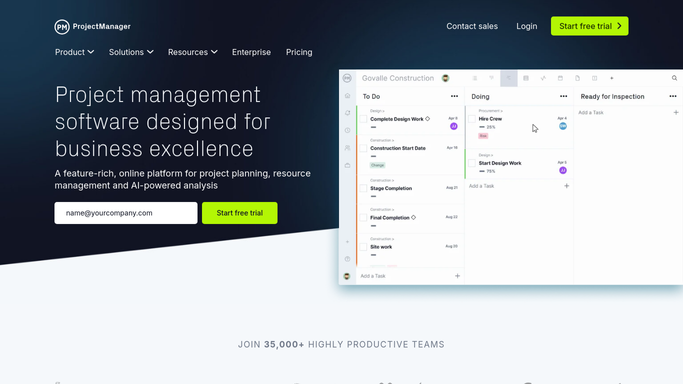
WebRun opens ProjectManager.com to pull task completion status for every project. - Open the dashboard for every active project
- Collect the percentage of tasks completed on schedule
- Rate each project green, yellow, or red based on schedule variance
Done when Every active project has a health rating for the week.
-
2
Slack - post the weekly health scorecard
slack.com How to Automate Slack
WebRun opens Slack to post the weekly health scorecard. - Rank projects by health rating
- Post the full scorecard to the team channel
Done when The team channel has this week's project health scorecard.
-
3
Telegram - flag any project that's gone red
telegram.org How to Automate Telegram
WebRun opens Telegram to flag any project that's gone red. - Check for any project rated red this week
- Send a direct flag naming the project and why it's behind
Done when Every red-rated project has been flagged separately.


How do I get a weekly project health scorecard from ProjectManager.com?
WebRun checks ProjectManager.com every Friday for task completion and schedule variance across every active project, posts the full weekly health scorecard rated green, yellow, or red to Slack, and sends a direct Telegram flag for anything that's gone red, so the team walks into the next week already knowing where attention is needed.
- Every project gets a clear health rating every week
- Red-rated projects get flagged separately instead of buried in a report
- The team sees project health without waiting for a status meeting
Built for Project managers · PMOs · team leads · operations managers
How is each run configured?
Secure by default
Connect once, stays signed in
WebRun signs in once and keeps each session in a persistent environment, so every run picks up right where it left off.
Every action is checked against this policy before it runs.
Questions, answered
Does WebRun change any task dates or statuses?
No. It only reads completion status and schedule variance. Updating dates or marking tasks complete is left entirely to your team in ProjectManager.com.
How is a project rated red?
Based on schedule variance already visible in ProjectManager.com, like a significant share of tasks now behind their planned dates. WebRun applies the same rating consistently every week.
Is the scorecard shared with clients?
No. It only posts to your internal Slack and Telegram channels, never to a client-facing channel or contact.
Related templates
Put this on autopilot.
Turn it on in minutes - or have our team set it up for you.