Get today's Picktime bookings without opening the app
Every morning, WebRun opens Picktime, lists every appointment booked for today across your staff and services, posts the full schedule to Slack, and sends a separate Telegram alert right away whenever an appointment is cancelled later in the day.
- No credit card
- Under $0.01 per run
- Cancel anytime
What does WebRun do on every run?
The exact actions WebRun takes, in order - in plain language, so you can adjust anything.
-
WebRun signs in and gets to work
Opens
picktime.comin a real browser with your saved login - no setup, no API keys. -
1
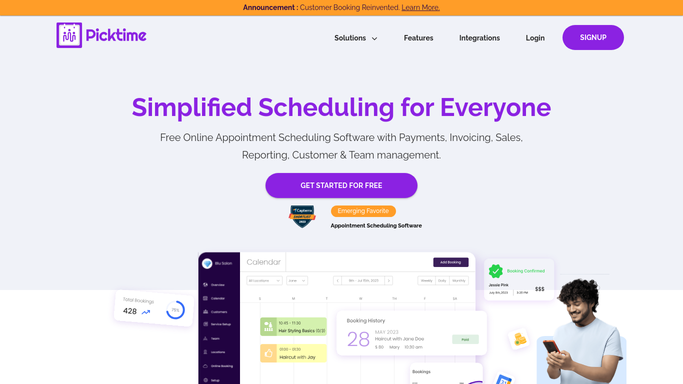
Picktime - list today's bookings
picktime.com

WebRun opens Picktime to list today's bookings. - Open Picktime and list appointments booked for today
- Capture the client, service, and staff member for each
- Check back through the day for any new cancellations
Done when Today's bookings are listed and cancellations are being watched.
-
2
Slack - post the full schedule
slack.com How to Automate Slack
WebRun opens Slack to post the full schedule. - Post today's full schedule to the team channel
- Sort it by time and staff member
- Include the service booked for each appointment
Done when The team has today's schedule in Slack.
-
3
Telegram - alert on same day cancellations
telegram.org How to Automate Telegram
WebRun opens Telegram to alert on same day cancellations. - Send a Telegram alert the moment an appointment is cancelled
- Include the client, time, and staff member affected
- Skip the alert on a day with no cancellations
Done when Any same day cancellation has been alerted in Telegram.


How do I get a daily digest of Picktime bookings?
WebRun posts your full Picktime schedule to Slack every morning and sends an immediate Telegram alert whenever an appointment is cancelled that day. Staff start the day with the full booking list already in Slack and hear about a same day opening the moment it happens, instead of refreshing Picktime.
- The full day's schedule is in Slack before the doors open
- Same day cancellations get flagged the moment they happen
- Staff stop checking Picktime directly to see who's booked
Built for salons · personal trainers · tutors · small service businesses
How is each run configured?
Secure by default
Connect once, stays signed in
WebRun signs in once and keeps each session in a persistent environment, so every run picks up right where it left off.
Every action is checked against this policy before it runs.
Questions, answered
Does it cancel or move any appointments?
No. WebRun only reads the schedule Picktime already has and reports it. It never books, moves, or cancels an appointment.
Will it contact the client whose appointment was cancelled?
No. It only alerts your team in Telegram. It never messages the client about the cancellation.
Why does a cancellation get its own alert?
A same day cancellation often opens up a slot staff want to fill quickly, so it gets an immediate Telegram alert instead of waiting for the next morning's digest.
Related templates
Put this on autopilot.
Turn it on in minutes - or have our team set it up for you.