How to Automate KORONA POS
KORONA POS automates the shop floor: par levels and automatic ordering, ID-scan age verification at checkout, loss prevention on voids and discounts by cashier, and multi-location reporting. State product directories, licence renewals, excise filing dates and distributor cost changes sit outside it, which is where an agent like WebRun works.
 Written by
Tom Kessler
Field operations analyst
Written by
Tom Kessler
Field operations analyst
 Reviewed by
Sofia Marchetti
Marketing operations
Reviewed by
Sofia Marchetti
Marketing operations
The till in a licensed shop is a compliance record
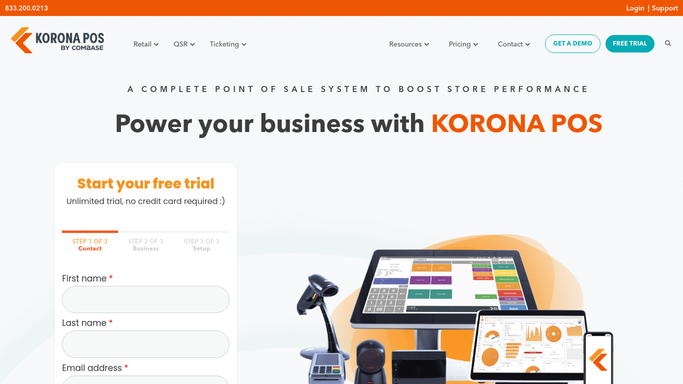
KORONA POS is a cloud point of sale for independent retail, and its customer list leans hard toward shops selling things the state keeps a list of: smoke and vape shops, liquor stores, convenience stores. It runs plenty of ordinary retail too, along with bakeries, coffee shops and admission businesses like museums and amusement parks.
In a licensed shop the register is not only a sales device. It is the record showing that an ID was checked before an age-restricted item crossed the counter, that the product sold was one the shop was allowed to sell, and that excise-taxed goods moved in the quantities later reported.
The same terminal handles the loyalty card and the gift card, and the same back office holds one stock file across every location the owner has. For a shop with two staff and forty thousand dollars of inventory behind the counter, that back office is the entire management layer of the business.
Compliance is a second job done after closing
Selling is the easy part. What piles up around it in a licensed shop is a set of obligations, each with a date attached and none announced.
The retail tobacco licence renews on a schedule. So does the state sales tax registration, and in a growing number of states a separate registry lists which vapor products may legally be sold at all. Excise returns are filed monthly on a state portal, with figures somebody pulls out of the back office and retypes into a web form. If the shop ships anything, the federal PACT Act adds its own monthly report.
Then the manufacturer side. Scan data programmes pay a shop for reporting item-level sales, and the payment depends on the file arriving. Promotional allowances and buy-downs are claimed on the brand's own portal. A distributor's cost moves on a Tuesday and the shelf price does not follow.
All of that lands on the owner, usually on a Sunday, usually after the tenth hour of the week already spent behind the counter.
Automatic ordering fills the shelf, not the filing cabinet
KORONA covers the shop floor properly, and an owner using it as a till alone is paying for a great deal they never switched on.
Inventory Management is the strongest part: par levels, automatic ordering, stock notifications and vendor management, so a shelf that is emptying writes its own order instead of waiting for somebody to notice. Age verification is built into checkout, prompting an ID scan on the products that require one, the single most important control in a licensed shop. Loss Prevention watches the register for the patterns that give a problem away: voids, discounts and no-sales, broken out by cashier and shift.
Every one of those runs on transactions the terminal recorded and vendors already in the system.
None of it can know that the state has updated its list of approved vapor products, or that a renewal window opened last week, or that this month's excise return date shifted, or that a distributor raised a cost on Tuesday. Those facts live on state websites, brand portals and distributor logins, and not one of them notifies a point of sale.
State registers change without telling the shop
Finding out late is the expensive part. Those state sites and distributor portals update on their own schedule, and they will show anyone who signs in and looks.
The state's approved product directory checked against the shop's own SKU list, so an item that came off the register is pulled from the shelf rather than sold and fined for. Licence renewal windows, excise return due dates and registration expiries gathered from the state's own portals into one dated list per location. The filing figures assembled out of the back office and set beside the form they go on, so the return becomes a review rather than an evening.
The money side is just as mechanical. Distributor cost changes read from each supplier's portal and set against the current shelf price, so an item now selling below cost is obvious the same week instead of at the end of the quarter. Promotional allowances and scan data payments checked against what actually arrived, because a rebate the shop earned and never claimed is the cheapest money it will ever leave behind.
And for an owner with four stores, the same check across all four, not just the one they happened to be standing in.
A shopkeeper is not a filing clerk
On a Sunday, with the shop shut, the owner is the one opening the state's site to find out whether a product is still on the list.
WebRun is an agent that works a real Chrome browser, signed in as you. It opens a state licensing or tax portal, a brand's dealer site or a distributor's ordering page, reads what is on the screen, and sets the answer next to the stock and sales figures out of KORONA POS.
Filing a return, submitting a claim, changing a shelf price and pulling a product from sale are decisions with a licence behind them. Each one is drafted and waits for the owner.
The workflows below are already built, and each one names the systems it opens.
Questions people ask
Will it file our excise return or a PACT Act report for us?
No. It assembles the figures out of the back office, sets them beside the form and flags the due date, then stops. Filing is a signed statement to a tax authority, so a person reviews it and submits it. Nothing is sent to a state on its own.
We run four stores on one KORONA account. Does it check all of them?
Yes. It reads the multi-location back office the way you would, then runs the outside checks per location, since licences, product directories and excise dates are set by the state each store sits in rather than by the account.
State websites have no API. Does that stop it?
No, and that is the reason it exists. It reads the page in a browser the way a person does, so a state portal with no export, no feed and a login is exactly the kind of site it was built for.
12 ready-made KORONA POS workflows
Each one names the apps it touches and the exact steps it takes. Open one to read what it will do, then turn it on.







Want one of these running on your own KORONA POS?
Show WebRun the process once and it will run it on schedule, in your own private browser environment.