Reconcile your cash drawer and post the end-of-day summary
Every evening, WebRun opens KORONA POS, pulls the end-of-day totals including expected cash, card, and other tender, reads the blind drop count recorded at close, calculates any discrepancy, and appends a dated row to your Google Sheet so you have a running reconciliation log across all shifts and locations.
- No credit card
- Under $0.01 per run
- Cancel anytime
What does WebRun do on every run?
The exact actions WebRun takes, in order - in plain language, so you can adjust anything.
-
WebRun signs in and gets to work
Opens
koronapos.comin a real browser with your saved login - no setup, no API keys. -
1
KORONA POS - pull end-of-day totals and blind drop count
koronapos.com How to Automate KORONA POS

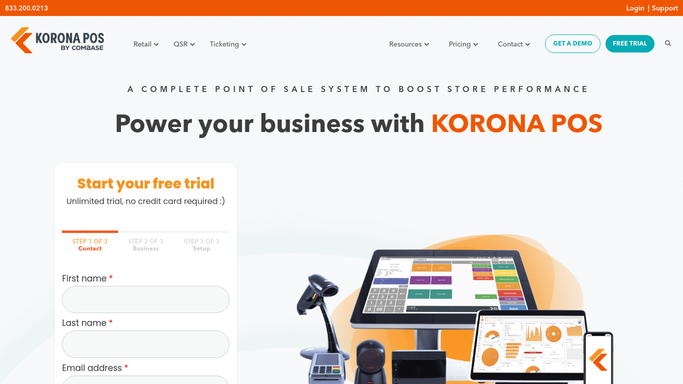
WebRun opens KORONA POS to pull end-of-day totals and blind drop count. - Open KORONA POS and navigate to the end-of-day closing report
- Capture expected cash, actual cash drop, card totals, and other tender amounts
- Note any voids, refunds, or discounts logged during the shift
- Calculate the cash discrepancy between expected and actual blind drop
Done when All end-of-day figures are captured including any cash variance.
-
2
Google Sheets - log the reconciliation entry and flag discrepancies
google.com How to Automate Google Sheets
WebRun opens Google Sheets to log the reconciliation entry and flag discrepancies. - Append a new row to the reconciliation sheet with today's date, store, shift, and all tender totals
- Record the cash variance amount and mark the row as flagged if it exceeds your set threshold
- Leave a note in the flag column with the variance amount for the manager to review
Done when Today's reconciliation row is logged in the sheet with any variance flagged.

How can I automatically reconcile my smoke shop cash drawer every night?
WebRun opens KORONA POS every evening, pulls the end-of-day report including expected cash and the blind drop total, calculates any variance, and appends a dated row to your Google Sheet. Discrepancies above your set threshold are flagged automatically so your manager sees exactly what needs reviewing before the next shift.
- Every shift closes with a logged reconciliation entry and no manual spreadsheet work
- Cash discrepancies above your threshold are flagged the same night they occur
- A running multi-location log builds your audit trail automatically over time
Built for smoke shop owners · vape shop managers · multi-location tobacco retailers
How is each run configured?
Secure by default
Connect once, stays signed in
WebRun signs in once and keeps each session in a persistent environment, so every run picks up right where it left off.
Every action is checked against this policy before it runs.
Questions, answered
What happens when a discrepancy is found?
The row in Google Sheets is flagged with the variance amount. WebRun does not take any further action. You or your manager reviews the flagged row and investigates the cause.
Can it cover multiple registers or locations?
Yes. Configure it to run for each register or location and log each as a separate row, so you have a full multi-location reconciliation sheet with one run.
How do I set the discrepancy threshold?
Tell WebRun your tolerance when setting up. For example, flag anything over $10 variance. Rows within tolerance are logged as clean and rows above are marked for review.
Related templates
Put this on autopilot.
Turn it on in minutes - or have our team set it up for you.