Get a daily sales digest for your smoke shop
Every evening, WebRun opens KORONA POS, pulls the day's net sales, transaction count, average basket, and top-selling SKUs by category, then posts a formatted digest to your Slack channel so you and your managers have a clear picture before tomorrow opens.
- No credit card
- Under $0.01 per run
- Cancel anytime
What does WebRun do on every run?
The exact actions WebRun takes, in order - in plain language, so you can adjust anything.
-
WebRun signs in and gets to work
Opens
koronapos.comin a real browser with your saved login - no setup, no API keys. -
1
KORONA POS - pull daily sales totals and top SKUs
koronapos.com How to Automate KORONA POS

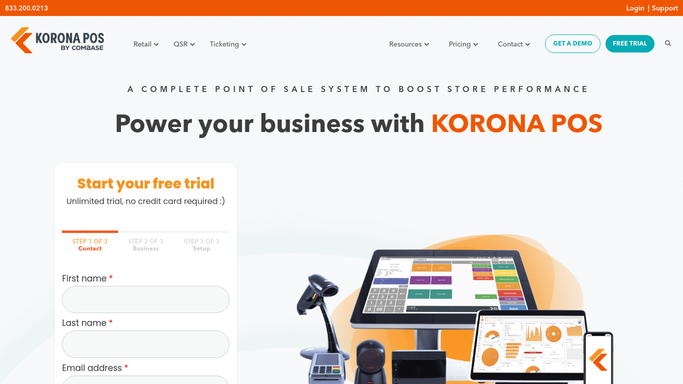
WebRun opens KORONA POS to pull daily sales totals and top SKUs. - Open KORONA POS and navigate to the daily sales report
- Capture net sales, transaction count, and average ticket value
- Pull top-selling SKUs ranked by revenue, grouped by category (tobacco, vape, accessories)
- Note any voids, refunds, or discounts applied during the day
Done when All key daily figures are captured and ready to format.
-
2
Slack - post the digest to your team channel
slack.com How to Automate Slack
WebRun opens Slack to post the digest to your team channel. - Format the figures into a clear, scannable digest message
- Post to the designated store or management Slack channel
- Flag any categories that are down more than 10% versus the prior 7-day average
Done when The digest is posted in Slack and your team can see the day's results.

How can I automatically get a daily sales summary for my smoke shop?
WebRun opens KORONA POS every evening, pulls net sales, transaction count, average basket, and top SKUs by category, then posts a formatted digest to your Slack channel. Your team sees the full day at a glance before tomorrow's shift starts, with any slow categories flagged automatically.
- Owners see net sales, top SKUs, and anomalies every evening without logging in
- Slow categories flagged automatically against the prior 7-day average
- Team alignment across shifts with a shared Slack digest
Built for smoke shop owners · vape shop managers · multi-location tobacco retailers
How is each run configured?
Secure by default
Connect once, stays signed in
WebRun signs in once and keeps each session in a persistent environment, so every run picks up right where it left off.
Every action is checked against this policy before it runs.
Questions, answered
Can it compare today's sales to a prior period?
Yes. WebRun reads the KORONA POS historical report and flags categories that are down more than your chosen threshold versus the previous 7-day average, so dips stand out immediately.
Can I get the digest for multiple locations?
Yes. Set up one workflow per location or ask WebRun to consolidate all locations into a single multi-store digest, each location broken out as its own section.
Will it post to more than one Slack channel?
Yes. Configure it to post to a store-level channel for staff and a separate management channel for owners, each receiving the detail level that makes sense for that audience.
Related templates
Put this on autopilot.
Turn it on in minutes - or have our team set it up for you.