Prepare your monthly PACT Act sales data for filing
On the first of each month, WebRun opens KORONA POS, pulls all vape and electronic nicotine delivery system sales from the prior month, groups them by product type and destination state, calculates unit and revenue totals per category, and exports the organised data to a Google Sheet formatted for PACT Act report preparation, so your compliance team has everything in one place before the filing deadline.
- No credit card
- Under $0.01 per run
- Cancel anytime
What does WebRun do on every run?
The exact actions WebRun takes, in order - in plain language, so you can adjust anything.
-
WebRun signs in and gets to work
Opens
koronapos.comin a real browser with your saved login - no setup, no API keys. -
1
KORONA POS - pull prior month vape and ENDS sales by product type and state
koronapos.com How to Automate KORONA POS

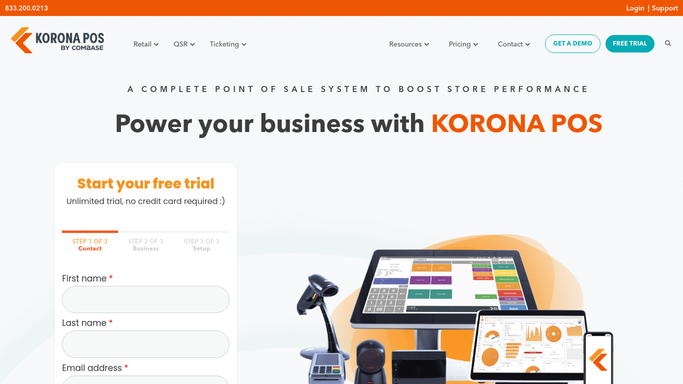
WebRun opens KORONA POS to pull prior month vape and ENDS sales by product type and state. - Open KORONA POS and set the date range to the prior calendar month
- Filter transactions to product categories classified as vape or electronic nicotine delivery systems
- For each qualifying sale, capture the product name, category, quantity sold, revenue, and customer or destination state if recorded
- Group the totals by product category and state to match the PACT Act reporting structure
- Note any online or delivery orders separately as they may carry different PACT Act obligations
Done when Prior month vape and ENDS sales are grouped by category and state and ready to export.
-
2
Google Sheets - export the organised data in a PACT Act report-ready format
google.com How to Automate Google Sheets
WebRun opens Google Sheets to export the organised data in a PACT Act report-ready format. - Export the grouped data to a dedicated PACT Act prep sheet with one row per product category and state combination
- Include unit totals and revenue totals for each row
- Add a notes column for your compliance team to flag any rows needing manual review before filing
- Leave the sheet clearly labelled with the reporting month for reference
Done when The PACT Act prep sheet is complete and ready for your compliance team to review.

How can I automatically prepare my monthly PACT Act vape sales data?
On the first of each month, WebRun opens KORONA POS, pulls all vape and ENDS sales from the prior month, groups them by product category and destination state, and exports the organised totals to a Google Sheet formatted for PACT Act report preparation. Your compliance team has the data in one place before the filing deadline, with no manual report-pulling required.
- Prior month vape sales data is organised by category and state before the filing deadline
- Compliance team receives a ready-to-review sheet rather than raw POS data
- Online and in-store sales are separated to reflect their different PACT Act treatment
Built for vape shop compliance managers · smoke shop owners with online sales · tobacco retail attorneys and compliance teams
How is each run configured?
Secure by default
Connect once, stays signed in
WebRun signs in once and keeps each session in a persistent environment, so every run picks up right where it left off.
Every action is checked against this policy before it runs.
Questions, answered
Does WebRun file the PACT Act report with the authorities?
No. WebRun prepares and organises the sales data in Google Sheets for your compliance team to review. Filing the actual report with the relevant authority is done by your compliance team or attorney.
How does it know which products are subject to PACT Act reporting?
It pulls from the product categories you have tagged as vape or ENDS in KORONA POS. Make sure your product taxonomy in KORONA POS reflects your compliance classification and the data will follow.
What if some sales lack a customer state on file?
In-store sales typically carry no destination state because the customer is present. WebRun flags these rows as in-store and groups them separately so your compliance team can apply the correct treatment.
Related templates
Put this on autopilot.
Turn it on in minutes - or have our team set it up for you.