Run a complete new product launch checklist for every new SKU
Every morning, WebRun scans KORONA POS for SKUs added in the last 24 hours, runs each one through a launch checklist verifying that cost, retail price, supplier, reorder point, and product category are all set, logs the results to a Google Sheet, and posts a Slack reminder for any SKU with missing fields so your team can complete the setup before the product goes live.
- No credit card
- Under $0.01 per run
- Cancel anytime
What does WebRun do on every run?
The exact actions WebRun takes, in order - in plain language, so you can adjust anything.
-
WebRun signs in and gets to work
Opens
koronapos.comin a real browser with your saved login - no setup, no API keys. -
1
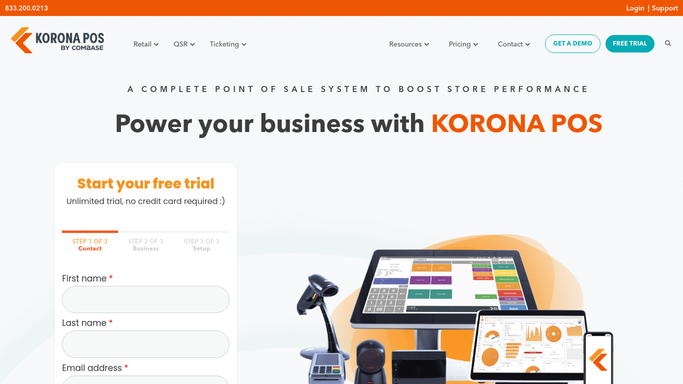
KORONA POS - find new SKUs and verify each against the launch checklist
koronapos.com How to Automate KORONA POS

WebRun opens KORONA POS to find new SKUs and verify each against the launch checklist. - Open KORONA POS and filter the product list to items added in the last 24 hours
- For each new SKU, check that cost price, retail price, product category, assigned supplier, and reorder point are all populated
- Check that the product description and barcode are entered
- Flag any field that is missing or set to a default zero value
Done when Every new SKU has been checked and missing fields identified.
-
2
Google Sheets - log the checklist results for every new product
google.com How to Automate Google Sheets
WebRun opens Google Sheets to log the checklist results for every new product. - Append a row to the new product launch log for each new SKU with its name, date added, and a pass or fail for each checklist field
- Colour the row red for any SKU with one or more missing fields and green for fully complete SKUs
Done when Every new SKU is logged in the launch checklist sheet with its pass or fail status.
-
3
Slack - alert the team to any SKUs with incomplete setup
slack.com How to Automate Slack
WebRun opens Slack to alert the team to any SKUs with incomplete setup. - Post a summary to the store operations Slack channel listing any new SKUs with incomplete setup and which fields are missing
- Include a direct note of which team member is responsible for each product category so the right person can fix the gaps
Done when The team has been alerted to any new SKUs that need attention before they go live.


How can I automatically verify new product setup in my vape shop POS?
Every morning, WebRun scans KORONA POS for SKUs added in the last 24 hours and runs each one through a launch checklist covering cost, price, category, supplier, reorder point, and barcode. Results are logged in Google Sheets and incomplete SKUs are flagged in Slack so your team can fix gaps before the product hits the sales floor.
- Every new SKU is verified against the full launch checklist before it reaches the sales floor
- Missing fields are flagged to the right team member the morning after the product is added
- A running Google Sheets log builds a complete record of every product launch
Built for smoke shop owners · vape shop inventory managers · tobacco retail category teams
How is each run configured?
Secure by default
Connect once, stays signed in
WebRun signs in once and keeps each session in a persistent environment, so every run picks up right where it left off.
Every action is checked against this policy before it runs.
Questions, answered
What fields does the launch checklist cover?
By default it checks for cost price, retail price, product category, assigned supplier, reorder point, barcode, and product description. You can add or remove fields from the checklist to match your store's standards.
Will it fill in missing fields automatically?
No. WebRun identifies the gaps and alerts the responsible team member. Filling in missing product data is a human task because cost and pricing decisions need a human to make them correctly.
What if no new products were added yesterday?
If no new SKUs are found in the last 24 hours, WebRun skips the Slack post and does not log a row. The absence of a message is itself a signal that no new products were added.
Related templates
Put this on autopilot.
Turn it on in minutes - or have our team set it up for you.