How to Automate Method Learning
Method Learning automates the teaching half of test preparation. Methodize carries the ACT and SAT courses, scores practice quizzes on its own, and reports progress by class, grade or student. Matching that against attendance, payments and published test dates is the part an agent like WebRun can take.
 Written by
Marcus Deleon
Support operations
Written by
Marcus Deleon
Support operations
 Reviewed by
Elliot Nakamura
Platform writer
Reviewed by
Elliot Nakamura
Platform writer
The score report is the whole product
Method Learning, which plenty of schools still search for under its old name Method Test Prep, sells the thing families are most anxious about: a better ACT or SAT score. It reaches students two ways. Families buy live online classes, self-paced courses and private tutoring direct. Schools and districts license Methodize, the platform carrying the same ACT and SAT preparation alongside core maths courses, financial literacy and academic success work.
Either way, the software is where the studying actually happens. A student logs in, works through lessons, takes practice sections and sees a number. A teacher or a counsellor opens the same system and sees who did the work, what they scored, and which section is holding them back.
For a test prep programme that record is the entire product. Nothing else it sells can be photographed. The score is the proof, and the platform is where the score lives.
Nobody notices the student who stopped logging in
The work around that record is relentlessly small.
A student who signed up in September has not opened a lesson since October, and somebody has to spot it. A cohort starts in three weeks and half the people who sat the free diagnostic never enrolled. Somebody sends a third message to a parent who asked for a progress update. Somebody checks who joined Tuesday's session against who was meant to, then rebooks the two who missed it.
Around the exam itself it tightens. Registration deadlines and test dates belong to the exam boards, not to you, and each one has a family who forgot. Score reports arrive and have to be matched back to students, then rewritten in language a parent will actually read.
Every one of those is opening the platform, opening something else, and holding the two side by side.
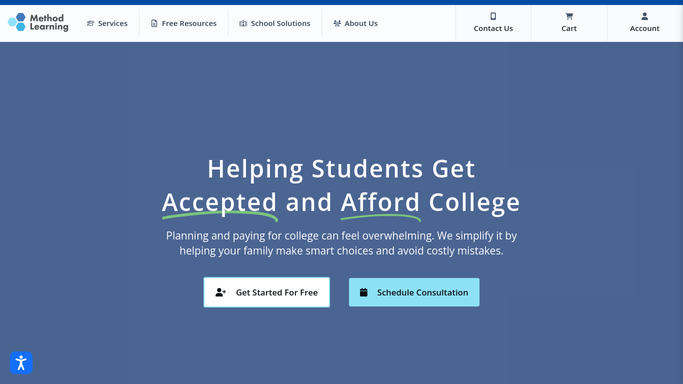
Course reporting covers the studying, not the programme
The platform does the teaching part properly, and it is worth knowing how far that reaches before paying for anything else.
Methodize carries full ACT and SAT courses plus Pre-Algebra, Algebra 1, Algebra 2 and Geometry, with TSIA preparation for Texas schools and financial literacy alongside. Lessons are interactive and text-based with audio support, and they work on a phone, which matters for a student doing twenty minutes on a bus. Practice quizzes score themselves. Built-in reporting tracks course progress, scores and test results, filters by class, grade or student, and exports to Excel. Rostering arrives through Clever, ClassLink, SchoolLinks, Xello and XAP, so nobody types a class list twice.
All of that describes what a student did inside the course.
The programme built around the course sits outside it. Whether the tuition instalment cleared. Whether the family who sat a diagnostic in June ever came back. What the exam board published as this year's registration deadline. Who joined the video session and who dropped out after eight minutes. The reporting is honest about study. It was never meant to describe the business.
A stalled student is findable three weeks out
A student drifting away leaves a trace in four places at once, and nobody has time to open all four.
Students whose practice score has not shifted since the diagnostic, listed by section, with three weeks left before the test rather than three days. Session attendance reconciled against who was enrolled, so a student who has missed two in a row is offered a makeup while the material is still warm.
Diagnostic-takers who never enrolled, gathered before the next cohort opens and handed to the person who can actually ring them. Registration windows and test dates read off the exam boards' own pages, so the reminder that goes to two hundred families is right. A parent summary assembled from numbers that already exist: sessions attended, sections practised, points gained since the baseline.
Keep the family contact supervised. A parent paying for test preparation is anxious by definition, and an automated note that says the wrong thing about their child's score cannot be recalled once it has been read.
Retyping a score is not teaching
Reading a score report and working out what a student needs next is the job. Copying that same number into an email, a spreadsheet and a parent update is not, and it is what fills the hour after the last session finishes.
WebRun is an AI agent that works a real Chrome browser, signed in as you. It opens Method Learning, the roster, the payment record or the exam board's own site, reads each one, and hands back the comparison with the gaps named.
It runs on your schedule inside your own private environment, and a run can be watched and stopped part-way. Nothing is written into a student's record, and anything addressed to a family is drafted and waits for a person.
Each workflow below names the screens it opens before it opens them.
Questions people ask
Does this need Method Learning to give us API access?
No. It works the browser signed in as you, using the same screens a coordinator uses, so nothing has to be connected to your account and no developer is involved. That is the point of doing it this way.
Can a parent get a score update without us reading it first?
No. The summary is assembled from real progress data and left as a draft. A person reads it and sends it. Score conversations with anxious parents are not something to hand to a machine.
Our school rosters through Clever. Does that matter?
Not for this. Rostering fills the platform with students. This covers what happens afterwards: who stopped working, who never enrolled, and whether the test date reminder matches what the exam board actually published.
12 ready-made Method Learning workflows
Each one names the apps it touches and the exact steps it takes. Open one to read what it will do, then turn it on.






Want one of these running on your own Method Learning?
Show WebRun the process once and it will run it on schedule, in your own private browser environment.