Bring diagnostic only students back for the next cohort
In the weeks before each new seasonal cohort opens, WebRun finds students in Method Learning who completed a diagnostic but never enrolled in a full course, checks QuickBooks for an open or unpaid enrollment invoice, and drafts a personalized invite email in Gmail referencing their diagnostic score, for your team to review before sending.
- No credit card
- Under $0.01 per run
- Cancel anytime
What does WebRun do on every run?
The exact actions WebRun takes, in order - in plain language, so you can adjust anything.
-
WebRun signs in and gets to work
Opens
www.methodlearning.comin a real browser with your saved login - no setup, no API keys. -
1
Method Learning - find diagnostic only students
methodlearning.com How to Automate Method Learning

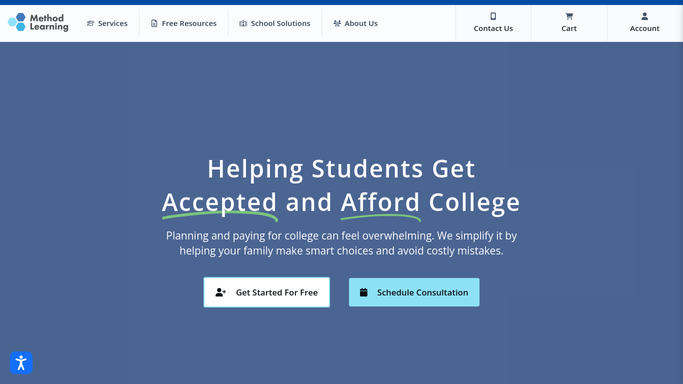
WebRun opens Method Learning to find diagnostic only students. - Open Method Learning and list students who completed a diagnostic in the last 6 months
- Exclude anyone already enrolled in a current course
Done when Every diagnostic only student is listed.
-
2
QuickBooks - check the enrollment invoice status
- Check QuickBooks for an open or unpaid enrollment invoice tied to each student
- Note the cohort and price they were last quoted, if any
Done when Each diagnostic only student has an invoice status noted.
-
3
Gmail - draft the cohort invite
gmail.com How to Automate Gmail
WebRun opens Gmail to draft the cohort invite. - Draft a personalized invite referencing the student's diagnostic score and the new cohort's start date
- Leave the email unsent for your team to review before sending
Done when A reviewable invite draft exists for every diagnostic only student.

How do I remind past diagnostic takers about a new seasonal cohort?
Before each new seasonal cohort opens, WebRun finds students in Method Learning who took a diagnostic but never enrolled, checks QuickBooks for an open enrollment invoice, and drafts an invite in Gmail referencing their score and the cohort's start date. Your team reviews and sends it, so warm leads get invited back without anyone building the list by hand.
- Warm diagnostic leads get invited back before every new cohort opens
- Invoice status is checked automatically, no manual QuickBooks lookups
- Nothing emails a past lead until your team reviews the draft
Built for test prep centers · SAT/ACT bootcamp providers · tutoring franchises · enrollment coordinators
How is each run configured?
Secure by default
Connect once, stays signed in
WebRun signs in once and keeps each session in a persistent environment, so every run picks up right where it left off.
Every action is checked against this policy before it runs.
Questions, answered
Will it email past leads without anyone checking first?
No. WebRun only drafts the invite in Gmail. Your team reviews and sends each one, nothing goes out on its own.
How does it pick who to invite?
It looks for students in Method Learning who completed a diagnostic but never enrolled in a full course, so the list is warm leads, not a cold list.
Does it charge a card to hold a spot?
No. WebRun never charges anything. It only checks QuickBooks for the invoice status so your team knows who still owes a deposit.
Related templates
Put this on autopilot.
Turn it on in minutes - or have our team set it up for you.