Give instructors a weekly score trend digest
Every Monday, WebRun opens Method Learning, compares each student's latest practice test to their diagnostic baseline and prior attempts, logs the point change per section to Google Sheets, and posts a ranked trend digest to your instructor Slack channel so nobody's plateau goes unnoticed.
- No credit card
- Under $0.01 per run
- Cancel anytime
What does WebRun do on every run?
The exact actions WebRun takes, in order - in plain language, so you can adjust anything.
-
WebRun signs in and gets to work
Opens
www.methodlearning.comin a real browser with your saved login - no setup, no API keys. -
1
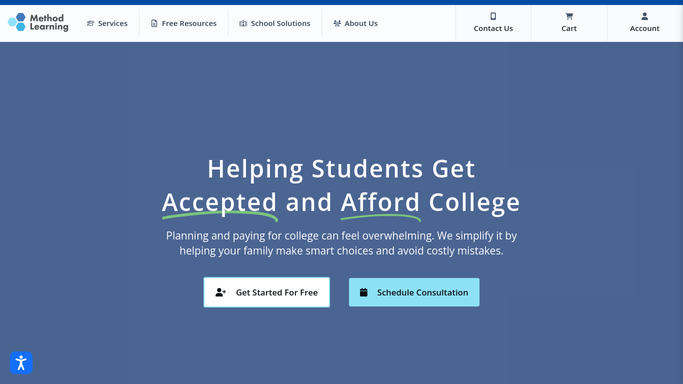
Method Learning - compare each student's latest scores
methodlearning.com How to Automate Method Learning

WebRun opens Method Learning to compare each student's latest scores. - Open Method Learning and pull each student's diagnostic and most recent practice test
- Calculate the composite and per section point change
- Sort students from biggest gain to biggest drop
Done when Every active student has a calculated score trend.
-
2
Google Sheets - log the point change per section
google.com How to Automate Google Sheets
WebRun opens Google Sheets to log the point change per section. - Append this week's composite and section deltas to the trend log
- Highlight any student whose composite dropped two weeks running
Done when The trend log reflects this week's results for every student.
-
3
Slack - post the ranked trend digest
slack.com How to Automate Slack
WebRun opens Slack to post the ranked trend digest. - Post a ranked digest to the instructor channel with biggest gains first, then flagged drops
- Tag the assigned instructor next to each flagged student
Done when Instructors have this week's trend digest in Slack.


How do I track score improvement across all my test prep students?
WebRun compares every student's latest Method Learning practice test to their diagnostic baseline each Monday, calculates the point change per section, and logs it to a Google Sheets trend log. It then posts a ranked digest to your instructor Slack channel with the biggest gains and any flagged plateaus, so instructors know who needs attention before the next session.
- Instructors see a ranked trend digest every Monday without pulling reports by hand
- Plateaus get flagged two weeks in, not discovered at the next diagnostic
- Every student's full score history stays logged in one sheet
Built for test prep centers · tutoring franchises · SAT/ACT program directors · instructors
How is each run configured?
Secure by default
Connect once, stays signed in
WebRun signs in once and keeps each session in a persistent environment, so every run picks up right where it left off.
Every action is checked against this policy before it runs.
Questions, answered
Does this message students or parents?
No. The trend digest posts only to your internal instructor Slack channel. It never contacts a student or parent directly.
How does it decide who gets flagged?
It compares each student's most recent practice test to their diagnostic baseline and prior attempts, and flags anyone whose composite score dropped two weeks in a row.
Can instructors see the full history, not just this week?
Yes. Every week's composite and section deltas are appended to the Google Sheets trend log, so instructors can scroll back through a student's full progression.
Related templates
Put this on autopilot.
Turn it on in minutes - or have our team set it up for you.