How to Automate Point of Rental
Point of Rental automates the contract: recurring invoices raise themselves, SMS notifications fire on reservations and payments, and Rental eSign chases the signature. Confirming a part, a warranty claim or an insurance certificate happens on other companies' websites, and that is the layer a browser agent like WebRun covers.
 Written by
Hannah Vogel
Finance operations
Written by
Hannah Vogel
Finance operations
 Reviewed by
Tom Kessler
Field operations analyst
Reviewed by
Tom Kessler
Field operations analyst
A rental yard earns only while the machine is out
Point of Rental is rental management software, sold as Point of Rental Essentials for smaller operations and Point of Rental Elite for the larger and more complicated ones. Behind both is the same idea: a rental business does not sell things, it sells the same thing over and over, and everything depends on knowing where each unit is and when it comes back.
That makes the software a calendar as much as an inventory. A scissor lift is on a contract until Thursday, then it has a service due, then it is promised to a housebuilder on Monday. Miss one of those and the whole chain slips.
The businesses running it are heavy equipment yards, tool hire counters, aerial access specialists, event and tent companies, portable sanitation operators. Different fleets, same problem: an asset earning nothing in the yard is the only real waste in the model, and an asset that goes out broken is worse.
Somebody spends the morning confirming things by phone
Watch a rental counter for an hour and most of the work is not renting anything.
It is ringing the dealer to ask whether the hydraulic pump is in stock, because the machine it belongs to is down and a customer wants it Thursday. It is opening the manufacturer's portal to see whether a warranty claim was paid. It is emailing a contractor's procurement department to get a purchase order number so an invoice can go out. It is checking whether a customer's certificate of insurance expired last month, on the broker's site, before the machine leaves the yard. It is chasing the deposit on a contract that ended two weeks ago.
None of that is on the schedule. It happens between customers, gets interrupted, and gets picked up again by whoever is free. Which is why the certificate that lapsed is usually found after the machine has already gone out.
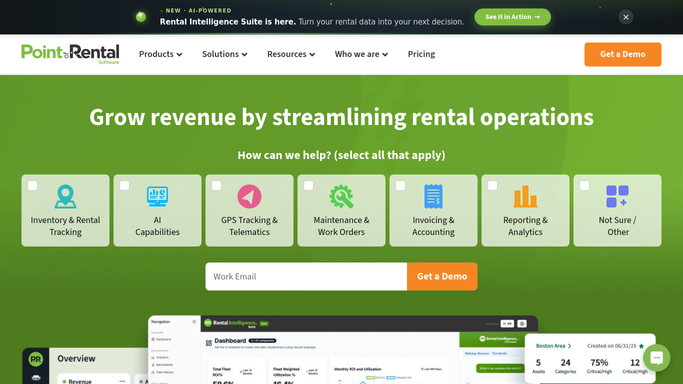
Automated billing and SMS notifications cover the contract's life
Point of Rental automates the contract itself well, and most of it is included rather than sold separately.
Billing and invoicing can be automated so recurring hires raise their own invoices. SMS Notifications fire on transactions the system already knows about: a reservation confirmed, a payment received, an invoice reminder due. The maintenance, service and repair side holds repair orders, maintenance orders and work requests against each unit, so a machine coming back due for service is not a surprise. Rental eSign sends a contract out for signature and tells you when it comes back, which removes the trip to site that used to be the only way to get a name on a form.
That is a full set for a business this size, and all of it is triggered by something that happened inside Point of Rental.
The facts that stop a hire going out are usually elsewhere. The dealer's parts availability. The manufacturer's warranty portal. The insurance certificate on the broker's system. The purchase order sitting in the main contractor's procurement portal. The machine hours the manufacturer's telematics site records, which is what actually decides when a service is due. None of those can be reached from the counter's own software.
Every machine has a fact sitting on somebody else's website
A hire that cannot go out is usually waiting on one date held by one other company, and that company puts it on a screen.
Insurance certificates checked against the broker's portal every morning, with anything expiring inside thirty days flagged before a contract is written rather than after a machine is on site with no cover. Parts availability checked at each dealer for the units currently down, so the answer to when it will be back is a date rather than a shrug.
Warranty claims tracked to payment on the manufacturer's portal, since the ones that quietly fell out are only found by looking. Purchase order numbers pulled from the main contractor's procurement site, so the invoice goes out this week rather than sitting in a pile waiting on an email nobody answered.
The fleet side is the quieter win. Machine hours read off the telematics portal each week and compared with the service intervals in Point of Rental, so a unit due at 500 hours is scheduled at 450 rather than found at 620.
Anything touching a customer stops short of sending. A chase for an overdue return or an unpaid deposit gets written, then waits for someone to read it.
The counter should be serving whoever walks in
Three logins stand between a question at the counter and its answer: the dealer's parts site, the manufacturer's warranty portal, the broker's certificate page. The customer waits through all three.
WebRun is an AI agent that works a real Chrome browser, signed in as you. It opens those portals, reads what is on the screen, and writes the answer back into Point of Rental or the sheet the yard works from.
It runs on your schedule in your own private environment, and you can watch a run and stop it mid-way. Anything that chases a customer for a machine or for money is drafted and waits for a person.
The workflows below are already built, and each one names the sites it opens.
Questions people ask
Our overdue chases are touchy. Does it send them?
No. It builds the list of what is out past its return date and drafts the message, then stops. On a trade counter the relationship is worth more than the day rate, so sending stays with a person.
We run Elite on our own servers. Does that rule this out?
No. It works whatever screen you log into, self-hosted or cloud, because it reads and types the way your counter staff do. There is nothing to install alongside Point of Rental and no API to enable.
Half our suppliers have no online portal at all. Then what?
Whatever is online gets checked, and the rest stays a phone call. In practice the parts sites, warranty portals and insurance certificate pages cover most of the daily chasing, and the calls left over are the ones worth a person making.
14 ready-made Point of Rental workflows
Each one names the apps it touches and the exact steps it takes. Open one to read what it will do, then turn it on.








Want one of these running on your own Point of Rental?
Show WebRun the process once and it will run it on schedule, in your own private browser environment.