Chase overdue equipment returns before they cost you
Every morning, WebRun opens Point of Rental, finds every contract whose scheduled return date has passed, drafts a polite text reminder to each renter in Twilio, and posts your yard team a Slack recovery list ranked by days overdue and equipment value.
- No credit card
- Under $0.01 per run
- Cancel anytime
What does WebRun do on every run?
The exact actions WebRun takes, in order - in plain language, so you can adjust anything.
-
WebRun signs in and gets to work
Opens
www.point-of-rental.comin a real browser with your saved login - no setup, no API keys. -
1
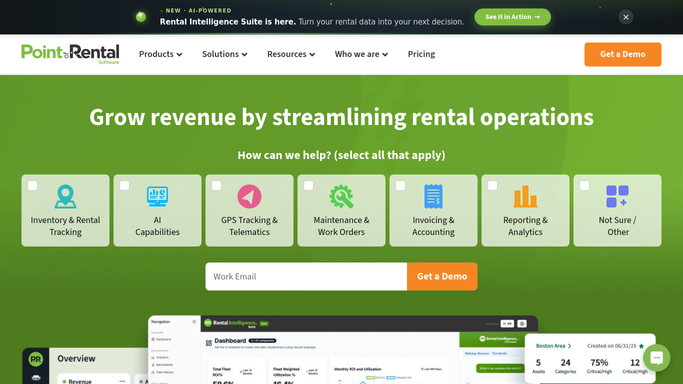
Point of Rental - find contracts past their return date
point-of-rental.com How to Automate Point of Rental

WebRun opens Point of Rental to find contracts past their return date. - Open Point of Rental and filter active contracts to those past the scheduled return date
- Capture the renter, equipment, contract number, due date, and days overdue for each
- Skip any contract already flagged as returned or extended
Done when Every contract past its return date is listed with the renter and days overdue.
-
2
Twilio - draft a return reminder text
twilio.com How to Automate Twilio
WebRun opens Twilio to draft a return reminder text. - Draft a short, polite text reminder for each renter naming the equipment and the original return date
- For contracts more than 3 days overdue, draft a firmer second notice
- Leave every text as an unsent draft for a staff member to review and send
Done when A return reminder draft exists for every overdue renter, ready to review.
-
3
Slack - alert the yard team to follow up
slack.com How to Automate Slack
WebRun opens Slack to alert the yard team to follow up. - Post a recovery list to the yard channel, ranked by days overdue and equipment value
- Flag equipment overdue more than a week at the top
- Include a reference to the drafted texts waiting for review
Done when The yard team has today's recovery list and drafted reminders in Slack.


How do I automatically flag and chase overdue equipment rental returns?
WebRun checks Point of Rental every morning for contracts past their scheduled return date. It drafts a polite text reminder for each renter in Twilio, escalating after three days overdue, then posts your yard team a Slack recovery list ranked by days overdue and value, so overdue equipment gets chased without an unreviewed text going out.
- Overdue equipment gets a drafted reminder before it costs another rental day
- Yard staff open Slack to a ranked recovery list every morning
- Renters are never texted without a staff member's review
Built for construction equipment rental yards · heavy equipment rental companies · tool and equipment rental shops · rental yard managers
How is each run configured?
Secure by default
Connect once, stays signed in
WebRun signs in once and keeps each session in a persistent environment, so every run picks up right where it left off.
Every action is checked against this policy before it runs.
Questions, answered
Will it text renters without me?
No. WebRun drafts every return reminder in Twilio and leaves it unsent. A staff member reviews and sends each text, so no renter is contacted without approval.
How does it prioritize which overdue rentals to flag first?
It ranks the recovery list by days overdue and equipment value, so the longest overdue and highest value assets sit at the top of the Slack list each morning.
What if the equipment was already returned but not checked in?
WebRun reads the live contract status in Point of Rental each morning, so once a return is checked in, that contract drops off the next day's list automatically.
Related templates
Put this on autopilot.
Turn it on in minutes - or have our team set it up for you.