How to Automate Occupier
Occupier automates the lease record. Clause summaries come out of the document, configurable alerts fire on renewals, options and expirations, and ASC 842 and IFRS 16 entries and disclosure reports follow from the same data. Checking a landlord's charges against the evidence happens elsewhere, which is where a browser agent like WebRun works.
 Written by
Grace Okafor
Healthcare operations
Written by
Grace Okafor
Healthcare operations
 Reviewed by
Priya Raghavan
Solutions lead
Reviewed by
Priya Raghavan
Solutions lead
The lease file is the only place a portfolio exists in one piece
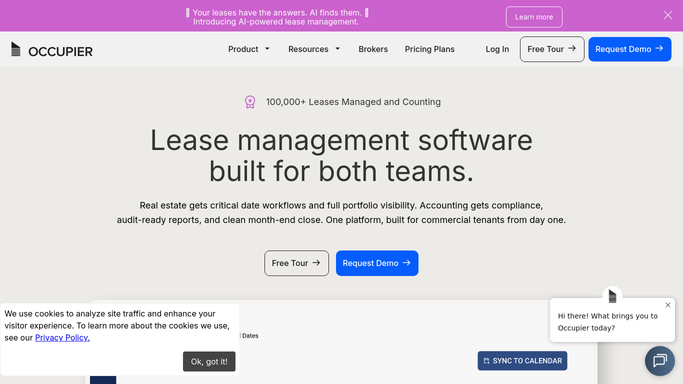
Occupier is lease management software built for the tenant side: the company signing leases rather than the landlord collecting on them. Retail chains, restaurant groups, fitness operators, franchisees, healthcare networks and corporate real estate teams run their portfolios in it, and finance works from the same record as the real estate team.
A portfolio is not one agreement repeated. It is a hundred studios or three hundred restaurants, each with its own landlord, its own renewal option, its own escalation schedule and its own rules about what the tenant owes beyond rent. The document runs to fifty pages, was negotiated by somebody who has since left, and the parts that cost money sit in clauses nobody reads twice.
Occupier's job is to turn that pile into a record with dates on it: Lease Administration for the terms and the obligations, Lease Accounting for what the standards require, and Deal Management for the sites still being negotiated.
The landlord's version of the number arrives by email
Most of the friction in a tenant's portfolio comes from the other side of the lease.
A common-area maintenance reconciliation arrives as a PDF attached to an email in December, asserting a figure. Somebody has to work out whether that figure matches what the agreement allows. A percentage-rent clause needs this quarter's gross sales for one store, and those live in the point-of-sale system. A landlord bills for insurance the lease says the tenant does not carry. An estoppel certificate needs signing inside a week.
The deal side has its own version of the same problem. A new site is in negotiation with a broker holding the letter of intent, the landlord's counsel has the draft, and the executed copy of the last deal is still in somebody's inbox rather than in the system everybody works from. Each of these is a person opening an email thread, a portal and a document, then comparing them by hand.
Occupier already abstracts the clause and counts the date
Inside the record it holds, the software does the hard parts, and a team that has not configured all of it should start there.
Lease Administration centralises the lease data and tracks the obligations, with clause summaries produced in a click instead of by rereading fifty pages. Configurable alerts fire on the dates that cost money when missed: renewals, options and expirations, along with the landlord obligations attached to them. Lease Accounting produces ASC 842 and IFRS 16 calculations, journal entries and disclosure reports from the same record. Deal Management keeps the sites under negotiation next to the portfolio they are about to join.
Every one of those depends on the lease being in Occupier, abstracted correctly, with the right dates on it.
The reconciliation statement the landlord sent is not in it. Neither are the sales figures a variable rent charge needs, the utility bill the lease makes the tenant responsible for, the certificate of insurance the landlord demands each year, the property tax assessment the county published, or the amendment signed last month and never uploaded. An alert is only as good as the date somebody remembered to enter.
Obligations can be checked against evidence, not against an email
Evidence for almost every obligation in the portfolio sits on a landlord's portal or a county website.
Percentage-rent charges worked out against real sales read from the till system for that store, before the payment is approved rather than after. Landlord reconciliation statements collected from the property portal and set against what the agreement allows, with the difference named site by site. Property tax assessments read off the county assessor's site for each location, so an increase the landlord is about to pass through is seen the week it is published.
Then the paperwork that only bites later. Certificates of insurance expiring against leases that require them, listed before the landlord writes to ask. Utility accounts checked where the tenant pays direct, so a bill that doubled becomes a question this month. Executed leases and amendments arriving in the shared drive checked against what has been abstracted, so a signed document is not invisible through a reporting period.
The judgement stays where it sits. Whether to exercise an option, whether to dispute a charge and whether a lease is finance or operating are decisions with a person's name against them.
Nothing is signed, paid or served without a person
That line matters more than anything above it, because almost everything a lease administrator touches is either money going out or a notice with a legal deadline on it. The gathering is what takes the week.
WebRun is an AI agent that works a real Chrome browser, signed in as you. It opens Occupier alongside the property portal, the till system, the assessor's site and the drive where executed documents land, reads what each one says, and puts the differences in front of the person who has to answer for them.
It runs on a schedule you set, and you can watch a run and stop it part-way. Notices to landlords, disputed charges and payment approvals are drafted and left for whoever signs them.
Each workflow below names the sites it reads and what it brings back.
Questions people ask
Will it pay a landlord charge or serve a notice?
No. Approving a payment, disputing a charge and serving any notice with a legal deadline stay with a person. It assembles the comparison and drafts the letter, then waits, because those acts cannot be taken back.
Will it change our lease accounting entries?
No. Classification, remeasurement and anything that posts to the ledger stay with the accountant who signs off. It gathers the evidence behind those judgements and flags where the record and the outside document disagree.
Our landlord portal needs a code at login. Does that break a run?
No. A login that needs a one-time code needs a person the first time, and the session is reused afterwards, so the interruption is occasional rather than part of every run.
12 ready-made Occupier workflows
Each one names the apps it touches and the exact steps it takes. Open one to read what it will do, then turn it on.




Want one of these running on your own Occupier?
Show WebRun the process once and it will run it on schedule, in your own private browser environment.