How to Automate Notion

Notion automates inside its own pages. Database automations fire when a property changes, buttons run a set of actions, and recurring templates create pages on a schedule. Keeping the content true, when the facts come from systems Notion has no connection to, is still a person opening tabs.

Notion holds the version of the process people actually read

Notion is a document tool with a database hiding inside it, and that combination is why it ends up holding a company's operating manual.

A page can be prose for the parts that need explaining and a table for the parts that need tracking, on the same screen. So the onboarding checklist, the client list, the product roadmap and the description of how a refund gets approved all live in one place, which is genuinely rare.

New staff are pointed at it in week one. Contractors are given a link. When somebody asks how a thing works, the answer is a Notion URL rather than a conversation.

That makes accuracy the whole product. A wiki that is right is the most useful thing a company owns. A wiki that is out of date is worse than nothing, because people act on it.

A workspace goes stale in about three weeks

The decay is predictable and it always follows the same curve.

Someone builds a beautiful workspace in a burst of enthusiasm. For a fortnight it is maintained daily. Then the person who built it gets busy, one table stops matching reality, somebody notices, and trust starts leaking.

The maintenance is not intellectually demanding. It is opening the billing system to update which clients are active. Checking the recruiting tool to move three candidates along. Copying this month's numbers onto the dashboard page. Marking which pieces of equipment were serviced.

Nobody is assigned to any of it, because it does not look like a job. It looks like tidying, and tidying is what gets dropped first in a busy week.

The notion.so homepage, the app these three jobs run in. Notion
Pages that stay true The numbers in a dashboard page updated from the systems that hold them, instead of quietly aging.
Databases fed from outside Clients, applications and inventory added from wherever they really originate, without a weekly import.
The wiki that survives A workspace nobody has to volunteer to maintain is a workspace people keep using after month three.

Notion automations work on Notion's own pages

Notion has become considerably more capable, and it is worth using what is already there.

Database automations fire when a page is added or a property changes, and can edit properties, add pages or send a Slack message. Buttons run a set of steps on a click. Recurring database templates create a page on a schedule, which covers weekly reports and meeting notes. Formulas and rollups keep derived numbers correct across linked databases. Synced blocks keep one paragraph identical in six places.

Every one of those is triggered by something happening in Notion, or by a person pressing something in Notion.

None of it can find anything out. A formula cannot open your billing system. An automation cannot check whether an invoice cleared. The workspace is excellent at rearranging what it has been told and has no way to learn anything new.

The database can stay current without a maintainer

Give the workspace a way to find things out, and the weekly tidy-up stops being volunteer work. It becomes something that already happened overnight, before anybody opened the page.

The client database reconciled against the billing system each morning, so active and churned are actually right. The hiring board updated from the recruiting tool, with candidates in the stage they are really in. The dashboard page carrying this week's numbers, read from the places those numbers live rather than typed in by whoever remembered.

The equipment register updated with what got serviced. The content calendar updated with what actually published. The supplier table updated with the lead times that changed this week.

One practical note. Let the automation own specific properties and leave the prose to people. A page where a machine keeps a status field correct and a human writes the explanation underneath it is a page that stays useful. A page where both are fighting over the same paragraph is a page nobody edits again.

Keeping it fed is the unglamorous half

Building the workspace is the enjoyable part, and it is the part that gets done. Feeding it every week is the part that decides whether any of it was worth doing.

WebRun is an AI agent that works a real Chrome browser, signed in as you. It opens the billing system, the recruiting tool or the portal that holds the numbers, reads what is there, and updates the pages and database rows you point it at.

It runs on your schedule in your own private environment, and you can watch a run and stop it mid-way. Anything that would reach someone outside the team drafts and waits.

The workflows below are already built, and each one names what it opens.

Questions people ask

Do we need the Notion API and a developer?

No. It works the Notion interface signed in as you, so there is no integration to create, no token to manage and no developer needed to keep it running.

Will it overwrite something a person wrote?

Only the properties or blocks a workflow is pointed at. The usual setup has the automation own specific fields and leaves written content alone, so the two never compete for the same paragraph.

Can it read from a tool that Notion has no integration with?

Yes. It opens the tool in a browser the way you would and reads what is on screen, which is why it suits the industry systems and portals that will never appear on an integrations list.

1,067 ready-made Notion workflows

Each one names the apps it touches and the exact steps it takes. Open one to read what it will do, then turn it on.


Automated Holistics Weekly Report Scorecard
Every Monday, WebRun opens Holistics, reads the numbers on your scheduled reports, logs them as a new record in Airtable, and writes a short scorecard summary to Notion so the team gets the story behind the numbers, not just a dashboard link.
Holistics›Airtable›Notion
Automated Hobby Lobby Price Drop Tracking
Every Monday, WebRun checks Hobby Lobby's online catalog for price drops on the craft supplies you buy regularly, logs each one to Google Sheets, and updates your Notion sourcing board.
Hobby Lobby›Notion›Google Sheets
Automated Bonsai Client Onboarding Checklist
When a new client is added in Bonsai, WebRun checks whether their proposal, contract, and deposit invoice are all created, logs the status to Airtable, and adds a Notion onboarding checklist page.
Bonsai›Airtable›Notion
Automated Grow Dashboard Metrics Export
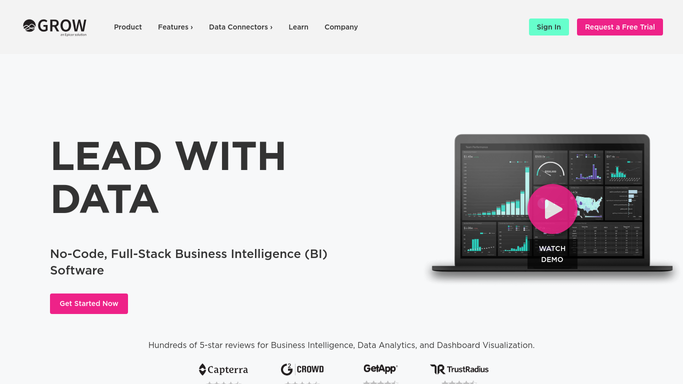
Every Monday, WebRun opens Grow, reads every metric on your dashboards, exports the numbers into a Google Sheet with the week's date, and writes a short recap page to Notion so the raw numbers and the story behind them both stay on record.
Grow›Notion›Google Sheets
Automated Glassnode On Chain Metrics Recap
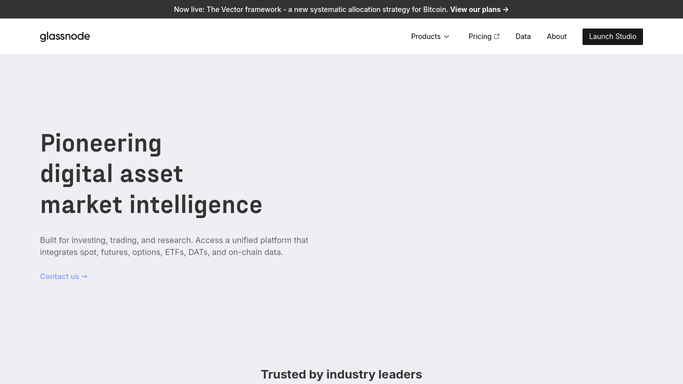
Every Monday, WebRun checks the key on-chain metrics for the assets you track on Glassnode, logs the numbers to Airtable, and updates a Notion research page so your team has a current snapshot.
Glassnode›Airtable›Notion
Automated Futu Holdings Export and Summary
Every Monday, WebRun reads your Futu portfolio holdings across every market, logs each position to a Google Sheet, and updates a Notion summary page so your records stay current without manual entry.
Futu›Notion›Google Sheets
Automated Framer Site Performance Scorecards
Every Friday, WebRun checks each Framer site's publish status and traffic, logs a scorecard to Airtable, and writes the summary into a Notion report.
Framer›Airtable›Notion
Automated Fotor Batch Edit Job Tracking
Every day, WebRun checks Fotor for batch edit jobs completed, logs each to Airtable, and updates the project notes in Notion.
Fotor›Airtable›Notion
Automated Flaticon Icon License Tracking
Every week, WebRun checks which Flaticon icon packs were downloaded, logs each with its license type to Google Sheets, and keeps the studio's icon library organized in Notion.
Flaticon›Google Sheets›Notion
Automated Exoscale Budget Reconciliation
Every Monday, WebRun checks your Exoscale compute, storage, and DBaaS consumption, compares it to the budget you keep in Airtable, and posts a discrepancy summary to Notion.
Exoscale›Airtable›Notion
Automated Etherscan Wallet Activity Monitor
Every hour, WebRun reads Etherscan for new activity on the wallet address you specify, logs every transaction to Airtable, and writes a Notion note flagging any transfer above the size you set.
Etherscan›Airtable›Notion
Automated ERPNext Purchase Approval Handoff
Every morning, WebRun checks ERPNext for purchase orders and stock requests waiting on approval, logs each to Airtable with the requester and amount, and adds a Notion page listing what is waiting.
ERPNext›Airtable›Notion
Automated Epik Renewal Deadline Tracker
Every Monday, WebRun checks your Epik account for domains expiring within 30 days and their auto renew status, logs the list to a Notion tracker, and appends the same rows to Google Sheets.
Epik›Notion›Google Sheets
Automated Ecwid Product Launch Checklist
When you add a new product to your Ecwid store, WebRun checks that the listing, images, price, and inventory sync are all complete, logs the checklist to Airtable, and keeps a Notion launch page updated with what's left.
Ecwid›Airtable›Notion
Automated dYdX Position Risk Alerts
Every hour, WebRun reads your open dYdX perpetual positions, their funding rate and liquidation price, logs each to a Google Sheet, and writes a Notion note flagging any position trading dangerously close to liquidation.
dYdX›Notion›Google Sheets
Automated DSers Order Sync Error Alerts
Every hour, WebRun checks your DSers order list for anything stuck in a sync error, logs each one to Notion with the reason, and updates a Google Sheet so your fulfillment team can see error trends over time.
DSers›Notion›Google Sheets
Automated Dribbble Shot Performance Tracking
Every Monday, WebRun reads your Dribbble shots' views, likes, and comments, logs them to Google Sheets, and saves the top performer to a Notion swipe file.
Dribbble›Google Sheets›Notion
Automated Digits Daily Cash Digest
Every morning, WebRun reads the latest Digits cash balance, burn rate, and any flagged anomalies, writes the day's numbers to a Google Sheet, and adds a short Notion update for the founders.
Digits›Notion›Google Sheets
Automated Crusoe Cloud Weekly GPU Scorecard
Every Monday, WebRun checks your Crusoe Cloud instances for GPU hours, utilization, and spend from the past week, logs a row to Airtable, and posts a summary page to Notion.
Crusoe Cloud›Airtable›Notion
Automated Crazy Domains Renewal Tracker
Every Monday, WebRun checks your Crazy Domains account for domains and hosting nearing renewal, logs each one to a Notion tracker, and appends the same list to Google Sheets.
Crazy Domains›Notion›Google Sheets
Contabo Automated VPS Setup Checks
The moment a new VPS spins up on Contabo, WebRun checks that the backup add-on and reverse DNS are configured, logs the result to Airtable, and creates a Notion task if anything is missing.
Contabo›Airtable›Notion
Automated ConfigCat Environment Parity Check
WebRun compares your ConfigCat staging and production flag settings every night, logs any mismatch to Airtable, and posts a summary in Notion for engineering to review.
ConfigCat›Airtable›Notion
Automated commercetools Catalog Sync Alerts
WebRun checks your commercetools catalog import jobs every day, logs any failure to Airtable, and creates a Notion task for the dev team to fix it.
commercetools›Airtable›Notion
Automated Comet Weekly Experiment Scorecard
WebRun reviews your Comet experiments every Monday, exports the best run per project to a Google Sheet, and posts a scorecard page to Notion.
Comet›Notion›Google Sheets

Want one of these running on your own Notion?

Show WebRun the process once and it will run it on schedule, in your own private browser environment.