How to Automate BambooHR
Start with BambooHR's tools: Workflows and Approvals for requests, onboarding tasks with reminders, and automated emails to candidates. They act inside BambooHR and its Marketplace integrations, so a new hire's email account or a licence renewal is still handled by hand. A browser agent such as WebRun can take on that follow-through, with HR approving anything irreversible.
 Written by
Grace Okafor
Healthcare operations
Written by
Grace Okafor
Healthcare operations
 Reviewed by
Owen Hartley
Workflow engineer
Reviewed by
Owen Hartley
Workflow engineer
BambooHR holds the staff list everything else copies
BambooHR, sometimes written Bamboo HR, is HR software sold to companies of all sizes, at a monthly flat rate for 25 employees or fewer and per employee above that. The employee record is its centre: job title, manager, pay rate, hire date, and any custom fields HR adds, such as a forklift licence number and the date it expires.
Time off and the hiring pipeline hang off that record. HR sends each new hire a New Hire Packet, and the new hire completes tax forms, I-9 verification and direct deposit details with e-signatures before the first day. Payroll, Benefits Administration, Time & Attendance and Global Employment, powered by Remote, are add-ons bought separately.
Employees book leave and correct their own address, and an approver signs off on each change. Whoever runs HR has BambooHR open all day. The email directory and an outside payroll provider each keep their own copy of the staff list, and neither changes until someone updates it by hand.
Every hire and every leaver starts work in other systems
A candidate accepts, and the office manager marks them hired in BambooHR's applicant tracker, which carries their details into a new employee record. The same office manager then creates the email account, orders the laptop, adds the new starter to the outside payroll provider and emails the benefits broker. A resignation means that list in reverse, and a login nobody wrote down, on a supplier portal or the courier account, stays open after the person has gone.
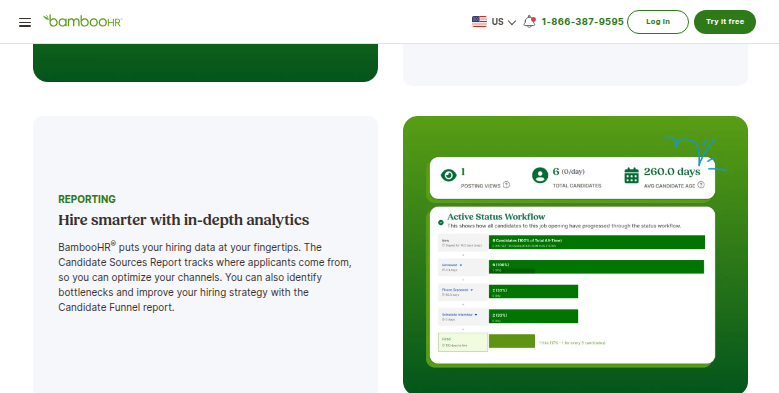
Applications also arrive by email from boards BambooHR does not post to, and someone types each one into the pipeline. A forklift licence in its custom field runs out. The first person to notice is a site inspector asking to see it. Each month finance wants headcount by department, so HR exports a report and pastes the figures into finance's spreadsheet.
Paying people through an outside provider adds one more check. Before each run, HR opens the Payroll Change Report, which lists the payroll-related changes made during the pay period, and confirms that every raise and new starter also appears on the provider's screen.
An onboarding task can be assigned in BambooHR but not done there
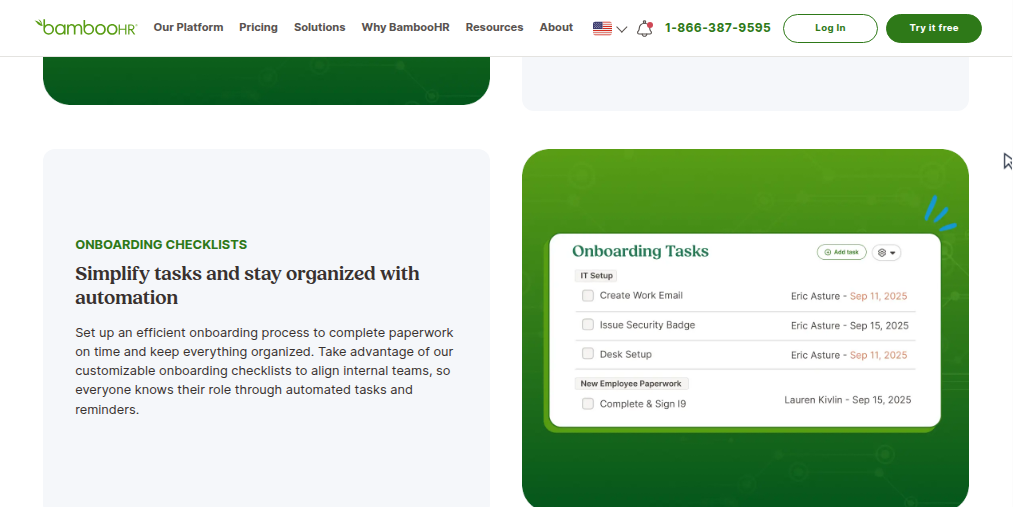
Workflows and Approvals, part of the Core plan, sends a time-off request or an employee's edit to their own details to the approver HR has named. Onboarding tasks reach their assignees with a notification, and HR can set it for the due date or a chosen day before. For hiring, BambooHR posts openings to boards including Indeed, ZipRecruiter and LinkedIn and emails candidates automatically at each stage, and offer letter templates fill in the candidate's details. Managers can also get an email reminder of each employee's birthday and work anniversary.
That automation acts on what BambooHR holds, or reaches another tool through one of the more than 150 integrations in the BambooHR Marketplace. An onboarding task can tell the office manager to order a laptop; it cannot see whether the order went in. When HR approves a raise, changing it in an outside payroll system is still a person's job. A licence expiry date waits in its custom field while nobody opens the licensing body's lookup page, and a candidate who applied on a niche board stays out of the pipeline until someone enters them.
Each change in BambooHR can be carried into the systems that copy it
On a new starter's first morning, the hiring manager can open the onboarding tasks in BambooHR and see the email account and the payroll record marked done, with only the laptop still open. When someone leaves, the offboarding task list in BambooHR shows the office manager, by the afternoon of the last day, each other system where the leaver still has a login, and the office manager approves each closure.
Candidates from the trade job board and the recruiting agency's portal join the Indeed applicants in BambooHR's pipeline, so the hiring manager reviews them in one place. A month before a nurse's licence lapses, the HR lead already knows from the state board's lookup page whether the renewal has gone through.
Before each payroll run, the person who approves it sees every change in the Payroll Change Report that the payroll provider does not show yet, such as a raise entered in BambooHR and missing from payroll. Finance has the monthly headcount by department in its own spreadsheet on the first working day.
HR sets the BambooHR access level the agent works under
A change in BambooHR sets off every one of those jobs, and each ends on another system's admin screen.
WebRun is an AI agent that works a real Chrome browser, signed in as you. Its weekday morning starts from what changed in BambooHR, seen through an account whose access level HR sets. The payroll provider and the other systems in your policy come next, each getting only the setup or check you have allowed.
A pay-rate change goes in as a request through an approval HR has set up in Workflows and Approvals, and it waits in BambooHR for the approver HR named. HR runs every termination itself. The setups below include keeping the org chart current and chasing unsigned offer letters in DocuSign.
Questions people ask
Is BambooHR's Core plan enough for this?
Yes. Core already includes Workflows and Approvals, job posting and time-off management, and the agent opens only what your account can open, so nothing is added to the plan. Payroll, Benefits Administration and Time & Attendance are add-ons that come into it only if you have them.
Can applicants from other job boards end up in BambooHR's ATS?
Yes. BambooHR posts to boards such as Indeed, ZipRecruiter and LinkedIn and keeps those applicants in its own pipeline. For a board it does not post to, the agent enters each applicant in the matching opening, or leaves them on a list for a recruiter to confirm first.
Can pay changes in BambooHR be checked against an outside payroll provider?
Yes, before each run. BambooHR's Payroll Change Report lists the payroll-related changes in a pay period and exports to CSV or Excel. Whoever approves the payroll gets each difference between that report and the payroll provider's screen before the run. Submitting and approving the payroll remain the payroll lead's job.
What access level should the agent's BambooHR account have?
The narrowest one that covers its jobs. BambooHR admins decide which fields each access level can view or edit, so an account used for onboarding checks can see names, managers and hire dates without seeing pay rates.
Sources
- BambooHR Pricing Lists Workflows and Approvals, job posting and time-off management in the Core plan; Payroll, Benefits Administration, Time & Attendance and Global Employment (powered by Remote) as add-ons; and a monthly flat rate for companies of 25 employees or fewer.
- Effective Employee Onboarding Software Describes onboarding checklists with automated tasks and reminders, the New Hire Packet with e-signatures for tax forms, I-9 verification and direct deposit before the first day, and offboarding workflows.
- Applicant Tracking System for HR Teams Names Indeed, ZipRecruiter and LinkedIn among the job boards BambooHR integrates with, and describes automated emails at every hiring stage, offer letter templates that fill in candidate details, and automatic transfer to employee records.
- 5 Lesser Known BambooHR Features (That We Think You Should Use) Describes email alerts for birthdays and work anniversaries, and the Payroll Change Report that lists a pay period's payroll-related changes for export.
- Onboarding Task & Notifications Updates BambooHR product update on notifying onboarding task assignees, including sending the notification on the due date or on a chosen day before it.
- BambooHR Marketplace | Your Favorite Integrated HR Apps BambooHR's directory of more than 150 integrations, grouped by category such as payroll, applicant tracking and time tracking.
- Access Levels in HR Software: A Practical Guide for IT and HR Teams Describes BambooHR's Full Admin, Manager, Employee and custom access levels, and how an admin chooses what each level can see or edit.
- 100+ Ways to Customize BambooHR Explains custom approval processes for any custom field or table, with a chosen set of people who can request and approve, and advanced approvals routed by division, department or location.
5 ready-made BambooHR workflows
Each one names the apps it touches and the exact steps it takes. Open one to read what it will do, then turn it on.





Want one of these running on your own BambooHR?
Show WebRun the process once and it will run it on schedule, in your own private browser environment.