How to Automate Wherefour
Wherefour automates the traceability and planning work in a food factory: one-button forward and backward lot traces, recall reports by lot, date or customer, Control Points on the batch record, and a one-click MRP that writes purchase orders. Supplier portals, retailer deductions and published recall notices still need an agent like WebRun.
 Written by
Yara Haddad
Data operations
Written by
Yara Haddad
Data operations
 Reviewed by
Priya Raghavan
Solutions lead
Reviewed by
Priya Raghavan
Solutions lead
Wherefour is the factory floor written down
Wherefour is an ERP for manufacturers who make things out of other things, and food and beverage sits in the middle of its market: sauces, snacks, drinks, bakeries, supplements, cosmetics, and the co-packers who make all of it for somebody else.
That business is unusual enough to need software of its own. A pallet of oats arrives with a lot code on it. Some of those oats go into batch 118 on Tuesday and the rest into batch 124 on Thursday. Batch 118 becomes four hundred cases that ship to eleven customers over six weeks. If anything is ever wrong with those oats, you have hours to say exactly which cases went where, and to prove it with records written at the time.
So Wherefour holds the formulas, the lots, the batches, the yields, the inventory across locations, the purchase orders behind it and the sales orders in front.
The trouble arrives as somebody else's document
The floor runs. The desk is where a small manufacturer loses its week.
A customer's quality team wants the certificate of analysis for the lot on the pallet they received, and wants it today. Your own ingredient supplier owes you a certificate for the material you are about to run and has not sent it. A retailer's vendor portal has taken a deduction against an invoice and the reason code is four characters long. A pallet left on Tuesday and the customer says it never arrived, so somebody is on a freight carrier's site with a pro number. An ingredient went up eleven percent and you found out from the invoice.
Every one of those questions has its answer sitting on a website with its own login, and not one of those websites is yours.
One button gives you the whole chain, in both directions
Wherefour does the hard part of this job well, and a manufacturer should have it set up properly first.
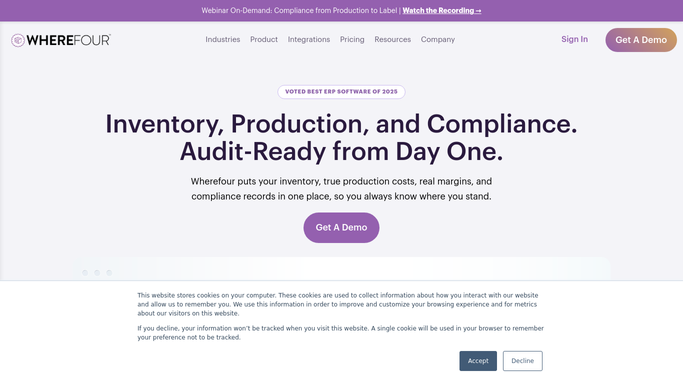
Lot tracking runs on one button: from a lot code you get the forward trace, the backward trace or a full recall report, by lot, by date or by customer, and lot codes go onto invoices automatically and are followed through to delivery. Control Points sit in the production record for the quality checks that have to be signed off, and adjustments carry an audit trail showing who changed what and when. One-Click MRP reads future sales, stock on hand, open purchase orders, production and supplier lead times together, works out what you will run out of and when, then generates purchase orders to your preferred suppliers. The What If function takes a list of products with production multipliers and answers whether you can make them out of what is in the building, with a cost attached.
All of it runs on records you own: your lots, your batches, your orders, your suppliers.
It has no view of the customer's vendor portal, of the certificates a supplier has not sent, or of the recall notices published this morning.
The recall you need to hear about is somebody else's
That is the one worth picturing first, because a recall upstream turns a normal week into a very bad one, and the difference is how fast you answer.
Published enforcement and withdrawal notices read the morning they appear and matched against the lot numbers you actually received, so whether you hold any is a question with an answer already on screen. Certificates chased where they live: the ones your suppliers owe you, tracked on their portals, and the ones customers keep asking for, assembled from your own records into a reply that is written and waiting.
Retailer and distributor portals read weekly for deductions and chargebacks, so a reason code raised in March is disputed in March rather than found at year end. Purchase order acknowledgements checked on each supplier's site against the date your production plan assumed, so an ingredient slipping two weeks moves the schedule rather than stopping it.
Freight tracking against every pallet that left, with anything that has stopped moving at the top. Ingredient prices on supplier portals checked against the costing your last batch was built on. Your own product on the grocer's site: still listed, at the price you agreed.
Draw the line at people. A note to a customer about their certificate is written by the machine and sent by you.
Chasing documents is not manufacturing
All of that is reading: opening eleven sites in the same order and noticing what changed since last week, which is exactly the work that gets skipped when a production run goes long.
WebRun is an AI agent that works a real Chrome browser, signed in as you. It opens Wherefour, the supplier portal, the retailer's vendor site or the carrier's tracking page, reads what is there and gives you the comparison with the differences named.
Because it drives a browser rather than an API, a supplier with no integration and no export is handled like one that has both. It runs on your schedule in your own private environment, you can watch a run and stop it, and anything going out to a customer is drafted for you to send.
The workflows below are already built, and each one names what it opens.
Questions people ask
Will it write to our lot records or our batches in Wherefour?
Only if you set it up to. The useful work here is mostly reading: it opens Wherefour, takes what it needs and compares it against an outside site. Anything that writes back is switched on deliberately, and the workflow says what it writes.
Can it handle a supplier who still works by email and PDF?
Yes. An inbox is a site with a login like any other, so a certificate that arrives as an attachment can be read, matched to the lot it belongs to and filed against the right batch, with anything missing listed for you.
Is it safe to point this at a retailer's vendor portal?
It signs in as you, with the access you already have, and by default it only reads. Disputing a deduction, replying to a buyer or submitting anything at all is left as a draft, because those are decisions with money attached to them.
13 ready-made Wherefour workflows
Each one names the apps it touches and the exact steps it takes. Open one to read what it will do, then turn it on.




Want one of these running on your own Wherefour?
Show WebRun the process once and it will run it on schedule, in your own private browser environment.